How to Make an Image Bigger Without Losing Quality: Your Ultimate Guide
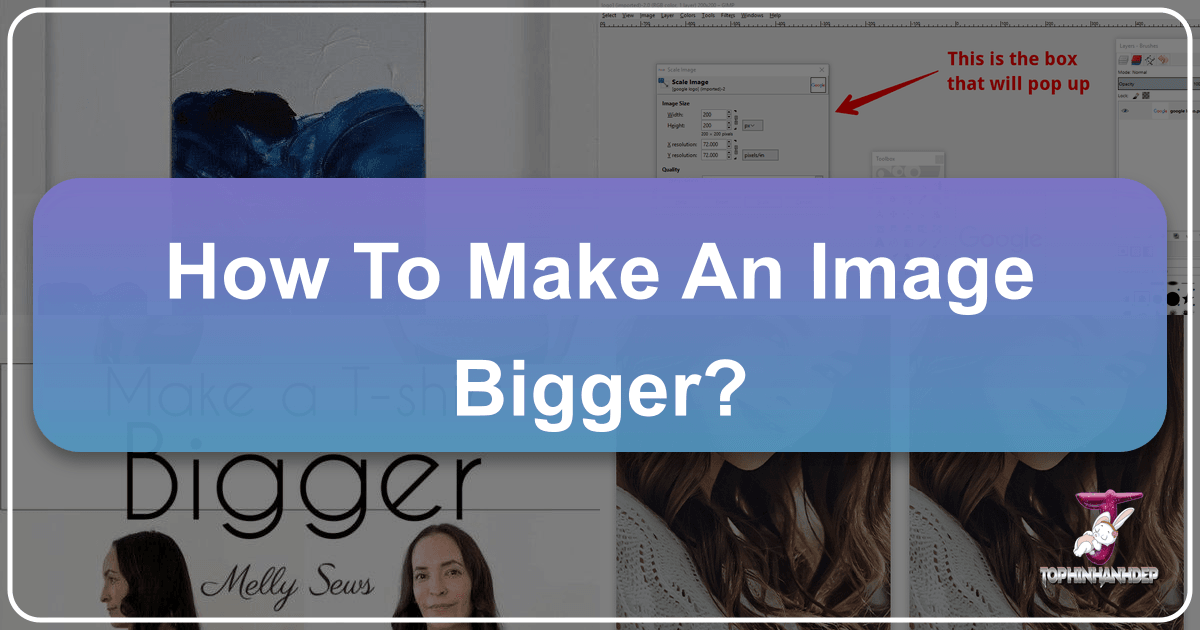
In our visually-driven world, images are more than just pictures; they are powerful tools for communication, expression, and branding. From stunning desktop wallpapers to professional print materials, the quality and resolution of an image can make or break its impact. However, a common challenge many digital creators, photographers, and casual users face is the need to enlarge an image without sacrificing its crispness and detail. You might have found the perfect background on Tophinhanhdep.com, but it’s slightly too small for your ultrawide monitor, or you’re preparing a beautiful piece of digital photography for a large format print and realize the original resolution isn’t quite enough. This is where the crucial question arises: “how to make an image bigger” effectively and efficiently.
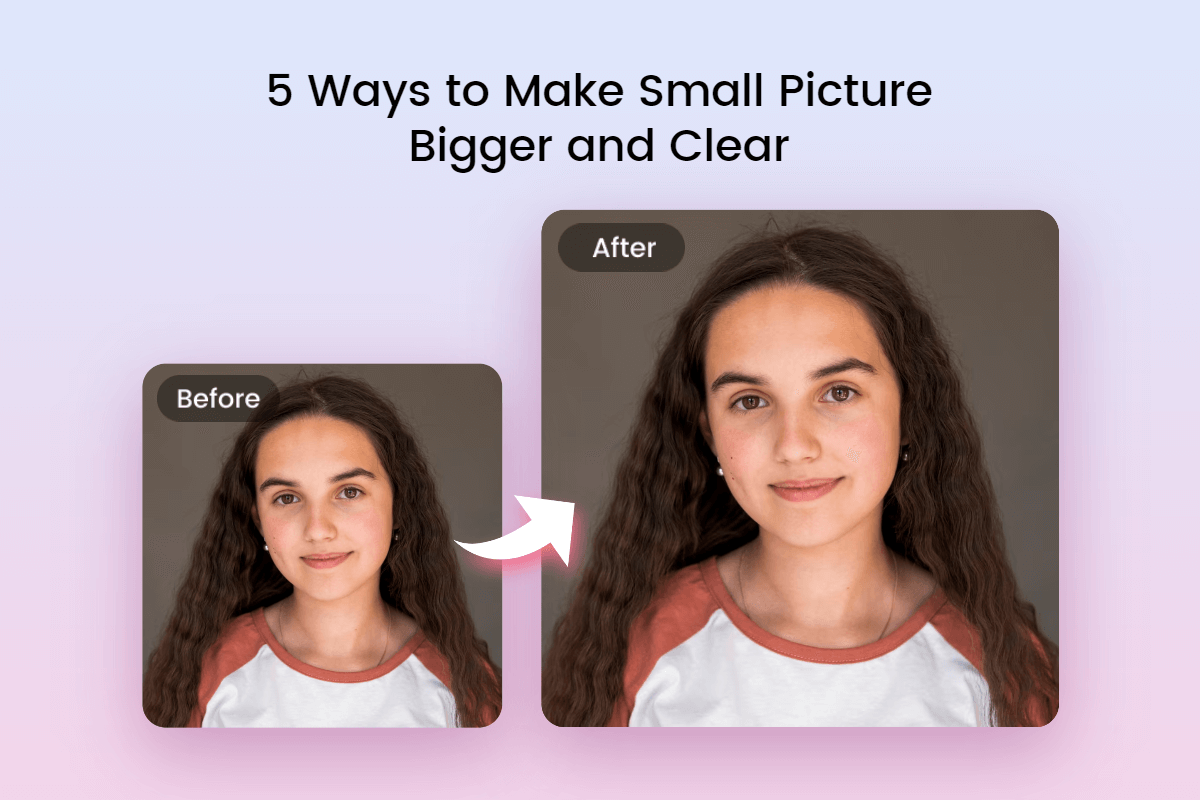
Simply stretching an image often leads to pixelation, blurriness, and a generally unprofessional look. This guide from Tophinhanhdep.com will delve into the science behind image enlargement, explore various methods, from traditional software techniques to revolutionary AI upscaling, and provide you with best practices to ensure your expanded images retain their visual integrity. Whether you’re enhancing a personal photo, preparing high-resolution stock photos for a client, or creating compelling visual design elements, mastering the art of making an image bigger is an invaluable skill. Join us as we unlock the secrets to achieving stunning, large-format visuals from smaller beginnings.
Understanding the Fundamentals: Why “How to Make an Image Bigger” is Tricky
Before diving into solutions, it’s essential to grasp why merely resizing an image in a basic editor often results in disappointment. The underlying principle of digital images is key to understanding the challenges and triumphs of enlargement.

The Pixels Problem: The Core of How to Make an Image Bigger
At its most fundamental level, a digital image is composed of tiny squares of color known as pixels. When you view an image, your eye blends these individual pixels into a cohesive picture. The more pixels an image has, the more detail it can hold, and the larger it can be displayed before individual pixels become noticeable. This is where terms like “resolution” (e.g., 1920x1080 pixels) and “pixel density” (e.g., PPI - Pixels Per Inch) come into play.
When you attempt to “make an image bigger,” you are essentially asking the software to create new pixels that weren’t there in the original. Without intelligent algorithms, the software simply duplicates existing pixels or tries to “guess” the color of new pixels based on their neighbors, a process called interpolation. This guessing game often leads to a phenomenon known as pixelation – where the individual squares become visible, making the image look blocky and rough. Edges become jagged, fine details blur, and the overall image quality deteriorates rapidly.
This is distinct from DPI (Dots Per Inch), which is primarily a printing term indicating how many ink dots a printer can place per inch. While related to resolution in print contexts, PPI is more relevant to screen display and the actual pixel count of the image file itself. A higher PPI generally means a sharper image on screen at a given physical size. Understanding these distinctions is crucial when considering how to make an image bigger for various applications, be it for a crisp digital wallpaper or a professional print.
When Upscaling Becomes a Necessity
Despite the inherent challenges, there are numerous scenarios where learning how to make an image bigger is not just beneficial, but absolutely necessary for achieving your creative or professional goals.
- Digital Photography for Print: A photograph might look stunning on your monitor, but when printed at a large size (e.g., a 24x36 inch canvas), its original resolution might prove insufficient. Upscaling ensures your beautiful photography maintains its detail and clarity when translated to physical form.
- Creating High-Resolution Backgrounds/Wallpapers: With the advent of 4K, 8K, and ultrawide monitors, finding wallpapers that perfectly fit and fill these screens without pixelation can be tough. Upscaling allows you to take an aesthetically pleasing image from Tophinhanhdep.com and adapt it to your specific display requirements, ensuring a crisp, immersive experience.
- Graphic Design Projects that Require Larger Dimensions: Designers often work with images that need to be incorporated into larger layouts, posters, banners, or website hero sections. An initial image might be perfect in concept but too small in physical dimensions for the final output. Learning how to make an image bigger effectively is a core skill for seamless integration into diverse visual design projects.
- Preparing Images for Large Displays or Projections: From digital signage to conference presentations, images displayed on large screens or projected surfaces demand high resolution. A low-resolution image will look blurry and unprofessional when blown up, making effective upscaling a prerequisite for impactful presentations.
- Enhancing Stock Photos and Digital Art: Sometimes, you find the perfect stock photo or piece of digital art, but its resolution is not quite what you need. Or perhaps you’re working with an abstract image that would look even more impressive at a larger scale. Upscaling can unlock the full potential of these visual assets.
In each of these cases, simply stretching the image isn’t an option. The demand for intelligent solutions to make an image bigger, preserving or even enhancing quality, becomes clear.
Traditional Methods for How to Make an Image Bigger
Before the advent of advanced AI, graphic designers and photographers relied on established software techniques to enlarge images. While these methods have limitations, they offer a good starting point and can be effective for moderate enlargements.
Software-Based Resizing: The Manual Approach to How to Make an Image Bigger
Professional image editing software provides more sophisticated resizing options than basic paint programs. These tools employ various interpolation algorithms that attempt to “guess” the new pixel data more intelligently.
-
Adobe Photoshop / GIMP: These industry-standard applications offer robust image resizing capabilities.
-
Image Size Dialogue: Found under
Image > Image Size(Photoshop) orImage > Scale Image(GIMP), this dialogue box allows you to specify new dimensions and resolution. -
Resampling Methods: This is where the magic (or limitation) happens. Instead of just adding pixels, these programs offer different resampling algorithms:
- Bicubic Smoother (Photoshop) / Lanczos3 (GIMP): Generally considered one of the best for enlarging images, as it aims for smoother transitions and reduces pixelation. It analyzes surrounding pixels to create new ones, often resulting in a visually appealing, albeit not always perfectly sharp, enlargement.
- Preserve Details 2.0 (Photoshop CC and later): This is an advanced algorithm specifically designed for upscaling, aiming to reduce noise and maintain sharpness. It often yields better results than Bicubic Smoother, especially for significant enlargements, by intelligently detecting and preserving edges and textures.
- Nearest Neighbor: This is the most basic method, simply duplicating pixels. It results in a very blocky, pixelated look and is generally avoided for enlargement unless a “pixel art” aesthetic is desired.
- Bilinear: A step up from Nearest Neighbor, it averages the colors of four surrounding pixels to create new ones, resulting in a slightly smoother but still often blurry image.
-
Limitations: While these methods are powerful, they fundamentally rely on existing pixel data. For very significant enlargements (e.g., doubling or tripling dimensions), even the best traditional algorithms will eventually hit a wall, leading to a noticeable loss of fine detail, increased blurriness, or the introduction of artifacts. They can’t invent information that wasn’t there in the first place, which is the core challenge of how to make an image bigger effectively beyond a certain threshold.
-
-
Online Image Editors (including potential Tophinhanhdep.com tools): Many online tools offer basic to moderate image resizing capabilities. While often simpler to use, they typically employ standard interpolation methods similar to those found in desktop software. They are excellent for quick adjustments for web use or for images that don’t require extreme enlargement. Tophinhanhdep.com aims to provide comprehensive tools, and while specific online image editors might focus on various tasks like converting, compressing, or optimizing, the ability to resize is a common feature. For more advanced “how to make an image bigger” needs, specialized tools are often preferred.
Vector Graphics: The Ideal Solution for How to Make an Image Bigger Infinitely
While raster images (like JPEGs, PNGs, and GIFs) are made of pixels, vector graphics are fundamentally different. They are composed of mathematical paths, curves, and shapes.
- Vector vs. Raster: This distinction is crucial. Raster images have a fixed resolution; if you enlarge them too much, they pixelate. Vector graphics, on the other hand, are resolution-independent. Because they are defined by mathematical equations rather than a grid of pixels, they can be scaled to any size – from a tiny icon to a billboard – without any loss of quality or pixelation. Every time you scale a vector graphic, the software redraws it based on its mathematical definitions, ensuring perfect crispness.
- When to Use Vector: Vector graphics are the ideal choice for logos, illustrations, icons, typography, and graphic design elements that need to be used across various media and sizes. If you’re creating a logo, always design it as a vector (e.g., in Adobe Illustrator or Inkscape). This ensures it can be used on everything from business cards to giant banners without ever worrying about how to make an image bigger.
- Converting Raster to Vector: While possible, converting a complex photographic image (raster) into a vector graphic is not straightforward or always practical. Software can “trace” a raster image to create vector paths, but for realistic photos, this often results in a stylized, artistic interpretation rather than a faithful reproduction. For complex photography or highly detailed abstract images, vectorization is generally not a viable solution for enlargement. However, for simple illustrations or line art, it can be an effective way to achieve infinite scalability.
Traditional methods have their place, especially for moderate adjustments and for understanding the underlying principles. However, for truly transformative enlargements of pixel-based images, especially photographs and intricate digital art, a new generation of tools has emerged.
The Future of Enlargement: AI Upscalers and How to Make an Image Bigger Intelligently
The biggest breakthrough in solving the “how to make an image bigger without losing quality” dilemma has come from the field of Artificial Intelligence. AI-powered upscaling tools have revolutionized the way we approach image enlargement, delivering results that were once considered impossible.
The Power of AI: Smart Solutions for How to Make an Image Bigger
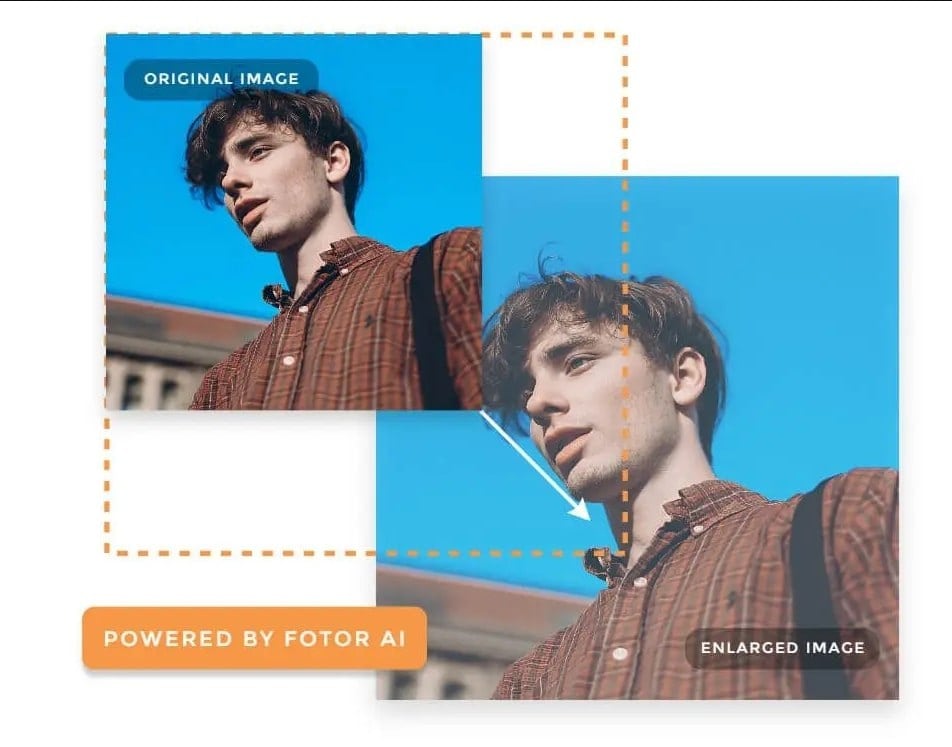
Unlike traditional interpolation methods that merely guess new pixel values based on immediate neighbors, AI upscalers leverage deep learning and neural networks. These advanced algorithms are trained on massive datasets of images, learning intricate patterns, textures, and structures. When fed a low-resolution image, an AI upscaler doesn’t just stretch it; it intelligently “hallucinates” or generates missing pixel information, drawing upon its vast knowledge base to reconstruct details and textures.
-
How AI Upscaling Works:
- Feature Extraction: The AI analyzes the low-resolution image, identifying edges, textures, patterns, and objects.
- Detail Generation: Based on its training, the AI predicts what these features would look like in a higher resolution. It essentially “fills in” the missing information with plausible details, rather than just blurring or pixelating.
- Noise Reduction and Sharpening: Many AI upscalers also incorporate intelligent noise reduction and sharpening algorithms to enhance the newly generated details and provide a cleaner, crisper output.
-
Advantages of AI Upscaling:
- Significant Quality Improvement: AI can achieve vastly superior results compared to traditional methods, often making images look sharper, more detailed, and less pixelated even at significant enlargement factors (e.g., 2x, 4x, or even 8x).
- Detail Recovery: It can recover or convincingly generate fine details that would simply be lost with traditional resizing, such as hair, fabric textures, or intricate patterns in nature photography.
- Reduced Artifacts: Good AI upscalers minimize common upscaling artifacts like blurring, jagged edges, and blockiness.
-
Examples of Use Cases for AI Upscalers:
- Old Photos: Breathe new life into cherished old photographs, enhancing them for printing or digital display.
- Low-Res Stock Photos Needing Enlargement: If you’ve found a visually appealing stock photo but it’s not quite high-resolution enough for your project, an AI upscaler can often bridge that gap. Tophinhanhdep.com, with its focus on high-resolution stock photos, can further complement this by offering high-quality starting points.
- Preparing Images for Beautiful Photography Showcases: Ensure your stunning beautiful photography stands out when displayed on large screens or gallery prints.
- Enhancing Aesthetic or Nature Images for Large Prints: Capture the intricate beauty of nature or the subtle nuances of aesthetic visuals at scales that truly do them justice.
- Upscaling Artwork and Digital Art: Enlarge digital paintings, illustrations, or abstract designs without losing the artist’s original intent or the intricate details.
Tophinhanhdep.com’s AI Upscaler: Your Go-To for How to Make an Image Bigger
At Tophinhanhdep.com, we understand the critical need for high-quality image enlargement. That’s why we offer state-of-the-art tools, including a powerful AI Upscaler, specifically designed to help you make an image bigger with unparalleled quality. Our platform is built around the philosophy that everyone should have access to tools that elevate their visual content, whether for personal enjoyment or professional projects.
- Ease of Use and Effectiveness: Our AI Upscaler is engineered for simplicity and powerful results. You simply upload your image, select your desired enlargement factor (e.g., 2x, 4x), and let our intelligent algorithms do the rest. The process is quick, intuitive, and delivers professional-grade results without requiring specialized software knowledge. This makes it an ideal solution for anyone wondering “how to make an image bigger” without the complexity of traditional editors.
- Complementary Tools for Comprehensive Image Management: The Tophinhanhdep.com experience extends beyond just upscaling. After you’ve successfully made your image bigger, you might need to optimize it further. Our suite of image tools includes:
- Compressors: Reduce file size for faster loading on websites or easier sharing, crucial for graphic design projects.
- Optimizers: Fine-tune image quality for specific platforms or uses.
- Converters: Change file formats to suit different needs.
- These tools ensure that your newly enlarged, high-quality images are perfectly prepared for any application.
- Benefits for Various Image Types: Our AI Upscaler is versatile and highly effective across a spectrum of image categories that Tophinhanhdep.com specializes in:
- Wallpapers and Backgrounds: Transform your favorite aesthetic or nature images into stunning, high-resolution backgrounds that perfectly fit any screen.
- High-Resolution Photography: Enhance your digital photography for large prints or professional portfolios, ensuring every detail is crisp and clear.
- Visual Design Elements: Upscale logos, illustrations, or other graphic design assets to fit larger layouts without pixelation, supporting your creative ideas.
- Abstract and Sad/Emotional Images: Preserve the intricate textures and evocative moods of these images, even when significantly enlarged.
- Different Output Options and Quality Settings: Depending on your needs, our AI upscaler provides options to balance between maximum quality and manageable file size. You can often preview the results before downloading, allowing you to fine-tune the output to meet your specific requirements.
By leveraging Tophinhanhdep.com’s AI Upscaler, you’re not just making an image bigger; you’re transforming it, unlocking its full potential and ensuring it looks its best, no matter the scale. This powerful tool aligns perfectly with our mission to provide high-quality images and the means to use them effectively in any visual context.
Best Practices and Considerations When Learning How to Make an Image Bigger
While AI upscalers are incredibly powerful, achieving the best possible results when making an image bigger also relies on smart practices and understanding the broader context of image manipulation.
Starting with High-Quality Images
The fundamental truth remains: the better the original image, the better the upscaled result. AI can do wonders, but it’s not magic; it can’t invent details out of a completely blurry, low-resolution mess.
- Importance of the Source: Always strive to begin with the highest resolution and quality image available. If you have a choice between a small, compressed JPEG and a larger, less compressed version, always choose the latter.
- Acquiring High-Resolution Stock Photos from Tophinhanhdep.com: Our platform is a treasure trove of high-resolution stock photos, wallpapers, and backgrounds. Starting with a large, crisp image from Tophinhanhdep.com significantly reduces the burden on any upscaling tool and ensures you get the best possible outcome if further enlargement is needed. Explore our collections of nature, abstract, or beautiful photography to find the perfect starting point for your projects.
- Considerations for Digital Photography: When capturing your own digital photography, shoot in the highest resolution and quality settings your camera allows. Use RAW format if possible, as it retains the most data for later editing and upscaling. This gives you the maximum flexibility when you later need to make an image bigger for a print or display.
Purpose-Driven Upscaling
The “how to make an image bigger” question isn’t just about the act of resizing; it’s about why you’re resizing. The end goal should always dictate your approach and settings.
- What is the End Goal? (Print, Web, Specific Display):
- For Print: High resolution (e.g., 300 DPI/PPI) is crucial. You’ll likely need a much larger image file than for web use. Consider the physical dimensions of the print.
- For Web: Images need to be optimized for fast loading times. While upscaling can create a larger image, you might then use Tophinhanhdep.com’s compressors and optimizers to reduce file size without significant visual quality loss for web display. Resolution requirements are generally lower (e.g., 72 PPI is common).
- For Specific Displays (e.g., 4K Monitor, Digital Signage): Match the image resolution to the display’s native resolution to ensure maximum sharpness and impact.
- Different Requirements for Different Outputs: An image that looks great on a phone might look terrible on a large billboard. Always keep the final viewing medium in mind when determining how much to enlarge and what quality settings to use.
- Maintaining Aspect Ratio: Unless you intentionally want to distort the image, always maintain the original aspect ratio (width-to-height proportion) when resizing. Most tools, including Tophinhanhdep.com’s AI Upscaler, offer options to lock the aspect ratio to prevent stretching or squashing.
Post-Upscaling Enhancements
Once you’ve made your image bigger using an AI upscaler, a few final touches can often further refine the result and bring out its full potential. These are part of the broader visual design and photo manipulation process.
- Sharpening (Judiciously): AI upscalers often do a great job of sharpening, but sometimes a slight additional sharpening pass can enhance edge definition. Be careful not to over-sharpen, as this can introduce halos or artifacts, especially on fine details.
- Noise Reduction: If the original image had a lot of noise (graininess), or if the upscaling process introduced any subtle artifacts, a gentle pass of noise reduction can clean up the image.
- Color Correction and Adjustments: Upscaling might sometimes subtly alter colors or contrast. A final check and minor adjustments to brightness, contrast, saturation, or white balance can ensure the image truly pops. Tophinhanhdep.com’s focus on editing styles and beautiful photography means we encourage these final touches.
- Utilizing Tophinhanhdep.com’s Editing Styles and Visual Design Principles: After upscaling, consider applying specific editing styles or artistic filters to further enhance the image’s aesthetic appeal. Whether it’s a dramatic black and white conversion for a sad/emotional image or vibrant enhancements for a nature photo, Tophinhanhdep.com provides inspiration and ideas for how to transform your images.
- Optimizing for Web (Using Compressors/Optimizers from Tophinhanhdep.com): If the enlarged image is destined for a website, use our image compressors and optimizers to reduce its file size. This is crucial for improving page load times, enhancing user experience, and improving SEO, all while preserving visual quality.
By combining the power of Tophinhanhdep.com’s AI Upscaler with these best practices, you empower yourself to confidently tackle any challenge related to making an image bigger, achieving professional-grade results every time.
Conclusion
The journey of understanding “how to make an image bigger” without compromising quality has evolved significantly, from manual pixel manipulation to the groundbreaking intelligence of AI. We’ve explored the fundamental challenges posed by pixel-based images, delved into traditional software-based resizing techniques, and highlighted the transformative power of AI upscalers.
The key takeaway is clear: while conventional methods offer a degree of control for moderate enlargements, AI upscaling, like the robust tool offered by Tophinhanhdep.com, represents the pinnacle of intelligent image enlargement. It allows you to transform your digital photography, wallpapers, and graphic design elements into stunning, high-resolution visuals that defy the limitations of their original size.
Tophinhanhdep.com is more than just a repository of beautiful images, stock photos, and inspiration for visual design; it’s a comprehensive ecosystem designed to empower your creativity. From finding the perfect aesthetic background or nature image to utilizing our AI Upscalers, compressors, and optimizers, we provide all the tools you need to create, enhance, and manage your visual content. Embrace the future of image manipulation and unlock the full potential of every picture.
Explore Tophinhanhdep.com today. Discover our vast collections of high-resolution images, unleash your creativity with our cutting-edge tools, and confidently make any image bigger, clearer, and more impactful than ever before. Your next stunning visual masterpiece awaits!