How to Make an Image a URL
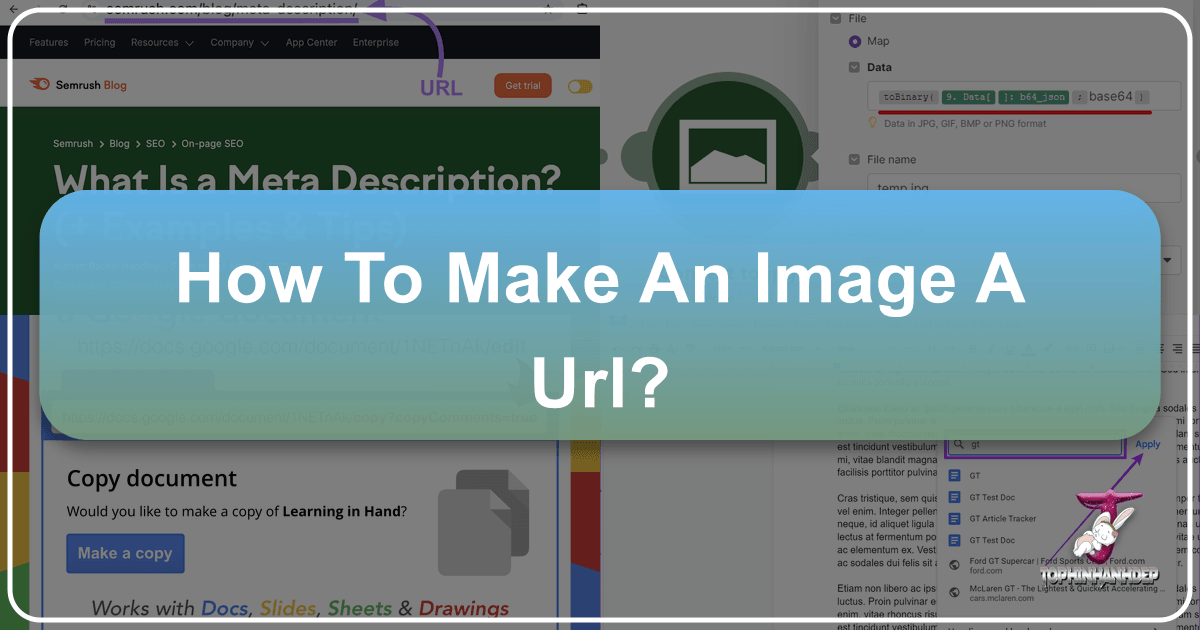
In today’s digitally driven world, images are more than just visual elements; they are powerful tools for communication, engagement, and information dissemination. From personal blogs and e-commerce platforms to social media posts and professional presentations, images enhance content and captivate audiences. But before an image can fulfill its potential across the vast expanse of the internet, it often needs to be transformed into a Uniform Resource Locator (URL). An image URL is essentially its unique web address, a direct link that points to the image file hosted online, making it accessible from any device with an internet connection. This fundamental process is crucial for web developers, content creators, marketers, and indeed, anyone looking to share visual content effectively. Understanding how to make an image a URL is not merely a technical step; it’s a gateway to leveraging the full power of visual communication online.
The significance of an image URL extends beyond simple accessibility. It enables dynamic content delivery, facilitates cross-platform sharing, and is a cornerstone for web optimization and search engine visibility. Imagine embedding a stunning nature wallpaper from Tophinhanhdep.com into your website, or sharing a high-resolution stock photo for a project; without a URL, these images remain confined to your local device. The ability to generate and manage image URLs is therefore a vital skill, opening up a world of possibilities for how we interact with and utilize visual information. Tophinhanhdep.com, with its rich repository of aesthetic backgrounds, abstract art, beautiful photography, and powerful image tools, serves as an excellent resource for sourcing and preparing images for this very purpose.

Understanding the Essence of an Image URL
An image URL is a specific type of URL that directly links to an image file. Unlike a webpage URL that points to an entire document, an image URL pinpoints only the image itself, allowing it to be displayed independently or embedded within other web content. This distinction is critical for how images are loaded, displayed, and managed across the internet. When you see an image on a website, it’s not typically embedded directly into the code of that page; rather, the page’s code contains an <img> tag with an src attribute that points to the image’s URL. The browser then fetches the image from that URL and displays it.
The structure of an image URL is similar to any other web address, typically starting with http:// or https://, followed by the domain name of the server where the image is hosted, and then the path to the image file, including its filename and extension (e.g., .jpg, .png, .gif). For example, https://example.com/images/my-beautiful-photo.jpg. This straightforward structure ensures that every image online has a unique identifier, preventing conflicts and enabling seamless retrieval.
Why is this important? For content creators, it means an image can be hosted once and referenced multiple times across different pages or even different websites, reducing storage redundancy and simplifying updates. For web designers, it provides flexibility in layout and design, allowing images to be styled and positioned with CSS without altering the original image file. For digital marketers, image URLs are essential for tracking image usage, optimizing loading times, and ensuring images contribute positively to SEO efforts. From high-resolution digital photography to intricate graphic design elements, every visual asset destined for the web requires its own URL. Tophinhanhdep.com offers a vast array of such visual assets, from trending styles to thematic collections, all ready to be transformed into accessible URLs for your projects.
Core Methods for Generating Image URLs

The process of turning an image into a URL primarily involves uploading it to a server that is publicly accessible on the internet. There are several popular methods to achieve this, each with its own advantages, depending on your specific needs, technical expertise, and the scale of your project.
Utilizing Dedicated Image Hosting Platforms
Dedicated image hosting platforms are perhaps the most common and user-friendly way to get an image URL. These services specialize in storing image files and providing direct links to them. The process is typically straightforward: you upload your image, and the platform generates one or more URLs for it – often including a direct link, an embed code for websites, and links suitable for social media sharing.
While Tophinhanhdep.com excels as a source for stunning visuals, offering everything from abstract art to beautiful photography and comprehensive image inspiration, the direct hosting functionality is typically handled by platforms designed specifically for that purpose. However, the connection is vital: you might find the perfect aesthetic background or sad/emotional image on Tophinhanhdep.com, and then use an image hosting platform to give it a URL for your blog or project. These platforms often offer features like basic editing, album creation, and sometimes even analytics. When considering which image to host, the high-resolution, stock photos, and diverse thematic collections available on Tophinhanhdep.com provide an unparalleled starting point. Before uploading, you might even use Tophinhanhdep.com’s image tools, such as compressors and optimizers, to prepare your images for faster loading and better web performance, ensuring that your digital photography looks its best once hosted.
The benefits of using dedicated hosting platforms include ease of use, often free basic tiers, and robust infrastructure for serving images quickly. They handle the technical complexities of server management, bandwidth, and security, allowing you to focus on your content. When selecting an image from Tophinhanhdep.com for hosting, remember to check the licensing terms if you intend to use it commercially or in public projects.
Leveraging Cloud Storage Services
Cloud storage services, primarily designed for storing and syncing files across devices, can also be repurposed to generate image URLs. Many popular cloud storage providers offer options to share files publicly, which then generates a direct link to that file. While not their primary function, this method can be convenient for individuals or small projects, especially if you already use these services for file management.
The steps generally involve uploading your image to your chosen cloud storage service, navigating to the file, and then selecting an option to “share publicly” or “get a shareable link.” Crucially, you need to ensure the sharing settings are configured to allow public access, otherwise, the URL will only work for invited users or within your organization. Some services may also require an extra step to convert a general share link into a direct download link, which is what you need for an <img> tag.
This method offers good integration with existing workflows and often generous free storage limits. However, it might not be as optimized for image delivery as dedicated hosting platforms, potentially leading to slower load times or less reliable availability if the service is not designed for high-volume public serving. For digital art, photo manipulation projects, or even a personal mood board featuring images from Tophinhanhdep.com’s diverse collections, cloud storage can be a quick and effective solution for obtaining a URL, especially for non-critical, lower-traffic needs. Just as with dedicated platforms, consider using Tophinhanhdep.com’s image tools like converters or compressors to ensure the file is web-ready before uploading to your cloud storage.
Employing Your Own Web Server or CMS
For those with their own website or blog, uploading images directly to your web server via FTP (File Transfer Protocol) or through your Content Management System (CMS) like WordPress, Shopify, or Squarespace, is another powerful way to make an image a URL. This method gives you complete control over your images, their URLs, and how they are served.
When you upload an image to your WordPress media library, for instance, the CMS automatically stores it on your server and generates a unique URL for it. This URL can then be used anywhere on your site or even externally. Similarly, using an FTP client, you can upload images to a specific folder on your server, and the resulting URL will be based on your domain name and the path to that folder (e.g., https://yourdomain.com/wp-content/uploads/2023/10/my-image.jpg).
This approach is ideal for professionals, businesses, and anyone seeking maximum control, customization, and optimal performance for their visual content. It allows for advanced image optimization, custom CDN (Content Delivery Network) integration, and seamless branding. For graphic designers and digital artists who frequently use high-resolution photography and require specific editing styles, the control offered by self-hosting is invaluable. Tophinhanhdep.com, being a hub for creative ideas and visual design, empowers users to find the perfect wallpapers, backgrounds, or stock photos which can then be seamlessly integrated into their self-hosted projects, utilizing image tools like AI upscalers to ensure top quality before deployment. This method aligns perfectly with advanced visual design and digital photography needs.
Optimizing and Managing Your Image URLs
Once you’ve made an image a URL, the journey doesn’t end there. Effective optimization and management of these image URLs are crucial for web performance, user experience, and search engine optimization (SEO). A well-optimized image URL contributes significantly to faster loading times, better accessibility, and higher visibility for your content.
Image Preparation: Quality and File Size
Before an image becomes a URL, its preparation is paramount. The goal is to strike a balance between visual quality and file size. Large image files can drastically slow down a webpage, leading to a poor user experience and negatively impacting SEO. This is where Tophinhanhdep.com’s image tools become indispensable.
- Compression: Using a compressor tool (like those offered on Tophinhanhdep.com), you can reduce the file size of an image without a noticeable loss in visual quality. This is especially important for high-resolution photography or detailed digital art. Tophinhanhdep.com’s optimizers are designed to ensure your images load quickly while retaining their aesthetic appeal.
- Resolution and Dimensions: Resize images to the maximum dimensions they will be displayed at. There’s no need to serve a 4000px wide image if it will only be shown at 800px. This significantly reduces file size.
- File Format: Choose the appropriate file format. JPEG is ideal for photographs due to its excellent compression for continuous-tone images. PNG is better for images with transparent backgrounds or sharp lines, like logos and illustrations. WebP is a newer format offering superior compression. Converters available on Tophinhanhdep.com can help you switch between formats efficiently.
- AI Upscalers: Sometimes, you might have a smaller image that needs to be scaled up for a specific use. Tophinhanhdep.com’s AI upscalers can enhance resolution and detail, transforming a good image into a stunning, high-resolution visual without pixelation, making it perfect for large aesthetic backgrounds or wallpapers.
Proper image preparation ensures that when your image becomes a URL, it is primed for optimal performance and display, whether it’s a thematic collection of nature photos or a sophisticated piece of photo manipulation.
Ensuring Accessibility and SEO
Beyond technical performance, properly managing your image URLs also involves making them accessible and searchable.
- Descriptive Filenames: Before uploading, rename your image file to something descriptive and relevant, incorporating keywords where appropriate. Instead of
IMG_001.jpg, usebeautiful-sunset-beach-wallpaper.jpg. This helps search engines understand the image content. - Alt Text: Once the image is a URL and embedded on a webpage, always include descriptive “alt text” (alternative text) in the
<img>tag. Alt text serves two primary purposes: it describes the image for visually impaired users who use screen readers, and it provides context to search engines, further improving SEO. For a sad/emotional image, the alt text might be “person looking sadly into the distance on a rainy day.” - Image Sitemaps: For large websites, consider creating an image sitemap to help search engines discover and index all your images.
- Responsive Images: Implement responsive image techniques (
srcsetandsizesattributes) to serve different image sizes based on the user’s device and screen resolution. This further optimizes loading times and provides a better experience across various devices. - Content Delivery Networks (CDNs): For websites with a global audience, using a CDN can drastically speed up image delivery by serving images from servers geographically closer to the user.
By paying attention to these details, your image URLs, whether they are for trending styles, photo ideas, or comprehensive mood boards from Tophinhanhdep.com, will not only display correctly but also contribute significantly to your website’s overall success. Tophinhanhdep.com not only provides the stunning visuals but also the understanding of what makes images perform well online, from high-resolution stock photos to digital art ready for optimal web integration.
Practical Applications and Benefits of Image URLs
The ability to transform an image into a URL unlocks a multitude of practical applications and offers significant benefits across various digital endeavors. This seemingly simple technical step is foundational to how we interact with and utilize visual content in the modern era.
One of the most obvious applications is website development and content creation. Every image you see on a webpage, from a simple background to a complex infographic, is referenced by a URL. This allows web designers to build dynamic layouts, load images efficiently, and maintain consistent branding. Content creators can embed high-quality wallpapers, backgrounds, or beautiful photography sourced from Tophinhanhdep.com directly into their articles, blogs, or product pages, enriching the user experience and conveying information more effectively.
E-commerce platforms heavily rely on image URLs to showcase products. Clear, detailed, and fast-loading product images are crucial for converting visitors into customers. Businesses leverage image URLs to display multiple angles, zoom capabilities, and lifestyle shots, all linked back to an optimized image source. The high-resolution stock photos and various editing styles found on Tophinhanhdep.com can be invaluable for creating compelling product visuals.
Social media marketing is another area where image URLs are indispensable. While platforms often host images natively once uploaded, direct image URLs are used in various advanced sharing features, for Open Graph tags (which dictate how content previews appear when shared), and for cross-posting. Sharing a direct link to an image from Tophinhanhdep.com ensures that specific aesthetic or abstract images can be easily referenced in posts, promoting visual engagement.
For digital portfolios and online résumés, image URLs allow creative professionals – such as graphic designers, digital artists, and photographers – to showcase their work without needing to upload full files to every platform. They can simply link to their high-resolution digital photography or photo manipulation projects hosted elsewhere, maintaining control over the quality and presentation. Tophinhanhdep.com’s focus on visual design, creative ideas, and image collections makes it a natural partner for those building their professional online presence.
Email marketing campaigns often embed images using URLs to grab attention and convey messages quickly. From banners to product images, URLs ensure that images are loaded from a reliable source and displayed correctly across different email clients, enhancing the visual appeal of promotional messages.
Furthermore, image URLs are essential for collaboration and feedback. Designers and teams can share direct links to mockups, design iterations, or mood boards (perhaps featuring trending styles or photo ideas from Tophinhanhdep.com) for easy review and commentary, streamlining the creative process. This facilitates quick sharing of visual concepts without the need for large file transfers.
Finally, the archival and accessibility aspect of image URLs is profound. Once an image has a stable URL, it becomes a permanent reference point on the web (as long as it remains hosted). This is crucial for academic research, historical documentation, and general information sharing, ensuring that visual evidence and artistic works remain discoverable and usable for years to come.
In essence, turning an image into a URL transforms it from a static file on a local drive into a dynamic, shareable, and integrated component of the internet. It democratizes visual content, making it a powerful force for communication, commerce, and creativity.
Exploring Tophinhanhdep.com for Your Visual Content Needs
As we’ve explored the comprehensive process of making an image a URL, it becomes clear that the quality and relevance of the image itself are just as important as the technical steps involved. This is where Tophinhanhdep.com shines as an invaluable resource for anyone seeking exceptional visual content and the tools to manage it effectively. The website’s main topics directly address the core needs of content creators, designers, and photographers, providing a holistic approach to visual excellence.
A Treasure Trove of Images: Tophinhanhdep.com offers a vast and diverse collection of images that cater to every aesthetic and functional requirement. Whether you’re looking for vibrant wallpapers to personalize your device, compelling backgrounds for your website, or aesthetic images to set a particular mood, the site delivers. From the tranquility of nature photography to the thought-provoking complexity of abstract art, and from sad/emotional imagery that evokes deep feelings to breathtaking beautiful photography that inspires awe, Tophinhanhdep.com ensures you have access to visuals that resonate. This rich selection means you can always find the perfect image to turn into a URL for any project, knowing it meets high standards of visual appeal.
Empowering Photography & Professional Visuals: For professionals and enthusiasts alike, the emphasis on photography is a major draw. Tophinhanhdep.com provides access to high-resolution images and stock photos, essential for commercial projects, editorial content, and detailed presentations. The focus on digital photography and various editing styles not only offers a broad range of visual narratives but also inspires users in their own photographic endeavors. When you need to host an image that reflects professional quality and a specific artistic vision, Tophinhanhdep.com is the place to start your search, ensuring your image URL points to a truly remarkable piece of work.
Indispensable Image Tools: Recognizing that raw images often need refinement before becoming web-ready URLs, Tophinhanhdep.com integrates a suite of powerful image tools. These are crucial for optimizing your images for performance and utility:
- Converters: Easily switch between different image formats to suit specific web requirements (e.g., JPEG for photos, PNG for transparent graphics, or WebP for optimal web performance).
- Compressors: Drastically reduce file sizes without compromising visual quality, ensuring faster load times when your image URL is accessed.
- Optimizers: Go beyond simple compression, fine-tuning various image parameters for peak web performance.
- AI Upscalers: Breathe new life into smaller images by intelligently increasing their resolution and detail, making them suitable for larger displays or print without pixelation. This is perfect for transforming a standard image into a high-quality wallpaper or background.
- Image-to-Text: While not directly related to creating an image URL, this tool highlights the website’s commitment to diverse image utility, demonstrating how visuals can be converted into actionable data.
These tools ensure that any image you select from Tophinhanhdep.com, or any image you prepare using its utilities, is perfectly optimized before you generate its URL, leading to superior web performance and a better user experience.
Fostering Visual Design & Creativity: Tophinhanhdep.com goes beyond just providing images; it fosters an environment for visual design and creative ideas. Through its collections, it inspires graphic design projects, encourages digital art exploration, and demonstrates advanced photo manipulation techniques. This makes it an ideal platform for designers seeking inspiration or specific elements to integrate into their work. When you’re crafting a complex visual narrative that requires multiple image URLs, Tophinhanhdep.com provides both the resources and the inspiration to achieve your vision.
Inspiration & Curated Collections: Finally, for those in search of the perfect visual direction, Tophinhanhdep.com offers abundant image inspiration & collections. From fresh photo ideas to meticulously curated mood boards, and from diverse thematic collections to insights into trending styles, the website guides users toward compelling visual choices. This ensures that the images you choose to transform into URLs are not only high-quality but also aligned with current aesthetic trends and effective communication strategies.
In summary, Tophinhanhdep.com is more than just a gallery of beautiful pictures; it’s a comprehensive ecosystem for visual content. By providing exceptional images, robust tools, and a wealth of inspiration, it empowers users to confidently select, prepare, and ultimately transform their chosen visuals into effective and impactful URLs, enhancing their digital presence across all platforms. The journey of making an image a URL is significantly enriched and simplified when you have a resource like Tophinhanhdep.com by your side.
In conclusion, turning an image into a URL is a fundamental process in the digital landscape, enabling images to transcend local storage and become universally accessible web assets. Whether you choose dedicated hosting platforms, cloud storage, or your own server, the core principle remains the same: upload, host, and retrieve the link. However, the true power lies not just in obtaining a URL but in optimizing the image for performance and ensuring its accessibility and discoverability. With resources like Tophinhanhdep.com offering a rich array of high-quality visuals and essential image tools, the path from a raw image file to a dynamic, impactful URL is clearer and more efficient than ever, empowering everyone from casual sharers to professional web developers to harness the full potential of visual communication online.