How to Recolor an Image: Transform Your Visuals with Tophinhanhdep.com
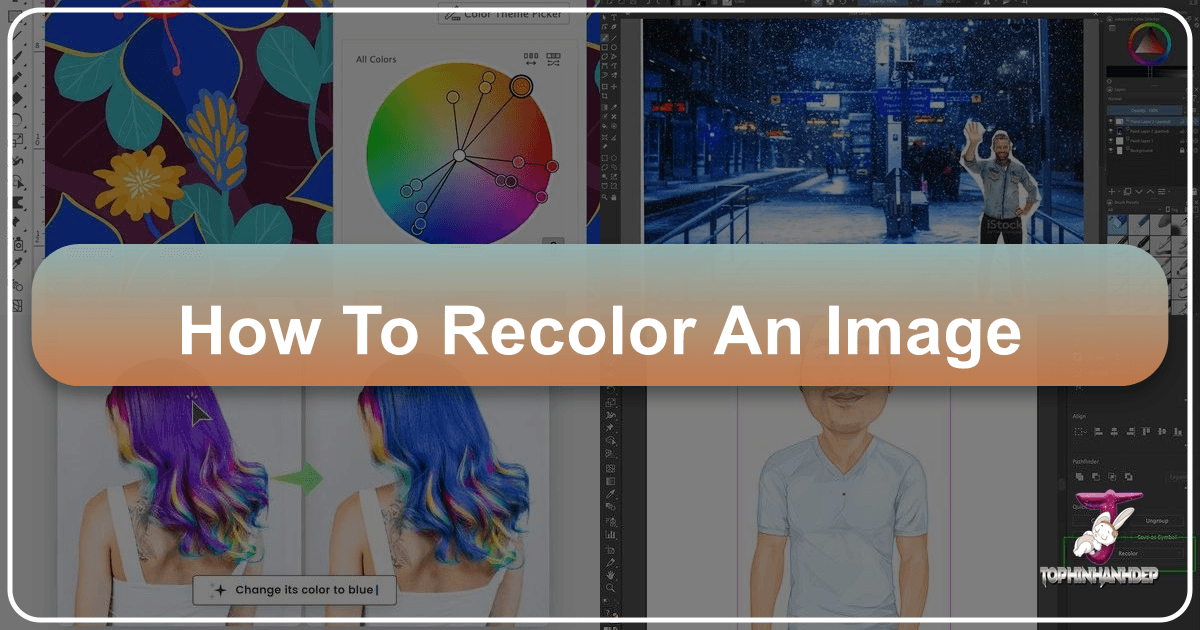
In the dynamic world of digital imagery, the ability to manipulate and enhance visuals is no longer a niche skill but a fundamental necessity for creators, marketers, and enthusiasts alike. Among the myriad of editing capabilities, “recoloring an image” stands out as a powerful technique to revitalize stale visuals, evoke new emotions, and align aesthetics with specific creative visions. At Tophinhanhdep.com, we understand this profound need for visual versatility. Our platform, rich with tools spanning image generation, sophisticated editing, and creative inspiration, offers an intuitive and professional suite designed to empower you to recolor images effortlessly, whether you’re a seasoned graphic designer or simply looking to add a fresh touch to your personal photos.
The essence of a compelling image often lies in its color palette. Colors have the innate ability to communicate mood, draw attention, and define a narrative. An image’s original colors might be faded, unflattering, or simply not align with your current project’s aesthetic. This is where the magic of recoloring comes into play. By strategically altering hues, saturations, and lightness, you can breathe new life into an old photograph, transform product visuals for e-commerce, or craft unique digital art pieces that stand out. Tophinhanhdep.com provides the advanced yet user-friendly functionality to achieve these transformations, catering to a broad spectrum of needs from high-resolution photography adjustments to abstract digital art creation.
The Transformative Power of Image Recoloring
Recoloring an image is far more than a simple filter application; it’s a form of visual alchemy that can completely alter perception and impact. It’s about taking control of your visual narrative and shaping it to your precise requirements. Whether you’re aiming for a subtle shift in tone or a dramatic overhaul, the power to recolor is a game-changer in digital imagery.
Why Recolor? Beyond Basic Editing
The reasons to recolor an image are as diverse as the images themselves. For digital artists and graphic designers, recoloring is a creative sandbox, allowing for limitless experimentation with color schemes that might not have been present in the original capture. Imagine transforming a vibrant summer landscape into a melancholic autumnal scene, or changing a character’s outfit to better fit a new narrative. These adjustments unlock new creative avenues, pushing the boundaries of what’s possible with a single photograph or illustration.
Beyond pure artistic expression, recoloring offers practical benefits. Old, faded photographs can be restored to their former glory or even imbued with a new, contemporary vibrancy that surpasses their original state. Colors can become distorted during the shooting process due to various environmental factors—poor lighting, incorrect white balance, or even unexpected reflections. Recoloring tools allow for the correction of these imperfections, restoring accurate and pleasing hues. For those curating image collections, maintaining a consistent aesthetic across multiple visuals can be challenging. Recolor tools provide the uniformity needed to create cohesive mood boards, thematic collections, or visually harmonious website backgrounds and wallpapers.
Who Benefits from Image Recoloring?
The utility of image recoloring extends across a multitude of professions and personal interests, reflecting the broad categories of Tophinhanhdep.com’s offerings:
- Photographers: From high-resolution stock photos to personal beautiful photography, photographers can use recoloring to correct color casts, enhance specific elements, or develop unique editing styles. It’s crucial for digital photography workflows where post-processing defines the final art.
- Visual Designers (Graphic Designers, Digital Artists): This group leverages recoloring for photo manipulation, creative ideas, and to create digital art that perfectly aligns with brand guidelines or artistic visions. It enables them to experiment with different design elements and color palettes without starting from scratch.
- E-commerce Businesses: A single product photo can be instantly adapted to showcase various color options, saving immense time and budget on reshoots. This directly ties into creating impactful product visuals that drive sales.
- Advertising & Marketing Professionals: Captivating audiences requires striking visuals. Recoloring allows for strategic adjustments to product colors, background hues, or textual elements to maximize appeal and ensure campaign consistency.
- Social Media Enthusiasts: Personal expression on platforms is paramount. Recolor tools offer a simple way to customize avatars, adjust photo aesthetics, or create trending styles that reflect personal brand or mood.
- Historians & Genealogists: The ability to recolor black and white family photos breathes new life into historical records, making past memories more relatable and vibrant for future generations.
Tophinhanhdep.com provides the robust tools necessary for all these users to achieve their recoloring goals with ease and professional results, fostering a community of creative individuals.
Instant Color Changes: Tophinhanhdep.com’s Easy Online Tools
Tophinhanhdep.com distinguishes itself by offering both simplicity and sophistication. For quick, impactful changes, our AI-powered tools provide an immediate solution, transforming your images with minimal effort.
Effortless Vibrancy with Simple Color Replacement
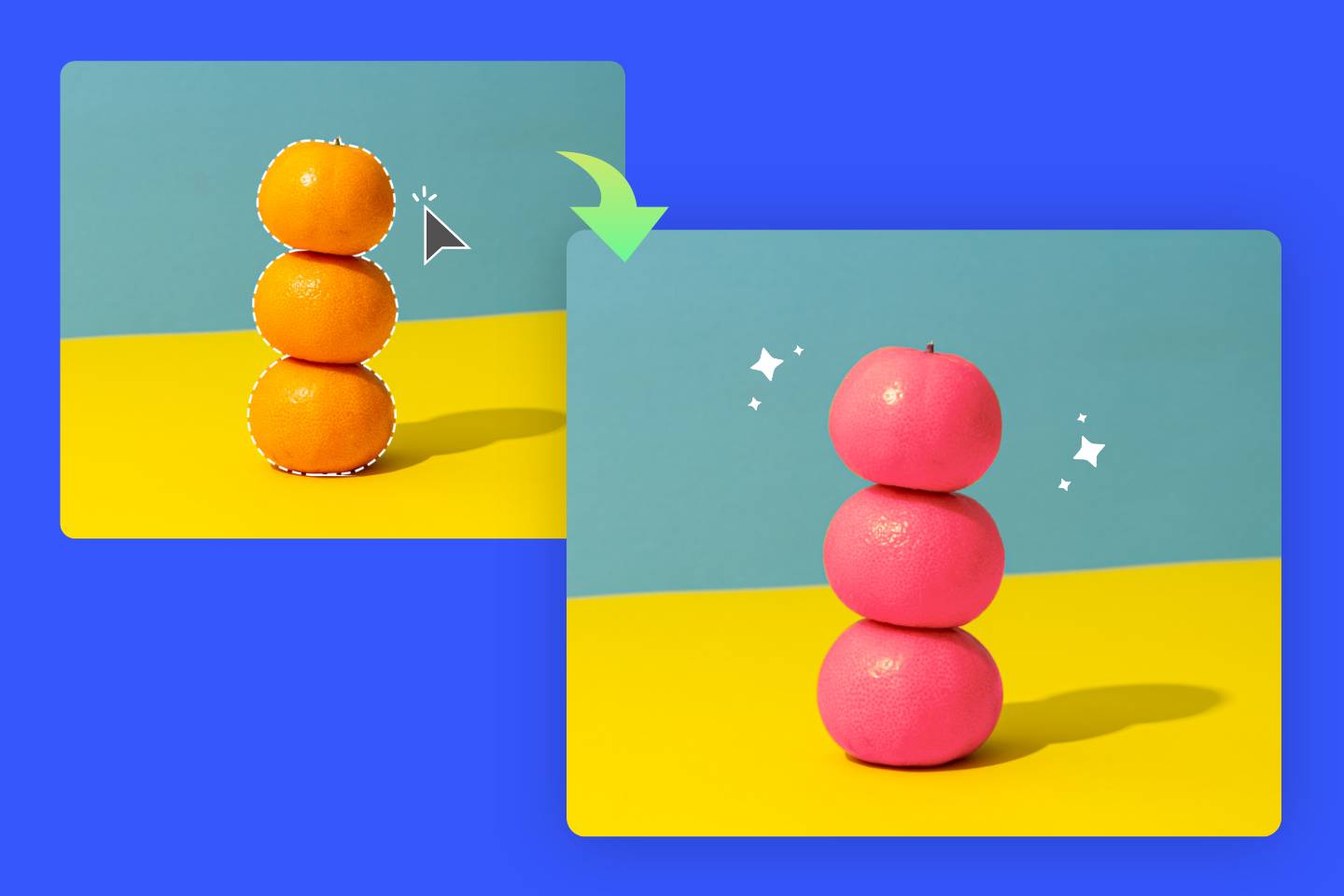
Many users simply want to give their photos a fresh, vibrant look without diving deep into complex editing. Tophinhanhdep.com’s intuitive color replacement features allow for this with remarkable ease. You can upload an image and, with just a few clicks, replace an original color with a new one across the entire image or in specific areas. This is particularly effective for:
- Adding Vibrancy to Old Photos: Faded hues in treasured old photographs can be instantly boosted, bringing scenes and faces back to life with renewed clarity and warmth.
- Quick Aesthetic Shifts: Instantly change the dominant color of a background or a key object to match a new aesthetic or thematic collection, making your images more versatile for different applications, from website backgrounds to mood boards.
- Brand Alignment: For designers, quickly adjusting an image’s colors to fit a brand’s palette ensures consistent visual communication across all materials.
The beauty of these tools lies in their accessibility. Even without extensive editing knowledge, users can achieve professional-looking recolors in seconds, making Tophinhanhdep.com an invaluable resource for anyone looking to enhance their images.
Revolutionizing Product Photography with Color Swaps
For e-commerce and product-focused advertising, presenting items in various color options is crucial. Traditionally, this meant costly and time-consuming reshoots for each color variant. Tophinhanhdep.com’s color swap capabilities eliminate this bottleneck, offering a revolutionary approach to product visualization.
With our advanced tools, businesses can:
- Generate Multiple Product Views from a Single Shot: Upload one product photo, and effortlessly generate iterations in different colors. This drastically cuts down on photography expenses and accelerates product launches.
- Create Dynamic Product Collages: Showcase an entire range of product colors within a single, compelling image, perfect for social media marketing or e-commerce platforms.
- Streamline Design Decisions: Marketers and designers can quickly test how different product colors resonate with their target audience, informing final design directions based on visual impact.
This functionality is a cornerstone of efficient visual design and photography, aligning perfectly with Tophinhanhdep.com’s commitment to providing comprehensive image tools for professionals and businesses.
Bringing Old Memories to Life with AI Photo Colorization
One of the most remarkable applications of image recoloring is the ability to transform monochromatic or faded images into full-color renditions. Tophinhanhdep.com harnesses powerful AI algorithms to offer an “AI Photo Colorizer” that performs this intricate task with stunning accuracy and naturalness.
For families, historians, and anyone cherishing vintage black and white photographs, this feature is truly magical. Our AI-driven tool can:
- Recolor Black and White Photos Effortlessly: Simply upload your grayscale image, and Tophinhanhdep.com’s AI will intelligently analyze the content, assigning appropriate and realistic colors to objects, landscapes, and people. The result is a vibrant, modern interpretation of a historical moment.
- Restore Clarity and Infuse Vibrant Hues: Beyond just adding color, the AI works to revitalize the overall image quality, enhancing clarity and ensuring the new colors feel authentic and harmonized with the original details.
- No Complex Operations Required: The process is designed to be beginner-friendly. Users don’t need to understand complex color theory or manual masking; the AI handles the heavy lifting, delivering impressive results with just a few clicks.
This powerful feature exemplifies Tophinhanhdep.com’s commitment to innovative image tools, blending advanced technology with user-centric design to make complex tasks accessible to everyone.
Advanced Recoloring Techniques for Precision and Creativity
While Tophinhanhdep.com excels in instant, AI-driven transformations, our platform also offers advanced controls for those who require meticulous precision and creative freedom, drawing inspiration from established professional photo manipulation techniques. These methods provide non-destructive editing capabilities, allowing for iterative adjustments without altering the original image data.
Layer-Based Recoloring: Non-Destructive Flexibility
At the heart of professional image editing lies the principle of non-destructive workflow, a philosophy embraced by Tophinhanhdep.com’s advanced tools. This approach involves making changes on separate layers, preserving the original image and allowing for limitless revisions.
One of the most versatile layer-based techniques is using Solid Color Layers as Clipping Masks:
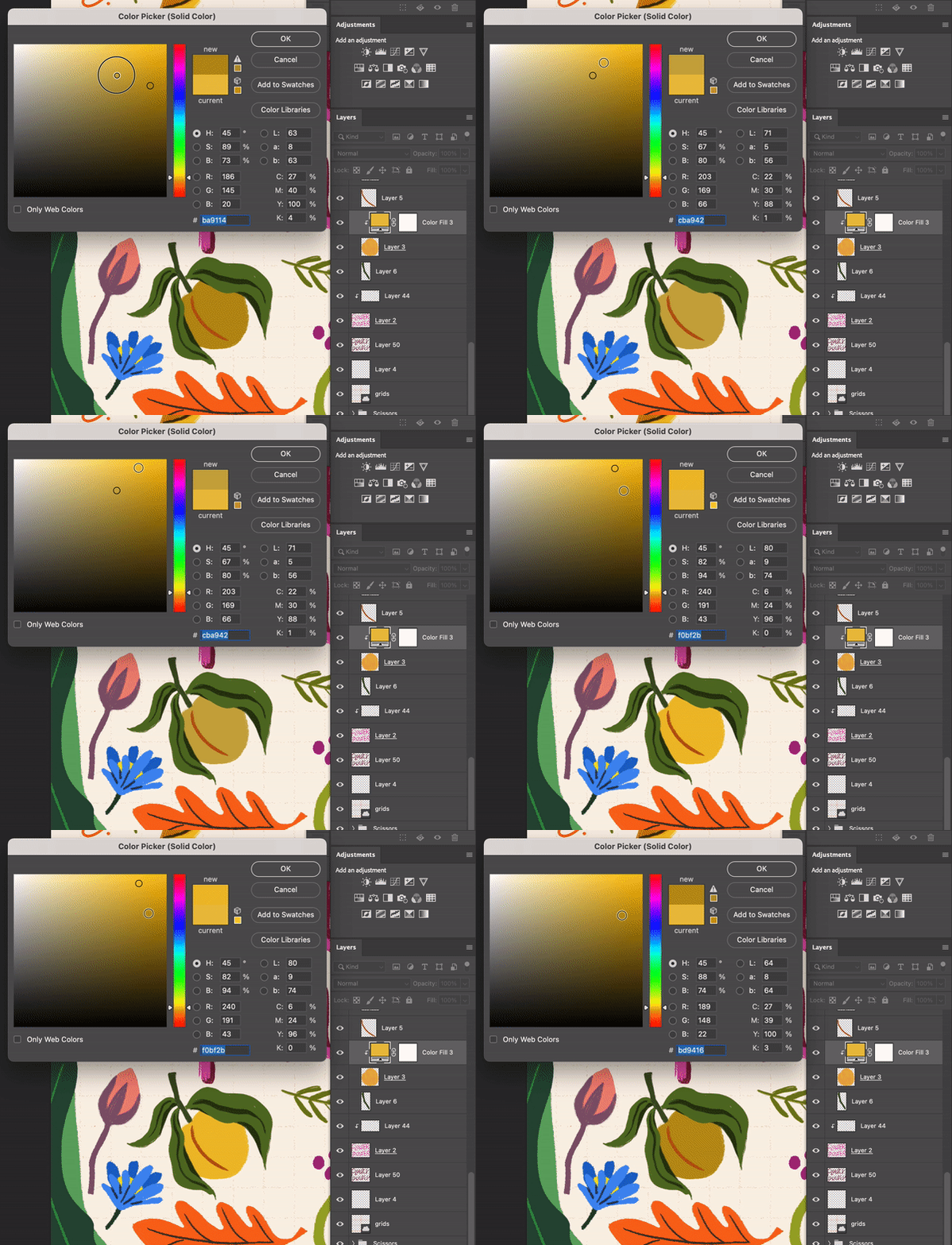
- Create a New Fill Layer: Users can add a new “Solid Color” fill layer above the image they wish to recolor. This layer, initially filled with a single color, will act as the new color source.
- Apply as a Clipping Mask: By “clipping” this solid color layer to the underlying image, the color effect is confined to the shape and contours of the image layer, preventing it from affecting other parts of the canvas. This is crucial for targeted recoloring of specific elements within a complex image.
- Utilize Blend Modes: The magic happens with “Blend Modes.” Changing the solid color layer’s blend mode from “Normal” to “Color” (or “Hue,” “Saturation,” etc.) allows the new color to interact realistically with the underlying image’s luminosity and texture. This preserves the original shading, highlights, and shadows, resulting in a natural-looking recolor rather than a flat overlay.
- Benefits: This method offers unparalleled flexibility. The color can be changed at any time by simply double-clicking the solid color layer. Opacity and blend modes can also be adjusted, providing fine control over the intensity and appearance of the recolor. It’s ideal for single-colored flat items, but also highly effective for dimensional objects where preserving texture is key.
For more complex scenarios, especially when dealing with elements that have multiple colors or require partial recoloring, a Layer Mask is integrated with the fill layer. This allows users to precisely “paint away” the recolor effect from areas they wish to retain their original colors. By painting with black on the mask, the underlying original colors are revealed, offering granular control over which parts of the image are affected. This technique is invaluable for photo manipulation and creating nuanced digital art.
Targeted Adjustments: Hue/Saturation and Selective Color
Beyond broad color overlays, precise control over specific color ranges is essential for sophisticated recoloring tasks. Tophinhanhdep.com incorporates adjustment layers like “Hue/Saturation” and “Selective Color” to provide this level of detail.
-
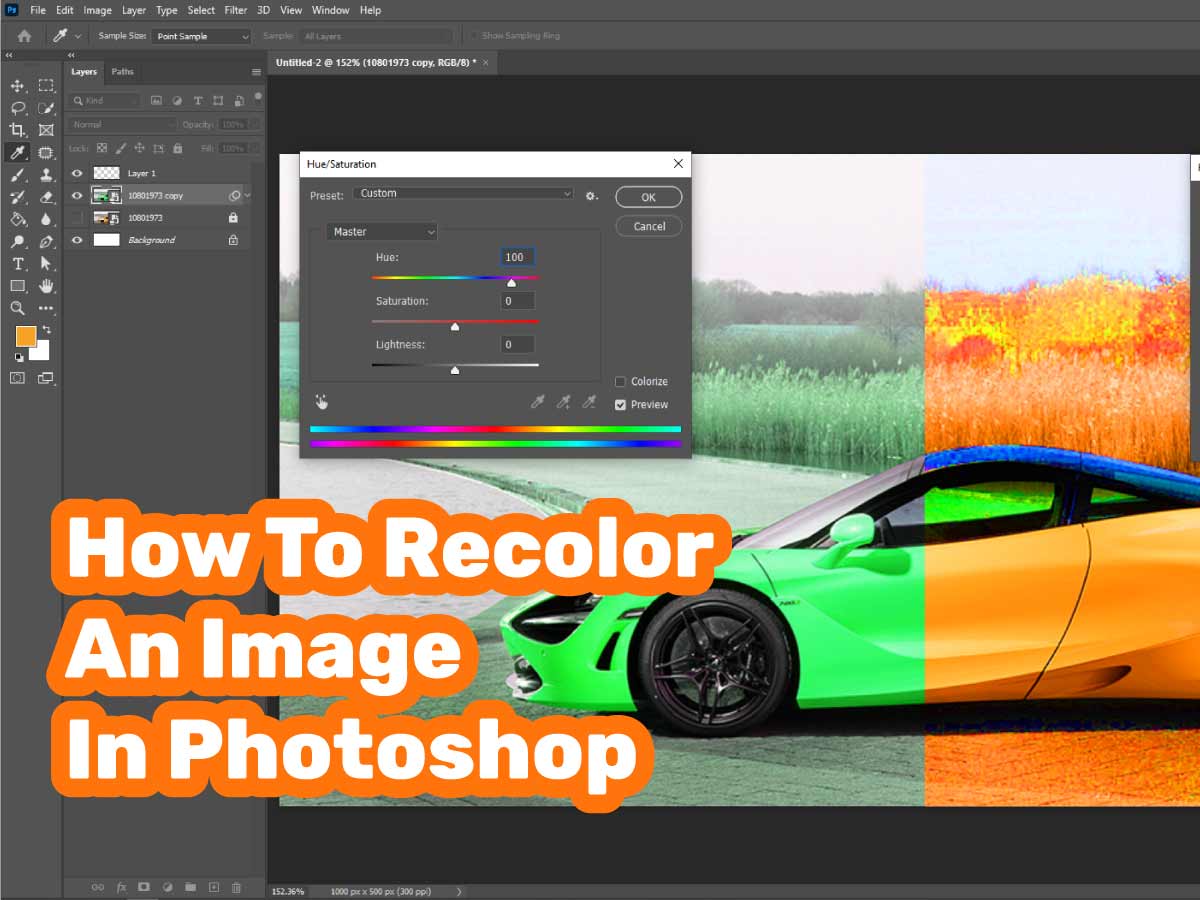
Hue/Saturation Adjustment: This is a fundamental tool for altering an image’s entire color spectrum or targeting specific color ranges.
- How it Works: Users can create a Hue/Saturation adjustment layer and use sliders to shift the hue (the actual color, e.g., red to blue), adjust saturation (intensity of color), and modify lightness.
- Targeted Control: Crucially, this tool allows users to select specific color channels (e.g., only reds, greens, or blues) for adjustment, leaving other colors untouched. This is perfect for altering a particular element’s color, like changing the color of a shirt or a flower, without affecting the rest of the photograph.
- “Colorize” Option: For a monochromatic effect, the “Colorize” option can be applied, tinting the entire image with a single chosen hue, ideal for creating aesthetic backgrounds or thematic imagery.
-
Selective Color Adjustment: For even finer control over color components, Selective Color is an indispensable tool.
- How it Works: This adjustment layer allows users to fine-tune the amount of cyan, magenta, yellow, and black in specific primary (red, green, blue, cyan, magenta, yellow) or neutral (whites, neutrals, blacks) color ranges.
- Best Use Cases: It’s particularly powerful for subtle yet impactful corrections, such as refining skin tones, enhancing the greens in a landscape photo, or correcting color casts in whites. This technique gives digital photographers and graphic designers the ability to achieve nuanced color balance that elevates image quality.
Both Hue/Saturation and Selective Color, when used as adjustment layers, maintain a non-destructive workflow, ensuring that the original image remains unaltered and flexible for future edits.
The Art of Manual Color Correction with Brushes
Sometimes, the most precise way to recolor an image is through direct, manual application. Tophinhanhdep.com offers advanced brush tools that enable artists and designers to paint color changes directly onto specific areas of an image, similar to traditional digital art techniques.
- Brush Tool with “Color” Blend Mode:
- New Layer & Blend Mode: Create a new, empty layer above your image and set its blend mode to “Color.” This ensures that when you paint, only the color information is applied, preserving the underlying texture and luminosity.
- Select Color & Brush: Choose your desired foreground color and select the brush tool. Adjust brush size, hardness, opacity, and flow to match the area you’re working on. A soft brush is often ideal for blending, while a hard brush provides sharp edges.
- Paint with Precision: Carefully paint over the areas you wish to recolor. This method provides the highest degree of control, allowing for detailed work like changing eye color, adding subtle color highlights, or intricate photo manipulation.
- When to Use This Method: This technique is ideal for situations demanding extreme precision or when a subtle, artistic touch is required. It’s particularly useful for small, intricate details where automated tools might lack the finesse needed.
- Professional Tips: Using a graphics tablet greatly enhances control. Regularly sampling colors from the surrounding image can help maintain a natural and harmonious look. This method, while more time-consuming for large areas, offers unparalleled artistic freedom and control, making it a favorite for digital artists.
By integrating these advanced, layer-based, and manual recoloring techniques, Tophinhanhdep.com ensures that users have access to a full spectrum of tools, from quick AI-driven solutions to detailed, artistic control, empowering them to create truly exceptional visual content.
The Intelligence Behind Color: How AI Recolor Works
The era of Artificial Intelligence has revolutionized image editing, transforming complex tasks into simple, one-click operations. Tophinhanhdep.com stands at the forefront of this revolution, particularly with its AI-powered recoloring capabilities, which draw upon sophisticated deep learning models to understand and intelligently manipulate images.
Understanding AI’s Role in Image Transformation
When you choose to recolor an image using Tophinhanhdep.com’s AI tools, you’re tapping into a system trained on millions of diverse images. This training process involves feeding the AI vast datasets of images, often including both black-and-white originals and their corresponding color versions, or images with specific color palettes and their modified counterparts.
Here’s a high-level overview of how this intelligent process unfolds:
- Image Analysis and Object Recognition: The AI first “examines” the input image, much like a human would. It employs sophisticated algorithms to identify and categorize objects within the image—be it a sky, grass, skin, clothing, or specific products. This deep understanding of the image’s content is crucial, as different objects typically have distinct and predictable color ranges.
- Pattern Recognition and Contextual Coloring: Based on its extensive training data, the AI has learned patterns and associations. For instance, it knows that skies are typically blue, grass is green, and certain fabrics have common color tendencies. When encountering a black and white image, it uses these learned associations to predict the most probable and realistic colors for each identified object and area, considering the surrounding context.
- Deep Learning and Neural Networks: The core technology behind this is often a type of Artificial Intelligence called Deep Learning, specifically convolutional neural networks (CNNs). These networks process visual information in layers, progressively extracting more complex features from the image until they can reconstruct a colorized version.
- Automatic Application: Once the AI has made its predictions, it automatically applies the chosen or predicted colors to the image, meticulously filling in hues while preserving texture, shading, and lighting information from the original. This ensures the recolored image looks natural and not simply “painted over.”
For specific tasks, like changing a particular object’s color (e.g., recoloring a PNG), Tophinhanhdep.com’s AI replacer works similarly. You select the area, specify the desired color (often through a text prompt or color picker), and the AI intelligently applies the new color, adapting it to the object’s form, lighting, and texture.
The Benefits of AI-Powered Recoloring
The integration of AI into Tophinhanhdep.com’s recoloring tools offers numerous advantages:
- Speed and Efficiency: What might take a human editor several minutes or even hours to achieve manually, AI can accomplish in seconds. This is particularly beneficial for batch processing or when rapid iterations are needed, especially in product photography and advertising.
- Accessibility: AI democratizes advanced image editing. Users without extensive knowledge of Photoshop or complex manual techniques can still achieve high-quality recolored images, making sophisticated visual design accessible to everyone.
- Accuracy and Realism: Trained on vast datasets, AI can often generate remarkably realistic and contextually appropriate colors, breathing authentic life into old black-and-white photos or subtly enhancing modern ones.
- Non-Destructive Nature (for some tools): While some AI processes are direct, many are implemented in a way that allows for previews and adjustments, giving users control over the final output without permanently altering the original file.
- Innovation and Creativity: AI tools constantly evolve, offering new ways to experiment with color. They can even generate unexpected but inspiring color variations, sparking creative ideas for artists and designers facing a lack of inspiration.
Tophinhanhdep.com’s AI recoloring tools seamlessly integrate into our broader suite of image tools, including AI upscalers and optimizers, ensuring that your transformed images are not only beautifully recolored but also optimized for quality and performance across all platforms.
Maximizing Your Visual Impact with Tophinhanhdep.com
The journey of recoloring an image is one of transformation, adding depth, emotion, and purpose to your visuals. With Tophinhanhdep.com, this journey is made accessible, efficient, and creatively boundless. Our comprehensive platform ensures that every user, from the casual social media poster to the professional graphic designer, can leverage the full potential of color.
Practical Applications Across Industries
The versatility of Tophinhanhdep.com’s recoloring capabilities finds practical application across various sectors:
- E-commerce Platforms: Sellers can effortlessly present the same product in a multitude of colors, directly addressing diverse customer needs and accelerating the decision-making process for both designers and consumers. This efficiency significantly boosts product promotion and reduces operational costs.
- Advertising Industry: In a highly competitive visual landscape, advertising demands captivating and precise imagery. Tophinhanhdep.com’s recolor tools empower advertising practitioners to experiment with different color schemes for products and campaign visuals, selecting the most compelling style to attract and engage audiences.
- Social Media Users: In the era of personal branding and visual storytelling, social media users can easily customize their photos and avatars. A simple color tweak can align an image with a trending aesthetic, convey a specific mood, or simply reflect a personal preference, ensuring that shared visuals are always on point.
- Beauty Industry: From showcasing different makeup looks to visualizing hair color changes (as seen in specific AI features like hair color changers), Tophinhanhdep.com offers invaluable tools. Designers can quickly generate variations of a look, providing clients with clear visual references and sparking new creative ideas for beauty campaigns.
These real-world applications underscore how Tophinhanhdep.com transcends basic image editing, providing essential image tools that drive success and creativity in diverse professional and personal contexts.
Unleashing Creative Potential
Beyond practical applications, Tophinhanhdep.com is a hub for visual inspiration and creative ideas. Recoloring is a powerful catalyst for artistic exploration:
- Developing Unique Styles: Experiment with different color palettes on your photography to define a signature editing style that makes your work instantly recognizable.
- Crafting Mood Boards: Quickly adjust colors in collected images to build cohesive mood boards for projects, facilitating brainstorming and design alignment.
- Exploring Thematic Collections: Transform existing images to fit specific themes, whether for abstract art, nature photography, or emotionally charged narratives, enriching your thematic collections.
- Staying Ahead of Trending Styles: Easily adapt your visuals to match current color trends, ensuring your content remains fresh, relevant, and engaging.
Tophinhanhdep.com combines the immediacy of AI-driven solutions with the depth of advanced photo manipulation techniques, all within a user-friendly interface. Whether you need to recolor an image partially or entirely, to enhance vibrance or restore memories, our platform is engineered to deliver professional results with unmatched ease. Dive into the world of color transformation with Tophinhanhdep.com today and unlock the full creative potential of your images.