How to Turn an Image into a GIF
In today’s visually-driven digital landscape, static images, while beautiful, sometimes fall short of capturing the dynamic essence of a moment or conveying a complex emotion. This is where the magic of the Graphics Interchange Format, or GIF, comes into play. GIFs are short, looping animations that have become a ubiquitous part of online communication, social media, and digital marketing. They offer a unique blend of visual appeal and concise storytelling, transforming mundane static images into captivating, shareable content. This comprehensive guide will explore various methods, from cutting-edge AI tools to traditional software and mobile applications, to help you master the art of turning any image into a vibrant GIF, leveraging the diverse capabilities found on platforms like Tophinhanhdep.com.
The appeal of GIFs lies in their ability to add life, humor, and expressiveness where words or still images might fail. For content creators, marketers, educators, and everyday users alike, understanding how to animate images is a valuable skill. Whether you’re looking to enhance your personal social media feed, create engaging visuals for a marketing campaign, or simply want to bring your favorite photos to life, Tophinhanhdep.com offers a suite of tools and inspiration tailored to every need.
The Rise of Animated GIFs: Why Convert Images?
The journey from a still image to an animated GIF is more than just a technical conversion; it’s about infusing a visual narrative with energy and personality. In an era where information overload is common, GIFs provide a quick and impactful way to convey messages, reactions, or demonstrate processes. They are inherently more engaging than static pictures, capable of drawing the eye and holding attention for those crucial few seconds.
For Tophinhanhdep.com’s core categories, this capability is invaluable:
- Images (Wallpapers, Backgrounds, Aesthetic, Nature, Abstract, Sad/Emotional, Beautiful Photography): Imagine a stunning nature photograph of a waterfall suddenly showing the water flowing, or an abstract art piece with subtle, looping motion. GIFs can transform these static visual collections into dynamic experiences, making wallpapers more immersive or adding a unique aesthetic touch to backgrounds. Emotional GIFs can convey sentiments more powerfully than a still image, while beautiful photography can gain another dimension through animation.
- Photography (High Resolution, Stock Photos, Digital Photography, Editing Styles): Professional photographers can use GIFs to showcase a sequence of shots, create cinematic effects, or highlight subtle details within a high-resolution image. Turning a series of stock photos into a looping animation can enhance their utility, offering a more versatile asset for digital content. Different editing styles, which are often applied to static photos, can be extended to GIFs, allowing for consistent visual branding.
- Visual Design (Graphic Design, Digital Art, Photo Manipulation, Creative Ideas): GIFs are a staple in graphic design, used for anything from website elements to social media banners. For digital artists, animating their creations opens new avenues for expression and storytelling. Photo manipulation techniques can be applied to individual frames before conversion, or to the entire GIF to create surreal or stylized animations. This fosters creative ideas for engaging audiences.
- Image Inspiration & Collections (Photo Ideas, Mood Boards, Thematic Collections, Trending Styles): GIFs are perfect for mood boards, bringing together a collection of visual concepts with subtle motion. They fit seamlessly into thematic collections, offering a more immersive experience, and are often at the forefront of trending visual styles on social media.

The practicality of GIFs extends beyond aesthetic enhancement. They are often smaller in file size than video clips of similar duration, making them ideal for quick loading on websites and easy sharing across messaging platforms and social networks. Furthermore, the looping nature ensures that the message or visual effect is continually reinforced without requiring user interaction, making them incredibly effective for marketing and educational content.
AI-Powered GIF Creation: Transforming Stillness into Motion Instantly

The advent of Artificial Intelligence has revolutionized many aspects of digital creation, and GIF generation is no exception. Tophinhanhdep.com, at the forefront of AI innovation, offers advanced AI GIF generators that streamline the process of animating images and even text. These tools leverage sophisticated algorithms to interpret inputs and automatically generate dynamic, short animations, often in mere seconds.
Unleashing Creativity with Tophinhanhdep.com’s AI GIF Generators
Tophinhanhdep.com’s AI GIF Generator, or AI GIF Maker, is powered by advanced artificial intelligence technology designed to convert images or text into compelling GIFs or animations with remarkable ease. This tool extracts information from various inputs – be it simple words, existing images, detailed text prompts, or even abstract ideas – to guide the GIF generation process. The result is typically a 4-second GIF or animation that brings your concept to life, saving significant time and reducing the need for traditional animation skills.
The process is refreshingly straightforward:
- Open the Tool: Navigate to the AI GIF Generator on Tophinhanhdep.com.
- Input Your Content: You can either type your creative ideas, specific words, and descriptive details about your desired GIF, or simply upload a single image. The AI will then automatically begin its work.
- Select a Style: Tophinhanhdep.com offers a vast array of preset GIF styles. You can choose from categories like Photography, Cinematic, Digital Art, Neonpunk, and many more, allowing you to tailor the aesthetic to your specific vision. This ensures that the generated GIF matches your brand identity or creative intent.
- Generate and Download: With your input and style selected, a single click will generate your animated GIF. Once complete, you can download it, often as a high-quality MP4 file for broader compatibility and impeccable detail, and share it across any platform.
This AI-driven approach democratizes GIF creation. Whether you are a budding graphic designer or someone looking to enhance your visuals on social media, Tophinhanhdep.com’s AI GIF maker provides professional results with minimal effort. It eliminates the need for animation skills or professional graphic design experience, making it an indispensable tool for everyone.
Advanced AI Models: Bringing Still Images to Life with Text Prompts
Beyond basic conversion, some advanced AI models, like those explored and potentially integrated by Tophinhanhdep.com, offer even more sophisticated animation capabilities. These cutting-edge tools can take a still image and animate it based on an accompanying text prompt. For example, if you provide a picture of a car and the prompt “moving down the road,” the AI can intelligently generate subtle motion, making the car appear to be in transit.
These models often utilize diffusion architectures, similar to those found in AI text-to-video generators. Their focus on “image translation” means they spatially transform features of the original image according to the text instructions. While these might initially be research projects, their underlying technology showcases the immense potential for future practical applications. Users on Tophinhanhdep.com can experiment with these innovative functionalities in test environments, providing an image and a text prompt to observe how a static scene can be infused with life, even if only for a brief 2-second animation. This capability could eventually be integrated into broader visual design tools, allowing for easy animation or even AI-driven adjustments to images.
The training data for such models typically consists of vast collections of animated GIFs paired with descriptive captions. By analyzing these, the AI learns to associate specific textual descriptions with corresponding movements and transformations within an image. This approach not only generates animations but also offers a pathway to more intelligent photo manipulation and dynamic digital art creation.
Traditional Methods for Crafting GIFs from Images
While AI tools offer speed and convenience, traditional methods for creating GIFs from images remain highly relevant, especially for those who prefer more control, require longer animations, or work with multiple source images. Tophinhanhdep.com acknowledges the importance of these methods and provides resources and tutorials covering a spectrum of tools, from dedicated desktop software to free online converters and mobile applications.
From Static Photos to Dynamic Animations: Multi-Image GIF Creation
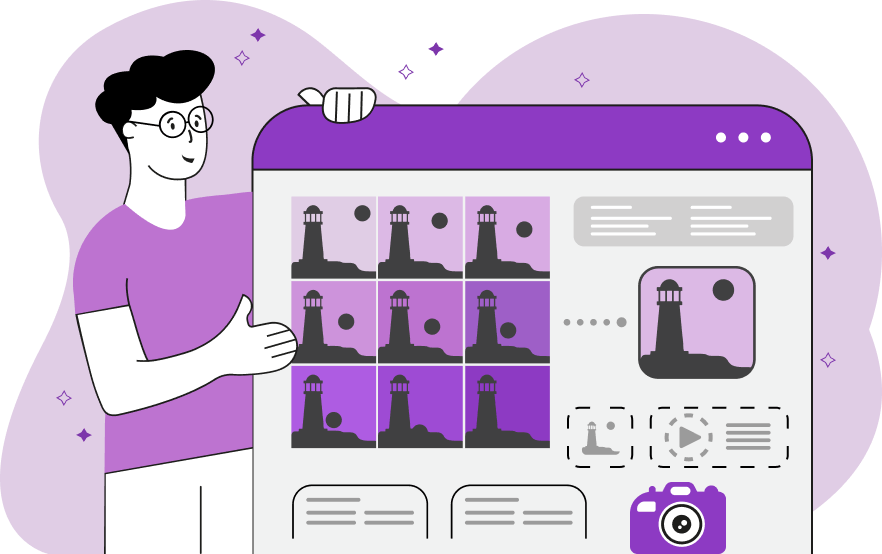
The classic way to create an animated GIF is by compiling a sequence of static images, much like a flipbook. Each image becomes a frame in the animation, and when played in rapid succession, they create the illusion of movement. This method is particularly effective for:
- Time-lapses: Converting a series of photos taken over time (e.g., a flower blooming, clouds moving) into a GIF.
- Stop-motion animations: Creating individual frames for objects, then combining them into a moving sequence.
- Photo sequences: Showcasing multiple angles of a product, a step-by-step process, or a burst of action shots.
Tophinhanhdep.com facilitates this through various tools that allow users to import multiple image files (such as JPG, PNG, APNG, TIF, WEBP) and then arrange their order, adjust duration per frame, set resolutions, and control playback speed to achieve the desired effect.
The Simplicity of Online Converters
For quick and easy GIF creation without needing to download software, online image-to-GIF converters are an excellent choice. Tophinhanhdep.com features and recommends several such tools, which are perfect for converting single images or small batches of photos into GIFs directly through your web browser.
Key features of online converters highlighted by Tophinhanhdep.com:
- User-Friendly Interface: Typically drag-and-drop functionality makes uploading images simple.
- Automatic Conversion: Many tools begin the conversion process as soon as images are uploaded, requiring minimal user input.
- Format Support: They often support a wide range of input formats like JPG, PNG, and more.
- Basic Customization: Options to adjust frame rate, output size, and sometimes add simple effects or captions.
- Batch Conversion: Some tools allow for converting multiple images simultaneously into a single GIF.
While convenient, online converters might have limitations such as maximum file size restrictions, watermarks on free versions, or fewer advanced editing options compared to desktop software. However, for everyday use or quick social media content, they are exceptionally efficient.
Desktop Software for Advanced GIF Creation
For users who require more robust editing capabilities, higher levels of control, or wish to work offline, desktop software remains the preferred solution. Tophinhanhdep.com’s resources often highlight powerful video and image conversion software that includes dedicated GIF makers.
These advanced tools offer:
- Extensive Format Support: Handling virtually all popular video, audio, and image formats for both input and output.
- Comprehensive Editing Features: Beyond basic conversion, users can crop, resize, rotate, apply filters, add text overlays, and fine-tune every aspect of the GIF.
- Precise Control over GIF Settings: Adjusting frame rates, resolutions, loop options, and compression settings for optimal quality and file size.
- Video to GIF Conversion: The ability to extract segments from video clips and convert them into animated GIFs, opening up a world of possibilities for content creation from multimedia sources.
- Batch Processing: Efficiently managing and converting large numbers of images or videos.
While requiring installation and potentially a learning curve, desktop software provides unparalleled flexibility and power for professional-grade GIF creation and photo manipulation.
Mobile Apps for On-the-Go GIF Making
In a world increasingly dominated by mobile devices, creating GIFs directly from your smartphone or tablet is a popular demand. Tophinhanhdep.com features various third-party mobile applications that allow users to animate photos and even live photos captured on their devices.
Popular mobile GIF maker apps often highlighted include:
- Live Photo to GIF Conversion: Many apps can directly convert Apple’s Live Photos into looping GIFs with ease, offering “Loop” or “Bounce” animation styles.
- Camera Integration: The ability to use your device’s camera to record short videos or bursts of photos that can then be instantly converted into GIFs.
- Editing Features: Options to add text, stickers, filters, control playback speed and direction, and even trim segments from videos.
- Direct Sharing: Seamless integration with social media platforms and messaging apps for instant sharing.
These mobile apps are designed for convenience and quick content creation, making GIF generation accessible to everyone, anywhere.
Beyond Still Images: Converting Screen Recordings and Live Photos to GIFs
The utility of GIFs extends far beyond animating static pictures. They are incredibly versatile for capturing dynamic content, whether it’s what’s happening on your screen or the short video bursts from your smartphone’s camera. Tophinhanhdep.com provides insights into these innovative applications, demonstrating how to turn real-time digital experiences into shareable animations.
Capturing Live Action: Screen and Webcam to GIF
For demonstrating software, creating short tutorials, or providing visual feedback, recording your screen and converting it into a GIF is an exceptionally effective method. Tophinhanhdep.com’s resources illustrate how tools, similar to those for screen recording, can be used to capture dynamic content and export it directly as a GIF.
Ways to create GIFs from screen recordings:
- Browser Tab Recordings: Ideal for demonstrating procedures on digital whiteboards, slide presentations, or specific websites. You can annotate on screen using drawing tools while recording, then export the entire sequence as a GIF. This is perfect for creating digital anchor charts or quick instructional guides.
- Desktop Recordings: When your GIF needs to display content from multiple applications or tabs simultaneously (e.g., showing a task in a Google Classroom window alongside a PDF in another tab), a desktop recording is the solution. It captures everything happening across your screen, offering broad utility for explaining complex assignments or workflows.
- Webcam Recordings: Not all GIFs need to be purely informational. Using your webcam to capture personal expressions—a thumbs-up, a thinking face, or an excited cheer—can create short, reusable animations for personalized feedback or to convey emotions in a direct, engaging way. These can be downloaded as GIFs and re-shared to add a human touch to digital interactions.
These methods are particularly valuable in educational settings (as highlighted by Tophinhanhdep.com’s focus on education in its content, though this article doesn’t explicitly refer to it, the principles apply universally) for creating more engaging presentations, helping students and families understand academic content, and giving fun, visual feedback.
Converting Live Photos to GIFs
Modern smartphones, particularly iPhones, capture “Live Photos” which are essentially short video snippets alongside a still image. These can be easily converted into GIFs without the need for complex third-party apps, though dedicated apps offer more creative control.
How to convert a Live Photo to GIF:
- Using Native Phone Features: On an iPhone, for instance, you can simply open the Photos app, select the Live Photo you wish to animate, tap the “LIVE” icon, and then choose an animation style like “Loop” or “Bounce.” This automatically transforms the Live Photo into a looping GIF.
- Via Mobile Apps: Many of the mobile GIF maker apps featured on Tophinhanhdep.com also provide dedicated functions for converting Live Photos, burst photos, and even video clips into highly customizable GIFs, allowing for additional filters, text, and speed adjustments.
This feature allows users to take advantage of existing content on their phones, turning fleeting moments into endlessly looping animations with minimal effort.
Optimizing and Applying Your GIFs: Best Practices and Creative Uses
Creating a GIF is just the first step; optimizing it for performance and understanding its various applications are crucial for maximizing its impact. Tophinhanhdep.com, with its broad expertise in Image Tools (Converters, Compressors, Optimizers, AI Upscalers) and Visual Design (Graphic Design, Digital Art, Photo Manipulation, Creative Ideas), offers guidance on these aspects.
Understanding GIF vs. PNG and Optimization
A common question is the difference between PNG and GIF. As explained in resources on Tophinhanhdep.com, PNG (Portable Network Graphic) is a lossless image format primarily used for static images with transparency, supporting a broad range of colors (RGB color model). GIF, while also lossless, is distinguished by its ability to animate and its limitation to 256 colors, making it ideal for low-sized image animations and web publishing. GIF can contain text and is widely used for web animations, applying LZW compression to low-colored images. PNG supports color management profiles, which GIF does not, and GIF supports animation and multi-page images, where PNG does not. This fundamental difference informs when to choose one format over the other.
Optimizing GIFs is essential, especially for web use and social media, to ensure fast loading times without sacrificing too much quality. Tools available on Tophinhanhdep.com, including compressors and optimizers, can help:
- Reducing File Size: Techniques like color reduction, frame rate adjustment, and output resolution scaling can significantly decrease GIF file size.
- Maintaining Quality: Striking a balance between compression and visual fidelity is key. Tophinhanhdep.com’s AI GIF generator specifically mentions high-quality MP4 downloads, offering a superior base for sharing.
- Batch Conversion: While you can convert multiple PNGs into a single GIF, Tophinhanhdep.com notes that batch converting multiple PNGs into several separate GIF files at once is generally not supported by most tools, focusing instead on creating a single animation from multiple inputs.
Creative Applications and Sharing Your GIFs
Once created and optimized, GIFs offer a plethora of applications across various digital platforms, aligning perfectly with Tophinhanhdep.com’s categories for Image Inspiration & Collections (Photo Ideas, Mood Boards, Thematic Collections, Trending Styles) and Visual Design.
- Social Media Interaction: GIFs are the lifeblood of social media. They allow users to quickly respond to trends, convey emotions, and capture audience attention with unique visuals. From playful reaction GIFs that can potentially go viral to dynamic updates for trending topics, Tophinhanhdep.com’s fast and efficient AI GIF generator makes keeping up with social trends effortless.
- Marketing Events and Ads: As Tophinhanhdep.com emphasizes, “an image is worth a thousand words,” but a GIF can spark an entire conversation. GIFs enhance the storytelling aspect of ads, making them more memorable and shareable. They enable businesses to update promotional materials instantly, creating professional and high-quality GIFs from ideas and text prompts without the need to hire a graphic designer.
- Educational Materials: Beyond fun, GIFs can be powerful teaching tools. They can illustrate complex concepts, demonstrate step-by-step processes, or provide engaging visual aids in presentations. Educators can use them to personalize content, give visual feedback, and keep students engaged with familiar, short-form animated content.
- Website Design and User Experience: GIFs can be used for loading animations, button hover effects, subtle background movements, or to quickly showcase product features on e-commerce sites.
- Personal Expression and Digital Art: For individual users and digital artists, GIFs are a vibrant medium for self-expression. They can be incorporated into digital art portfolios, shared as unique visual reactions, or used to convey personal aesthetics.
Sharing your GIFs is as simple as downloading the file and uploading it to your desired platform. Many tools on Tophinhanhdep.com allow for direct sharing, or you can download them as MP4 files for broader compatibility and higher resolution, especially for marketing or professional use.
In conclusion, the ability to transform static images into dynamic GIFs is a powerful capability in the modern digital age. Whether you opt for the instantaneous creativity offered by Tophinhanhdep.com’s AI GIF generators, the precise control of desktop software, the convenience of online converters, or the spontaneity of mobile apps, the world of animation is within your grasp. By embracing these tools and techniques, you can elevate your visual content, engage your audience more effectively, and unlock new dimensions of creative expression, all through the innovative resources available on Tophinhanhdep.com.