How to Turn an Image into PNG: A Comprehensive Guide for Visual Excellence
In the ever-evolving landscape of digital media, image formats play a pivotal role in how we perceive and interact with visual content. Among the myriad options, JPEG and PNG stand out as two of the most commonly used file types. While JPEGs are ubiquitous for their compact size, PNGs offer a distinct advantage: the ability to support transparent backgrounds and deliver uncompromised quality. Understanding how to convert an image, particularly a JPG, into a PNG is not just a technical skill; it’s a gateway to unlocking immense creative potential in graphic design, photography, and digital art.
At Tophinhanhdep.com, we understand the critical need for versatile image tools that empower creators, designers, and everyday users. Our platform is dedicated to providing robust solutions for everything from high-resolution wallpapers and aesthetic backgrounds to advanced photo manipulation and AI-powered enhancements. This guide delves into the nuances of image formats, the compelling reasons to convert to PNG, and provides a step-by-step walkthrough of the conversion process, ensuring your visuals always stand out with clarity and precision.

Understanding Image Formats: JPG vs. PNG
Before diving into the “how-to,” it’s essential to grasp the fundamental differences between JPG and PNG, and why one might be preferred over the other for specific applications. Both formats serve to store raster images, but they do so with distinct compression techniques that impact quality, file size, and functionality.
The Lossy Nature of JPEG
JPEG, short for Joint Photographic Experts Group, is arguably the most common image format on the internet. It was designed primarily to make large photographic images smaller for easier storage and faster transmission. JPEG achieves this by using “lossy” compression, a process that permanently discards some image data during compression to reduce file size.
This loss is often imperceptible to the human eye, especially in complex photographs with many colors and gradients. However, the more a JPEG image is compressed or repeatedly saved, the more its quality degrades. Each save can introduce more artifacts, blurring, or color shifts, making it unsuitable for images that require utmost precision or frequent editing. JPEGs also do not support transparency, meaning any area that would otherwise be transparent will appear as a solid color, typically white, when saved in this format. For vibrant nature photography, abstract compositions, or beautiful portraiture where every detail matters, a JPG’s lossy nature can be a significant drawback.
The Versatility of PNG: Lossless Quality and Transparency
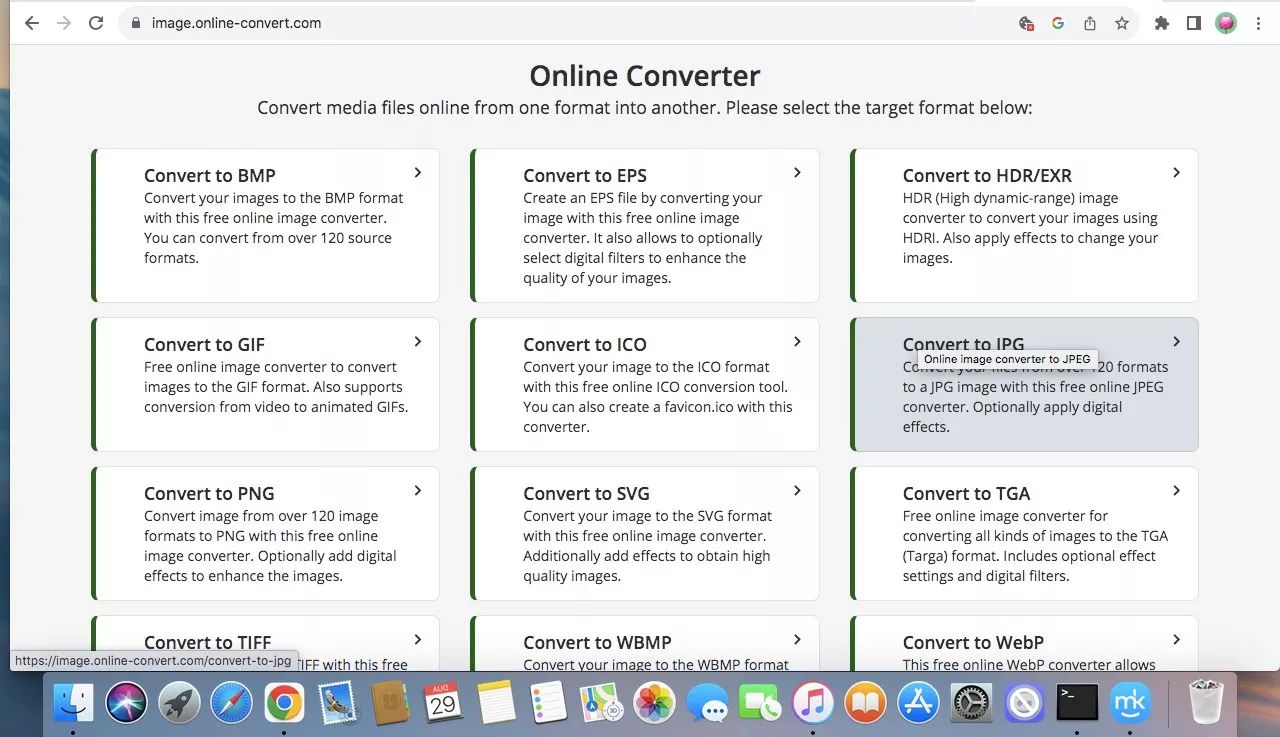
Portable Network Graphics, or PNG, emerged in the mid-1990s as an open-source alternative to GIF, specifically addressing its limitations, particularly patent issues and the lack of full-color support. PNG employs “lossless” compression, meaning that no image data is lost during the compression process. When you save an image as a PNG, it retains all its original detail and quality, regardless of how many times it’s edited and re-saved. This makes PNG an ideal choice for high-resolution photography and digital art where fidelity is paramount.
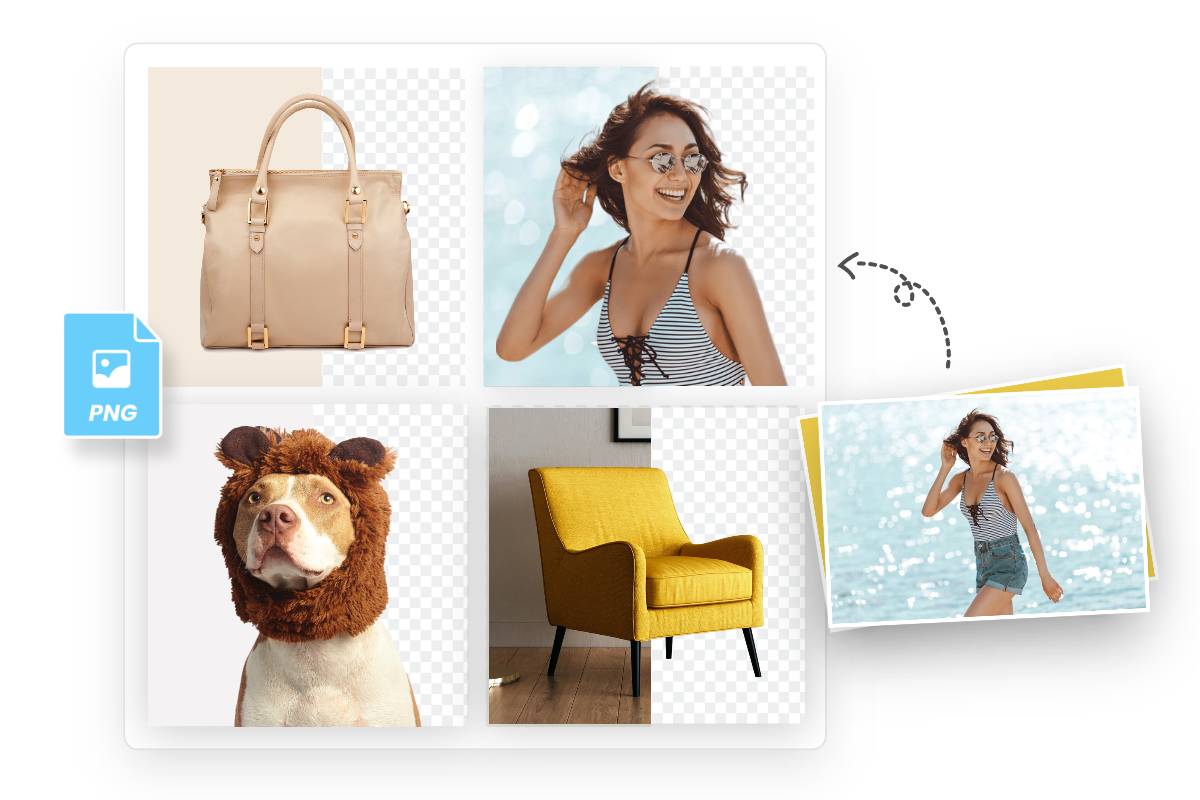
The most significant advantage of PNG, especially for visual design and photo manipulation, is its support for an alpha channel. This alpha channel allows for varying degrees of transparency in an image, from fully opaque to completely invisible. This capability is crucial for creating professional-looking logos, icons, graphics with text, or any image element that needs to blend seamlessly into different backgrounds without a visible border or a solid “box” around it. Whether you’re crafting aesthetic wallpapers, designing engaging social media visuals, or working on complex photo composites, PNG’s lossless quality and transparency are indispensable.
Why Convert to PNG? Unlocking Visual Potential with Tophinhanhdep.com
Converting images from JPG to PNG opens up a world of possibilities for creators. At Tophinhanhdep.com, we empower users to tap into this potential, enhancing their visual projects across various categories, from stunning wallpapers to intricate graphic designs.
Achieving Transparent Backgrounds for Graphic Design and Digital Art
The ability to create transparent backgrounds is a game-changer for graphic designers and digital artists. Imagine designing a logo with a complex shape or integrating a cut-out subject into a new scene. With a JPG, you’d be stuck with a solid, often white, background that restricts its placement and visual flow. A transparent PNG, however, allows your design elements to appear as if they are floating, seamlessly blending with any backdrop.
This feature is fundamental for:
- Logo Design: Ensuring your brand mark can be placed on websites, merchandise, or documents without a distracting white box.
- Layered Compositions: Creating depth and realism in digital art and photo manipulation by combining various elements, each with its own transparent edges.
- Creative Ideas & Aesthetic Designs: Building unique wallpapers, social media stories, or marketing materials where elements interact harmoniously without jarring outlines. Tophinhanhdep.com’s tools facilitate this creative freedom, allowing you to focus on the artistic vision rather than technical limitations.
Preserving Image Quality for High-Resolution Photography and Stock Photos
For photographers and anyone working with high-resolution imagery, maintaining impeccable quality is non-negotiable. JPEGs, while convenient for sharing, can subtly degrade the fine details, textures, and color accuracy that define professional photography. PNGs, with their lossless compression, preserve every pixel of your original image.
This makes PNG the preferred format for:
- Stock Photos: Providing clients with images that retain maximum detail for print or large-scale digital use.
- Digital Photography: Archiving original edits or composite images without any loss, ensuring future flexibility for various editing styles.
- Detailed Nature & Abstract Images: Capturing the intricate beauty of nature or the subtle gradients of abstract art without compression artifacts. At Tophinhanhdep.com, we support your commitment to excellence by offering tools that ensure your high-resolution images remain pristine throughout the conversion process, perfect for showcasing beautiful photography.
Optimizing for Web, E-commerce, and Aesthetic Backgrounds
In today’s visually-driven digital landscape, the right image format can significantly impact user experience and brand perception. For e-commerce, social media, and website design, transparent PNGs offer distinct advantages:
- E-commerce Product Images: Displaying products with clean, transparent backgrounds makes them look professional and allows them to be placed against any website theme, significantly boosting conversion rates. Platforms like Amazon, eBay, and Shopify heavily favor such images.
- Social Media Graphics: Crafting captivating posts, stories, and banners that effortlessly integrate custom elements. A transparent logo or an artistic cut-out can elevate your social media presence, drawing more audience engagement.
- Aesthetic Backgrounds and Wallpapers: Designers can create dynamic backgrounds or layered wallpapers by combining transparent foreground elements with diverse backdrops. This flexibility is key to curating thematic collections and trending styles that resonate with users.
Our platform provides the necessary image tools, including converters and optimizers, to prepare your images for any online purpose, ensuring they are not only visually striking but also performant.
Practical Tools and Methods for Effortless PNG Conversion with Tophinhanhdep.com
Converting a JPG to a PNG no longer requires specialized software knowledge or hours of manual editing. Thanks to advancements in image tools and AI technology, the process can be quick, efficient, and accessible to everyone. Tophinhanhdep.com offers a suite of solutions to cater to all your conversion needs.
Leveraging Online PNG Makers for Instant Results
Online PNG makers are the simplest and fastest way to convert images, especially when you need a transparent background. These web-based tools leverage powerful algorithms, often incorporating AI, to automate complex tasks that once required manual intervention.
At Tophinhanhdep.com, our free online PNG maker allows you to:
- Convert JPG to Transparent PNG in 1 Click: Simply upload your JPG image, and our AI will automatically detect and remove the background, converting it into a transparent PNG within seconds. This process is 100% automatic, eliminating the need for tedious manual clipping paths.
- Create PNG Transparent Without Losing Quality: Our advanced artificial intelligence technology ensures that while the background is removed, the quality and clarity of your original image are meticulously maintained. Intricate details like hair or fur are preserved, delivering a crisp, high-resolution transparent PNG.
- Batch Make PNG Images with Transparent Background: Save significant time and effort by uploading multiple images and converting them all at once. Whether you’re processing animal pictures, portrait photos, logos, or vectors, our batch processing feature streamlines your workflow and boosts productivity.
- Enhance Your PNG Image Online to High Quality: If you start with a low-quality or blurry PNG, our integrated AI image enhancer can instantly make it clearer, sharper, and more vibrant, transforming it into a high-quality asset.
- Customize Transparent PNG Backgrounds for Free: Beyond just transparency, our inbuilt background changer tool lets you effortlessly customize your PNG’s backdrop. Choose from preset backgrounds, upload your own images, or even generate new backgrounds using AI. You can also blur parts of the background to protect privacy or reduce visual distraction.
Our online tools are designed to provide a hassle-free experience, making professional-grade image manipulation accessible to all, aligning perfectly with our mission to offer comprehensive image tools for digital photography and visual design.
Desktop Software for Advanced Control (e.g., Photoshop, Built-in OS Tools)
For users who require granular control or are already integrated into a professional creative workflow, desktop software remains a powerful option.
- Professional Photo Editors (like Photoshop): Software like Adobe Photoshop offers unparalleled precision for image editing and conversion. To convert a JPG to a transparent PNG in Photoshop:
- Open your JPG image.
- Use selection tools (e.g., Quick Selection Tool, Object Selection Tool, Pen Tool) to accurately select your subject.
- Apply a layer mask to remove the background non-destructively.
- Go to
File > Export > Export As...orFile > Save As.... - Choose
PNGas the format and ensure the “Transparency” option is checked before exporting. This method provides the highest degree of control over edge refinement and complex cutouts, a critical aspect for digital art and photo manipulation.
- Built-in Operating System Tools (Windows Photos, Mac Preview): For simple, non-transparent conversions, your computer’s native applications can suffice.
- Windows: Open the JPG in the Photos app, click “…” (More options), select “Save as,” choose “PNG” from the file type dropdown, and click “Save.”
- Mac: Open the JPG in Preview, go to
File > Export..., selectPNGfrom the “Format” dropdown, and click “Save.” These methods are straightforward for basic conversions but lack the advanced features for transparency or significant editing.
Mobile Apps for On-the-Go Conversions
In a mobile-first world, converting images on smartphones and tablets is increasingly common. Many photo editing apps offer robust PNG conversion capabilities, often powered by AI, making them perfect for quick edits and social media content creation.
Mobile apps (such as those offered by Tophinhanhdep.com under its “Image Tools” suite) typically simplify the process:
- Download a PNG Maker App: Our mobile app offers intuitive tools for image conversion.
- Upload Your Photo: Select the JPG image from your gallery.
- Utilize Background Removal Tools: Tap on a “Cutout” or “Remove Background” feature. The app’s AI will automatically detect subjects and make the background transparent. Manual refinement tools (brushes) are usually available for adjustments.
- Customize (Optional): Many apps allow you to instantly convert your transparent PNG into a custom sticker, add new backgrounds, or apply basic photo editing.
- Save as PNG: Choose PNG as your desired file type, ensuring the transparent background is preserved. You can often preview file size and quality before saving.
Mobile conversion tools are excellent for individual use, quickly preparing images for social media, or creating unique profile pictures and avatars, offering an accessible entry point into visual design and creative ideas.
Step-by-Step Guide: Converting JPG to PNG with Transparency using Tophinhanhdep.com
Harnessing the power of online image tools like those found at Tophinhanhdep.com makes converting JPGs to transparent PNGs remarkably simple. Follow these steps to transform your images with ease.
Uploading Your Image and Initiating Conversion
The first step is always the easiest: getting your image onto our platform.
- Access the PNG Maker: Open your web browser and navigate to Tophinhanhdep.com’s dedicated PNG maker page.
- Start the Process: Look for a prominent button labeled “Make PNG Now” or “Upload Image” and click it.
- Select Your JPG: A file explorer window will open. Browse your computer or device and select the JPG image you wish to convert. Once selected, click “Open” or “Upload.”
Upon uploading, our platform’s intelligent systems immediately spring into action, analyzing your image. For those who prioritize efficiency, many tools, including ours, offer drag-and-drop functionality, allowing you to simply drag your JPG file directly into the designated area on the webpage. This streamlines the initial step, especially when managing multiple files for batch processing.
Automated Background Removal and AI Enhancement
This is where the magic of modern image tools truly shines, particularly for achieving transparency without manual effort.
- Automatic Transparency: Tophinhanhdep.com’s AI will automatically process your uploaded JPG. Within seconds, it will intelligently detect the main subject(s) of your image and precisely remove the background, rendering it transparent. This eliminates the need for manual selection or complex clipping paths, even for challenging elements like hair or intricate patterns. Our AI excels at handling diverse subjects, from professional portrait photos to detailed product shots and complex logos.
- AI Image Enhancement (Optional): If your original JPG suffered from low quality, blurriness, or lack of vibrancy, our integrated AI image enhancer is equipped to address these issues. This tool can be applied automatically or with a single click, instantly improving the clarity, sharpness, and overall visual appeal of your transparent PNG. This feature is particularly valuable for users seeking high-resolution images from older or lower-quality sources, aligning with our ‘AI Upscalers’ and ‘Optimizers’ tools.
The entire process is designed to be 100% automatic, delivering professional-grade results without requiring any prior experience in photo editing or complex software.
Customizing Transparent PNG Backgrounds and Advanced Editing
While transparency is a powerful feature, Tophinhanhdep.com offers extensive options to further customize and refine your PNG images, integrating seamlessly with visual design and creative ideas.
- Background Replacement and Customization: Your newly transparent PNG is a blank canvas. Our integrated background changer tool allows you to:
- Choose from Presets: Select from a library of solid colors or pre-designed patterns.
- Upload Your Own: Substitute the transparent area with any image of your choice, whether it’s another photo, a texture, or a graphic.
- AI-Generated Backgrounds: Explore innovative backgrounds created by artificial intelligence, offering unique and trending styles.
- Blur & Privacy: Apply a blur effect to any background (new or original, if not removed entirely) to protect privacy or simply reduce visual distraction, guiding the viewer’s eye to your subject.
- Further Photo Editing and Design Tools: Tophinhanhdep.com is more than just a converter; it’s a comprehensive photo editor. Before downloading, you can utilize a powerful suite of editing tools:
- Crop and Resize: Adjust the dimensions and composition of your PNG.
- Add Text: Overlay custom text with various fonts, styles, and colors, turning your image into an impactful graphic. This is excellent for creating text PNGs.
- Apply Filters and Effects: Enhance the mood or aesthetic of your image with a wide array of artistic filters and visual effects.
- Combine Images: Easily blend your transparent PNG with other images to create stunning designs and photo manipulations.
These robust editing capabilities make Tophinhanhdep.com an all-in-one solution for both simple conversions and complex visual design projects, supporting everything from graphic design to digital art.
Downloading Your High-Quality PNG File
The final step is to save your masterpiece.
- Review and Download: Once you are satisfied with your transparent PNG and any customizations, locate the “Download” icon. Click it to initiate the download process.
- High-Resolution Output: Tophinhanhdep.com ensures that your final transparent PNG image is downloaded in a high-resolution file format, free of charge. This means you get a clear, crisp image suitable for any application, from professional print to digital display.
With these simple steps, you’ll have a high-quality, transparent PNG ready to be used in various applications, from e-commerce product listings to creative mood boards, all without a distracting background.
Beyond Conversion: Maximizing Your PNG Images with Tophinhanhdep.com
Converting a JPG to a transparent PNG is a powerful first step, but it’s just the beginning. The true value of PNGs, especially those created and refined with Tophinhanhdep.com, lies in their versatility for various visual applications. Our platform extends beyond simple conversion, integrating image tools with visual design principles and image inspiration to help you achieve exceptional results.
Integrating PNGs into Graphic Design Projects and Visual Branding
Transparent PNGs are the backbone of modern graphic design and are indispensable for building a strong visual brand identity.
- Professional Logos and Branding Assets: A transparent logo is crucial for consistency across all brand touchpoints—websites, business cards, social media profiles, and merchandise. Tophinhanhdep.com’s PNG maker ensures your logo, once a JPG, retains its transparency and crisp edges, making it suitable for any background or application. This extends to creating high-quality signature PNGs or sticker PNGs for various branding elements.
- Dynamic Marketing Materials: Use transparent cutouts to create engaging LinkedIn banners, Facebook covers, presentations, or digital advertisements. By removing distracting backgrounds, your subjects pop, ensuring your message is clear and impactful. Our graphic design suite, accessible directly from the PNG maker, offers a wealth of templates and elements (lines, shapes, icons, versatile photos) to blend your images into any design seamlessly, fostering creative ideas.
- E-commerce and Product Showcases: For online sellers, transparent product PNGs are essential. They allow products to be easily integrated into clean, professional-looking layouts, which is proven to boost sales and enhance buyer trust. Tophinhanhdep.com helps you make product images clean and optimized for platforms like Amazon, eBay, and Shopify.
Using PNGs for Digital Art, Photo Manipulation, and Creative Storytelling
For digital artists and those involved in photo manipulation, transparent PNGs are fundamental tools for crafting imaginative and complex visuals.
- Compositing and Digital Collages: Easily combine different elements from various images to create entirely new scenes. A transparent image of a person, an animal, or an object can be seamlessly placed into a new background, opening up endless possibilities for surreal or narrative digital art. This aligns perfectly with the ‘Photo Manipulation’ and ‘Digital Art’ aspects of Tophinhanhdep.com.
- Creating Artistic Effects and Overlays: PNGs can serve as custom brushes, textures, or overlays with varying opacities, adding depth and unique editing styles to your work. Think of applying a subtle transparent pattern or a light leak effect.
- Visual Storytelling: By isolating subjects with transparent backgrounds, you can direct the viewer’s focus and create more compelling visual narratives. This allows for greater flexibility in telling a story through your images, whether it’s for an emotional piece or a fantastical creation.
Curating Image Collections and Inspiring Visual Styles
Transparent PNGs greatly simplify the process of organizing and presenting visual inspiration, leading to more cohesive image collections and trending styles.
- Dynamic Mood Boards: When building a mood board, transparent elements allow images to overlap and interact without creating messy borders, fostering a more fluid and inspiring visual flow. You can easily combine different photo ideas, aesthetic elements, and thematic collections.
- Thematic Collections: Creating themed image collections becomes more versatile. Imagine assembling a collection of nature elements, each a transparent PNG, to be easily dragged and dropped into new compositions or used for wallpapers.
- Exploring Trending Styles: Many trending visual styles, particularly in modern web design and social media, rely on cut-out elements and transparent overlays. Being able to convert and manipulate images into PNGs empowers you to easily adopt and innovate within these styles.
Tophinhanhdep.com acts as a central hub for all these activities, providing not only the tools for conversion but also inspiring possibilities for how you can utilize your newly created PNGs to bring your creative visions to life.
Conclusion
The ability to turn an image, particularly a JPG, into a PNG with transparency is a foundational skill in today’s visual landscape. From preserving the high resolution and intricate details of beautiful photography to enabling limitless creative possibilities in graphic design and digital art, PNGs stand out as a superior format for many applications. They empower users to craft professional-grade logos, dynamic marketing materials, compelling e-commerce product images, and unique aesthetic compositions without the limitations of solid backgrounds or quality degradation.
At Tophinhanhdep.com, we are committed to making this powerful capability accessible to everyone. Our free online PNG maker, enhanced with advanced AI technology, streamlines the conversion process, offering instant background removal, quality enhancement, and extensive customization options. Whether you’re a professional photographer, a budding graphic designer, an e-commerce entrepreneur, or simply someone looking to enhance your personal images, our comprehensive suite of image tools provides everything you need.
Step into a world of visual excellence. Explore the capabilities of Tophinhanhdep.com today and transform your images into stunning, versatile PNGs that truly make an impact. Unleash your creativity and elevate your visual content with precision and ease.