How to Verify If an Image Is Real or Fake in a World of Visual Deception

In an era saturated with digital imagery, distinguishing between what’s real and what’s fabricated has become an essential skill. From the breathtaking nature wallpapers and aesthetic backgrounds proudly featured on Tophinhanhdep.com to the high-resolution stock photos used in professional visual design, images are central to how we communicate, learn, and express ourselves. Yet, the ease of digital manipulation, now amplified by sophisticated artificial intelligence, has ushered in a new age of visual deception. Understanding how to verify an image is no longer just for journalists or investigators; it’s a fundamental aspect of digital literacy for anyone who consumes or creates visual content. Tophinhanhdep.com is committed to empowering its users with the knowledge and tools necessary to navigate this complex visual landscape, ensuring the authenticity and integrity of the images you encounter and create.

The proliferation of “fake news” and misleading visual content underscores the urgent need for verification. A seemingly innocent image—be it a captivating abstract piece or a deeply emotional photograph—can be repurposed, altered, or entirely conjured to spread misinformation, influence opinions, or even perpetrate scams. This guide, drawing on the best practices from leading fact-checking organizations and digital security experts, will equip you with practical methods to scrutinize images, enhancing your ability to discern truth from falsehood.
The Rising Tide of Digital Deception
The digital landscape has dramatically transformed how images are created, shared, and consumed. While image editing software like Photoshop has existed for decades, allowing for sophisticated photo manipulation, the advent of generative artificial intelligence (AI) has introduced an unprecedented level of fakery. What once required significant skill and time can now be achieved with remarkable speed and realism by AI algorithms.
Perhaps one of the most viral early examples of AI-generated misinformation was the image of Pope Francis in a stylish white puffer jacket in 2023. This image, entirely fabricated by AI, spread like wildfire across social media, showcasing the startling ability of these new tools to produce highly convincing, yet completely unreal, visuals. Since then, the number of high-quality AI-generated fakes has skyrocketed, ranging from mundane scenes to sensational events, making it increasingly difficult for the average person to tell real from fake.
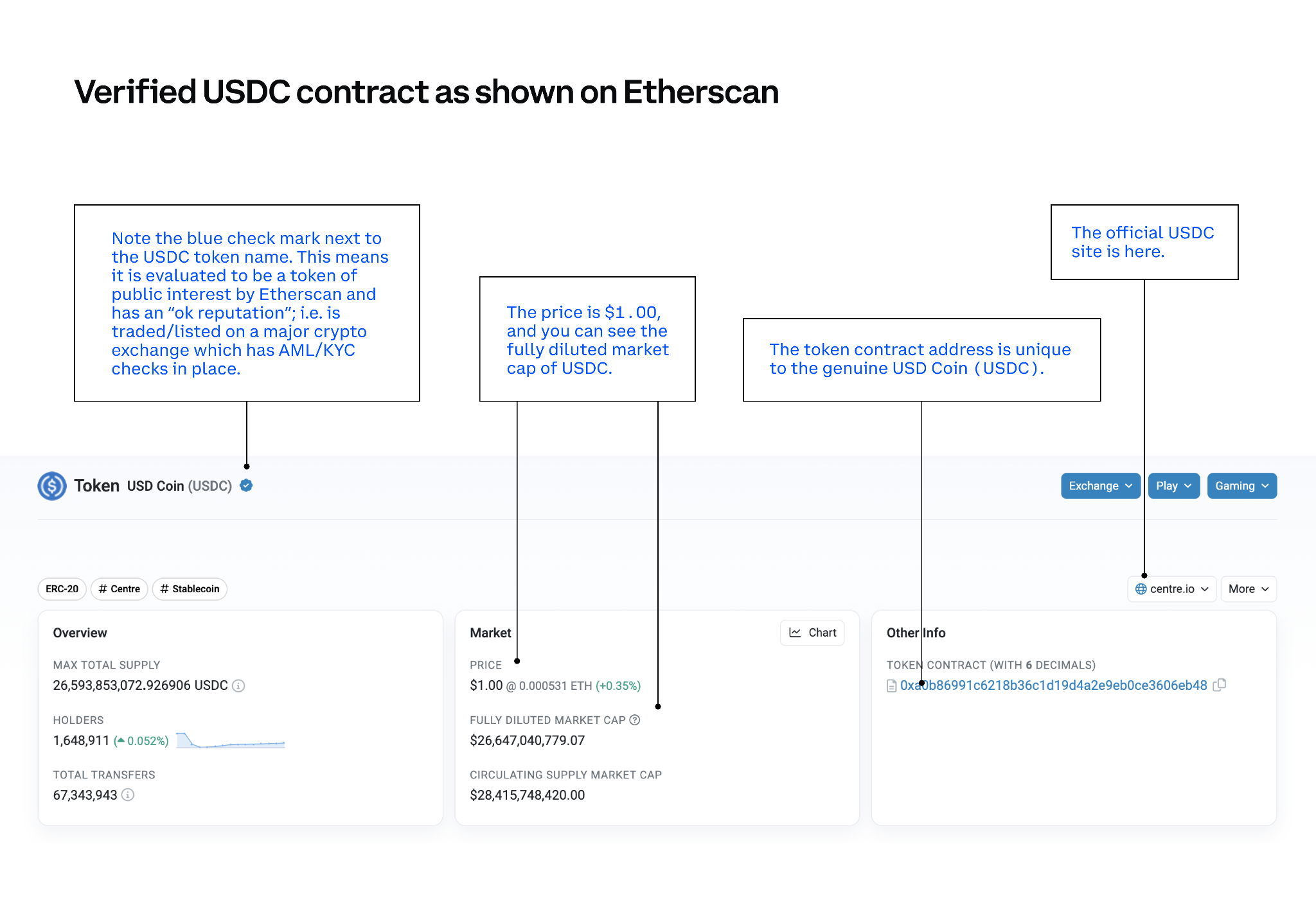
This surge in sophisticated fakery poses significant challenges across various domains. For platforms like Tophinhanhdep.com, which curates vast collections of images—including beautiful photography, abstract designs, and thematic collections—ensuring the authenticity of content is paramount. Users relying on these images for graphic design projects, creative ideas, or even simple mood boards need to trust that the visuals they encounter are genuine or appropriately labeled. Beyond mere aesthetic concerns, manipulated images have direct implications for cybersecurity, with fraudsters leveraging deepfake videos and AI-generated images for scams, catfishing, and highly convincing impersonations that have led to significant financial losses.
The core problem isn’t always that an image is entirely fake; often, it’s a genuine image used out of context, manipulated slightly, or combined with others to create a misleading narrative. This “grain of truth” often makes misinformation even more potent, as it plays on existing biases or expectations. For instance, a real photo from an old conflict zone might be presented as current footage from a different event, or people who’ve never met might be photoshopped into the same picture. The subtle nature of these manipulations means that a quick glance is rarely enough. It demands a more rigorous, systematic approach to verification, starting with tracing the image’s provenance.
Leveraging Reverse Image Search for Verification
One of the most powerful and accessible tools in your digital arsenal for verifying images is the reverse image search. Unlike a traditional search where you input text to find images, a reverse image search allows you to upload an image (or its URL) to find where else it has appeared online. This technique is invaluable for uncovering an image’s backstory, determining its original context, and identifying potential manipulations. For users of Tophinhanhdep.com who are sourcing images for creative ideas or digital art, this step is crucial for ensuring the integrity of their visual inspiration.
How to Use TinEye and Google Reverse Image Search
Two prominent and free tools dominate the reverse image search landscape: TinEye and Google Reverse Image Search. Each offers unique strengths for tracing an image’s digital footprint.
TinEye: TinEye is often described as a reverse-image search tool “on steroids” due to its advanced capabilities. It excels at finding not only identical copies of an image but also modified versions, including those that have been cropped, resized, or color-adjusted. Crucially, TinEye can find the “most changed,” “oldest,” and “newest” iterations of a photograph. This feature is particularly useful for identifying images that have been digitally altered over time or to pinpoint the original source.
To use TinEye:
- Obtain the Image: Save or download the picture you want to verify to your device. Alternatively, you can copy the direct web address (URL) of the image itself, not the entire webpage.
- Navigate to TinEye: Open your browser and go to www.tineye.com.
- Upload or Paste: Select “upload image” to browse your device’s files for the saved picture, or paste the image’s URL into the search bar.
- Analyze Results: TinEye will display all instances of that image it finds online. You can then use the sorting options (e.g., “oldest,” “most changed”) to trace its history. Toggling between “your image” and “image match” for specific results can highlight how an image has been altered. This can quickly expose composite images or simple photoshopped fakes.
Google Reverse Image Search: Google’s tool is equally powerful and is integrated with its vast search index, making it excellent for discovering where and when an image was first used, and whether it originates from a credible source. For those seeking high-resolution images or stock photos, this can verify legitimacy.
To use Google Reverse Image Search:
- Obtain the Image: Similar to TinEye, save the image or copy its direct URL.
- Navigate to Google Images: Go to https://images.google.com.
- Request Desktop Site (for mobile): If you’re on a smartphone, access your browser’s menu (usually three dots or an icon) and select “request desktop site” to reveal the camera icon.
- Initiate Search: Click the camera icon in the search bar.
- Upload or Paste: You’ll have options to “Paste image URL” or “Upload an image.”
- Review Results: Examine the results for similar images, publication dates, and the websites where they appear. This can help you ascertain the original context and date of an event depicted in the photo.
Mobile Verification Techniques
Verifying images on the go is increasingly important, as much of our digital consumption happens on smartphones. Both Google and other specialized apps offer mobile-friendly solutions.
- Google Chrome’s Long Press: If you’re using Google Chrome as your mobile browser, a simple long press on an image will often bring up a contextual menu. Selecting “Search Google for this image” will directly initiate a reverse image search.
- Dedicated Mobile Apps: For Android users, the “Fake Image Detector” app (mentioned in the source material) allows you to perform reverse image searches and even check EXIF data (metadata that includes date, time, location, and camera model) of photos stored on your phone. For iOS users, “Veracity – Reverse Image Search” is a comparable free option. While Tophinhanhdep.com offers powerful image tools like converters and compressors for optimizing your visuals, we also advocate for the responsible use of all digital content, providing knowledge on how to leverage these external verification apps effectively.
By mastering these reverse image search techniques, you gain a foundational ability to scrutinize images, allowing you to differentiate between authentic photography and misleading visual content, whether you’re browsing aesthetic backgrounds or critical news reports.
Beyond Reverse Search: Detecting Image Manipulation
While reverse image search helps establish an image’s history and context, deeper analysis is often required to detect subtle manipulations. With advanced photo manipulation techniques and AI-generated images, a keen eye for detail and an understanding of common manipulation tells are indispensable. This level of scrutiny is particularly relevant for those involved in visual design and digital art, where understanding the nuances of image integrity can elevate the quality and trustworthiness of their work, and for users who appreciate genuine beautiful photography.
Spotting the Subtle Signs of Alteration
Manipulated images often leave tell-tale signs, even if they are not immediately obvious. Developing a critical eye for these inconsistencies can significantly improve your ability to spot fakes.
- Inconsistent Lighting and Shadows: One of the most common giveaways in poorly manipulated images is illogical lighting. Are objects or people in the image lit from different directions? Do shadows fall unnaturally or are they absent where they should be? If parts of an image appear brighter or duller than their surroundings, it suggests they may have been added or digitally altered. A uniform light source across the entire scene is a strong indicator of authenticity, something that genuine nature photography or high-resolution images from Tophinhanhdep.com would typically exhibit.
- Distortions and Edges: Look closely at the edges of people or objects, especially where they meet the background. Manipulated images often have unnatural blurring, pixelation, or halo effects around these boundaries. Jagged or unusually smooth lines where they should be natural curves are also red flags. This indicates a cut-and-paste job that wasn’t flawlessly executed.
- Impossible Details and Anomalies: AI-generated images, while rapidly improving, still frequently struggle with rendering fine details accurately. Look for:
- Hands and Fingers: A common AI flaw is generating hands with too many or too few fingers, or fingers that bend unnaturally.
- Earlobes and Teeth: These can appear distorted, asymmetrical, or oddly spaced in AI-generated faces.
- Background Inconsistencies: AI might create blurred, illogical, or repetitive patterns in the background that don’t make sense in a real scene.
- Text and Language: AI often struggles with coherent text, rendering garbled or nonsensical words on signs, clothing, or documents within an image. This is a crucial check, especially if the image supposedly depicts a specific location or message.
- Contextual Clues: Beyond the visual elements within the image, consider the broader context:
- Time and Date: Does the image’s content align with the purported date? For example, a picture showing deep snow in what’s claimed to be a summer event in a temperate climate is highly suspicious. Tophinhanhdep.com’s thematic collections and trending styles often reflect seasonality, making such discrepancies easier to spot.
- Clothing and Style: Do the clothes worn by people in the photo match the cultural context or period it claims to represent?
- Road Signs and Landmarks: If an image is supposedly from a specific location, do the road signs, shopfronts, or landmarks match that place? Is the language consistent?
- Color and Shade Consistency: Nature often presents subtle variations in light, color, and shades. If a software program has been used to digitally alter a photo, large areas might appear with identical, flat colors where something has been added or removed, lacking the natural nuances of real photography.
The Role of AI in Generating and Detecting Fakes
The emergence of generative AI has escalated the problem of image fakery, making it harder than ever to distinguish genuine from artificial. However, AI is also being leveraged as part of the solution. New AI-based methods are being developed for detecting generated content, including face morphing detection and algorithms that can identify if an image was AI-generated and even which AI model was used.
One significant development in combating digital misinformation is the Coalition for Content Provenance and Authenticity (C2PA). This initiative, backed by major players in technology, photography, and media (including Adobe, Microsoft, Google, BBC, and Associated Press), aims to establish a verifiable standard for digital content provenance. The idea is that images will be digitally “signed” at the point of creation (e.g., by a C2PA-compatible camera) and each subsequent edit will also be signed, creating an immutable chain of custody.
This means that in the future, you might see a “verified image” label online. Clicking on it would reveal a detailed history: who took the photo, when and where, what edits were made, by whom, and at what stage. This public-key cryptography-based system offers a robust way to establish the authenticity and lineage of an image. While Tophinhanhdep.com currently offers AI Upscalers to enhance image quality responsibly, the evolution of content provenance standards like C2PA will further strengthen our commitment to providing and promoting genuinely created and transparently modified visual content for wallpapers, backgrounds, and all forms of digital art.
However, C2PA won’t solve the existing problem overnight, as billions of unsigned images already exist online. Nevertheless, as more reputable sources adopt these standards, the absence of a digital signature will increasingly become a red flag, prompting users to exercise greater caution.
Cultivating a Critical Eye and Responsible Sharing
Ultimately, no single tool or technique offers 100% certainty in image verification. The most effective defense against misinformation is a combination of technological literacy and a cultivated critical mindset. For anyone engaging with images—whether for inspiration, information, or personal enjoyment of aesthetic photography—adopting a skeptical, investigative approach is paramount.
Here are key tips for fostering a critical eye and promoting responsible sharing:
- Question Everything, Especially Inflammatory Content: If an image, especially one featuring public figures or sensitive topics, evokes a strong emotional reaction (anger, fear, outrage), pause and consider its authenticity. Misinformation often leverages emotional triggers to bypass critical thinking. The example of Lionel Messi supposedly holding an Israeli flag, which turned out to be a manipulated image, highlights how easily impactful but fake narratives can spread. Similarly, be wary of images showing celebrities or public figures making shocking statements, particularly on T-shirts or posters, as these are common targets for manipulation.
- Go to the Source: Always try to find the original source of an image or claim. If a picture is being shared widely, check if it appears on the official social media channels or reputable news sites associated with the individuals or events depicted. For instance, if an image claims to show a unique piece of digital art, check the artist’s official portfolio or gallery. Tophinhanhdep.com encourages users to seek out the origin of any image before incorporating it into their visual design projects or sharing it.
- Check Primary Sources and Multiple Fact-Checkers: If a news story accompanies an image, don’t just rely on a single report. Cross-reference information with multiple reputable news organizations and dedicated fact-checking websites. Organizations like Snopes, FactCheck.org, and AFP Fact Check specialize in debunking viral misinformation.
- Be Patient and Thorough: Quick shares perpetuate fakes. Take the extra minute to perform a reverse image search or scrutinize details. Ask yourself: “Does this make sense? Is this consistent with other information I have?” Checking “thrice before you tweet or post” is a valuable mantra in today’s rapid-fire information environment.
- Engage Constructively (If You Must): If you encounter someone sharing old or fake content, consider politely informing them with evidence, rather than trolling. Educating others contributes to a more informed digital community.
- Recognize Your Role: Every individual plays a part in the spread of information, real or fake. By adopting verification habits, you actively become part of the solution rather than inadvertently contributing to the problem. Tophinhanhdep.com believes in fostering an environment where users can confidently explore, download, and utilize beautiful photography, abstract art, and emotional imagery, knowing they possess the skills to distinguish the genuine from the fabricated.
In conclusion, the ability to verify images is a cornerstone of digital literacy in the 21st century. As AI continues to blur the lines between reality and simulation, the techniques of reverse image search, detailed visual inspection, and critical thinking become increasingly vital. Tophinhanhdep.com, as a hub for diverse visual content ranging from captivating wallpapers to tools like AI upscalers and compressors, is dedicated to promoting not just the creation and appreciation of images, but also the responsible consumption and verification of them. By arming yourself with these verification skills, you protect yourself and contribute to a more authentic and trustworthy visual internet.