Decoding Digital Secrets: How to View and Manage Image Metadata with Tophinhanhdep.com
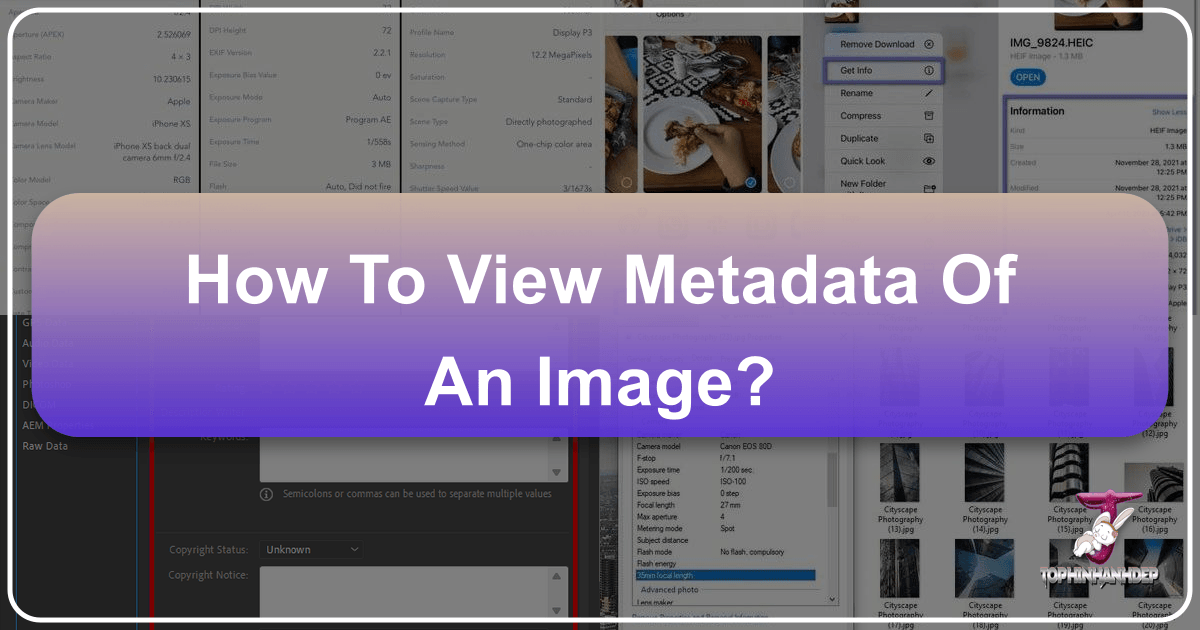
Every digital photograph, whether captured by a professional DSLR, a mirrorless camera, or the smartphone in your pocket, harbors a wealth of invisible data. These hidden details, meticulously recorded at the moment of creation, tell a fascinating story about the image itself. From the precise GPS coordinates of where the shot was taken to the intricate camera settings used, this information offers invaluable insights for photographers, designers, and anyone engaging with digital visuals. Understanding how to access and manage this embedded data, known as EXIF metadata, is a powerful skill in today’s visually driven world. Tophinhanhdep.com is dedicated to empowering users with comprehensive knowledge and tools to master every aspect of their digital images, and metadata management is a cornerstone of this expertise.

What is EXIF Metadata and Why Does it Matter to Your Images?
At its core, EXIF stands for Exchangeable Image File Format. It’s a standardized way for digital cameras, smartphones, and other imaging devices to store technical details directly within the image file. Think of it as a digital fingerprint or a hidden ledger that accompanies every photo you take. This isn’t just about simple date and time stamps; EXIF metadata delves much deeper.
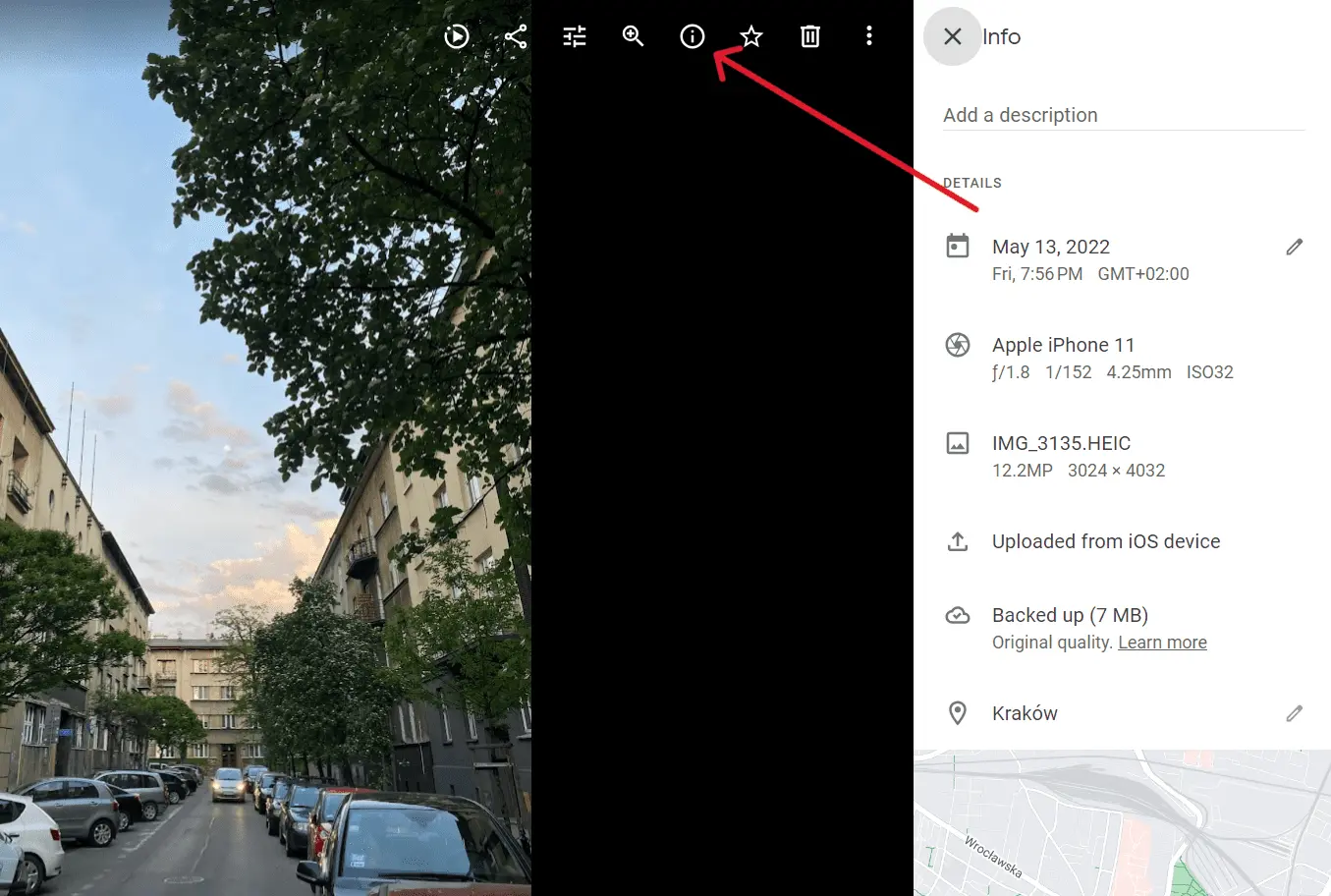
The typical EXIF data associated with an image can include:
- Creation Details: The exact date and time the photo was captured.
- Geolocation: GPS coordinates indicating the precise location where the picture was taken, if your device’s location services were enabled.
- Device Information: The make and model of the camera or smartphone used.
- Image Specifications: Resolution, file size, and orientation.
- Photographic Settings: Crucial details for photographers, such as aperture, shutter speed, ISO speed, focal length, white balance, metering mode, and flash status.
- Author/Copyright: In some cases, information about the creator and copyright details can also be embedded.
- Versioning for Edits: While EXIF primarily covers capture data, other metadata standards like IPTC and XMP often track editing history, keywords, and captions.
This extensive data is usually found in common image formats like JPEG and TIFF, though similar metadata exists for other file types, including RAW images. For a platform like Tophinhanhdep.com, which specializes in “Images (Wallpapers, Backgrounds, Aesthetic, Nature, Abstract, Sad/Emotional, Beautiful Photography)”, “Photography (High Resolution, Stock Photos, Digital Photography, Editing Styles)”, and “Visual Design (Graphic Design, Digital Art, Photo Manipulation, Creative Ideas)”, understanding EXIF metadata is not merely technical curiosity – it’s a fundamental necessity.
The Crucial Role of Metadata in Photography and Digital Design
The benefits of accessing and managing image metadata are multifaceted, touching upon creativity, technical improvement, privacy, and streamlined workflows.
Enhancing Photography Skills and Creative Ideas
For aspiring and seasoned photographers, EXIF data is an invaluable learning tool. By reviewing the settings (aperture, shutter speed, ISO) of a particularly striking “Beautiful Photography” piece or even your own work, you can analyze what worked well and why. This analytical approach helps refine your “Digital Photography” skills, offering concrete insights into how different settings impact the final image. When exploring “Photo Ideas” or building “Mood Boards” on Tophinhanhdep.com, examining the metadata of inspirational images can unlock new creative avenues and help replicate desired aesthetic qualities.
Verification, Authenticity, and High-Resolution Content
In an age of rampant digital manipulation, metadata can offer a layer of authenticity. For “Stock Photos” or ensuring the integrity of “High Resolution” images, EXIF data can help verify the origin and basic capture details. Designers sourcing “Wallpapers” or “Backgrounds” can use this information to ensure the image meets technical specifications or adheres to licensing requirements, especially for commercial use. It’s also vital for identifying if an image has been cropped, resized, or otherwise altered from its original state, which is key for quality control.
Privacy, Security, and Responsible Sharing
Perhaps one of the most critical aspects of metadata in the modern era is its privacy implications. The embedded GPS data, for instance, can pinpoint the exact location where a photo was taken, potentially revealing sensitive personal information. When sharing “Sad/Emotional” or personal “Aesthetic” images online, understanding what data is attached allows users to make informed decisions about their digital footprint. Tophinhanhdep.com advocates for responsible image sharing, and knowing how to strip or modify metadata before uploading is a vital privacy practice.
Streamlining Workflows with Image Tools
For users leveraging Tophinhanhdep.com’s “Image Tools (Converters, Compressors, Optimizers, AI Upscalers, Image-to-Text)”, metadata provides crucial context. When you “optimize” an image, its resolution and compression settings are often derived from its inherent metadata. “AI Upscalers” can benefit from knowing the original camera model or lens, potentially influencing how the AI reconstructs details. Effective metadata management can also enhance searchability and organization for “Thematic Collections”, making it easier to sort and retrieve images based on specific criteria.
Viewing EXIF Metadata Across Major Platforms
Accessing EXIF metadata varies depending on the operating system or device you are using. While some platforms offer built-in functionality, others might require third-party applications. Tophinhanhdep.com guides you through the common methods to view this hidden data.
On iOS Devices (iPhone & iPad)
Apple’s iOS platform has made strides in integrating metadata viewing directly into its native apps, especially with newer versions.
Using the Photos App (iOS 15 and Later)
For iPhones and iPads running iOS 15 or newer, viewing basic metadata is surprisingly straightforward:
- Open the Photos app: Navigate to the image whose metadata you wish to inspect.
- Tap the “i” (info) icon: Located at the bottom of the screen when viewing a photo.
- View EXIF data: A section will appear showing details like the device used, camera settings, date/time, and location (if available). You can also “Adjust” the date and time from here.
Accessing More Details with the Files App (Older iOS and Comprehensive View)
For users with older iOS versions (iOS 11 and later) or those seeking a more comprehensive breakdown of EXIF data, the native Files app offers a powerful workaround:
- Open the Photos app: Select the desired image.
- Tap the Share icon: Located in the bottom-left corner.
- Select “Save to Files”: Choose a folder to save your image.
- Open the Files app: Navigate to where you saved the photo.
- Long-press the image thumbnail: A context menu will appear.
- Tap “Get Info”: This reveals general file information.
- Tap “Show More” (or “More Info”): This expands to show detailed EXIF metadata, often including aperture value, metering mode, white balance, and content creator—details often more extensive than those shown in the Photos app.
Third-Party Apps for iOS
If you need more advanced features, such as editing metadata directly on your iPhone or iPad, various third-party apps are available on the App Store. Tophinhanhdep.com recommends exploring options like “Exif Metadata” or “EXIF Viewer by Fluntro,” many of which offer free viewing capabilities with paid upgrades for editing.
On Android Devices
Due to Android’s diverse ecosystem, a universal built-in method for viewing EXIF metadata has historically been less consistent than on iOS. However, Google Photos often provides a good starting point.
Using the Google Photos App
For most Android users, the Google Photos app serves as a primary method for viewing image details:
- Open the Google Photos app: Locate the photo you want to examine.
- Tap the three dots (More options) or swipe up: This typically brings up a “Details” menu.
- View Metadata: Here you’ll find information like camera model, exposure settings, image resolution, and location data.
Third-Party Apps for Android
For more in-depth viewing or editing capabilities on Android, third-party apps are generally required. Tophinhanhdep.com suggests popular options like “Photo Exif Editor,” widely available on the Google Play Store. These apps typically allow you to browse your device’s photos and display a full list of EXIF data upon selection.
On macOS (Apple Computers)
Mac users benefit from robust, built-in tools that provide easy access to image metadata without needing additional software.
Basic Metadata with Finder’s “Get Info”
For a quick glance at essential file information, the Finder is your first stop:
- Locate the image file: In Finder, navigate to your photo.
- Right-click (or Control-click) the file: Select “Get Info” from the context menu.
- Explore the Info window: This window displays basic details like file creation date and size. Expand the “More Info” tab to reveal some EXIF data, such as camera model and dimensions.
Detailed EXIF Data with the Preview App
For a comprehensive view of all EXIF metadata, Apple’s native Preview app is the tool of choice:
- Open the image with Preview: Right-click the image file and select “Open With” > “Preview.”
- Access the Inspector: From the menu bar, go to “Tools” > “Show Inspector.”
- Select the EXIF tab: In the Inspector window (which looks like an “i” icon), click on the “EXIF” tab to see a detailed breakdown of all available metadata, including specific camera settings like exposure, lens information, and more. Other tabs in the Inspector might offer additional image details depending on the file type.
On Windows PCs
Windows operating systems also offer native ways to inspect image metadata, though the level of detail might vary.
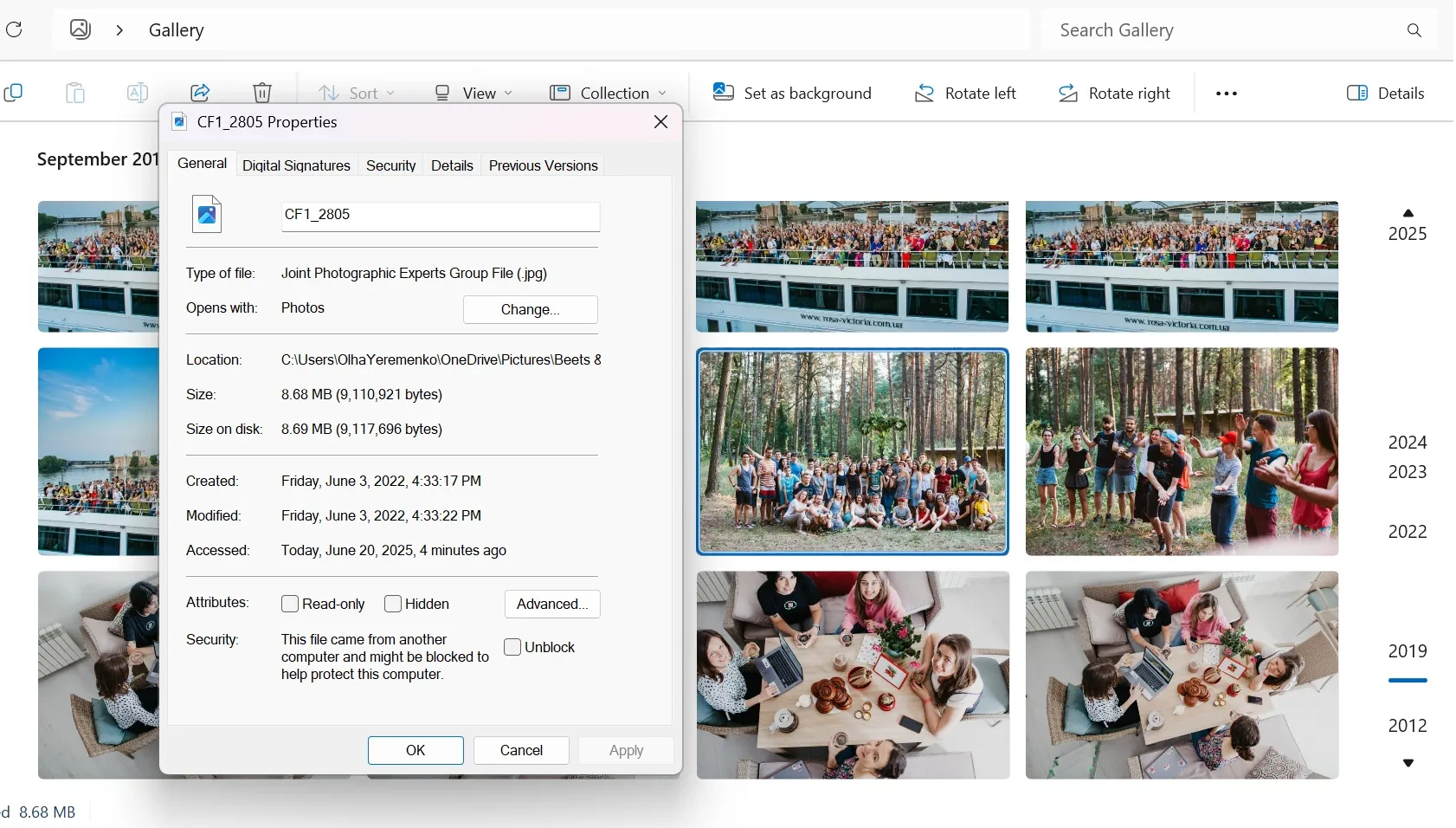
Overview with File Explorer’s “Properties”
Windows File Explorer provides a quick and convenient way to view common image properties:
- Locate the image file: In File Explorer, find your photo.
- Right-click the file: Select “Properties” from the context menu.
- Navigate to the “Details” tab: This tab presents a summary of the image’s EXIF metadata, including dimensions, resolution, camera model, and some photographic settings.
In-Depth Analysis with Third-Party Tools
While File Explorer offers a good overview, dedicated third-party tools can provide a more exhaustive display of EXIF data. Tophinhanhdep.com recommends tools like “ExifDataView,” which offers a tabular view of all embedded information. These applications typically involve a simple download, extraction, and execution process to open an image and display its complete metadata.
Managing Your Image Metadata: Privacy, Editing, and Tophinhanhdep.com’s Role
Beyond just viewing, the ability to manage EXIF metadata – whether by removing it entirely or selectively editing certain fields – is critical for privacy, professional use, and compliance with digital standards. Tophinhanhdep.com emphasizes that informed control over your image data is paramount, especially when sharing or preparing images for various digital platforms.
Why Remove or Edit Metadata?
The decision to remove or edit metadata often boils down to a few key reasons:
- Privacy: To prevent unintended disclosure of personal information, such as your home address via GPS data in photos taken at home.
- Security: To avoid revealing sensitive device information (camera model, software versions) that could potentially be exploited.
- Anonymity: For users who wish to share images without their identity or location being traceable.
- Compliance: To adhere to specific guidelines for “Stock Photos” or public submissions, which might require metadata to be stripped or standardized.
- Professionalism: To clean up unnecessary data, correct erroneous information, or add relevant keywords for better organization in large “Image Collections.”
Options for Removing or Editing Metadata by Platform
iOS and iPadOS
Native iOS/iPadOS features primarily focus on viewing and do not offer robust tools for removing metadata from existing photos. However, users can proactively manage future photos:
- Disable Location Services for Camera: Go to “Settings” > “Privacy” > “Location Services” > “Camera.” Change the setting to “Never” or “Ask Next Time Or When I Share” to prevent location data from being embedded in new photos.
- Third-Party Apps for Editing: For editing or stripping metadata from existing images, third-party apps found on the App Store (often the same ones used for viewing) are necessary.
Android
Similar to iOS, Android’s default photo viewers are mostly read-only regarding metadata.
- Disable Camera Location Tags: Access your camera app’s settings. For Google Camera (Android 4.4+), turn off “Save Location.” For Samsung devices, go to “Camera Settings” and switch off “Location Tags.”
- Third-Party Apps for Editing: Apps like “Photo Exif Editor” allow users to view, edit, and remove EXIF data from their images.
macOS
macOS offers some native capabilities for metadata management:
- Remove Location Info with Preview: Open the image in Preview, go to “Tools” > “Show Inspector,” click the “i” (Information) tab, and if GPS data is present, click “Remove Location Info.” Be aware that images downloaded from online sources often don’t contain GPS metadata.
Windows
Windows provides the most straightforward native tools for metadata removal among major desktop operating systems:
- Using File Explorer’s Properties:
- Right-click an image file and select “Properties” > “Details” tab.
- Click “Remove Properties and Personal Information.”
- You have two options: “Create a copy with all possible properties removed” (safe, keeps original intact) or “Remove the following properties from this file” (allows selective removal from the original). This is particularly useful for preparing images for web upload or sharing.
Tophinhanhdep.com’s Integrated Metadata Solutions
Tophinhanhdep.com recognizes the critical role of metadata in a comprehensive digital image strategy. While direct editing is often handled at the operating system level or through specialized software, Tophinhanhdep.com integrates metadata considerations into its core services and offers hypothetical tools to streamline your workflow:
Enhancing Image Tools with Metadata Awareness
When you use Tophinhanhdep.com’s “Image Tools” like “Compressors” or “Optimizers,” understanding and potentially managing metadata beforehand can be beneficial. For example, stripping unnecessary EXIF data can slightly reduce file size, further enhancing the compression process. Before using “AI Upscalers,” knowing the original image’s characteristics through its metadata can help you select the most effective upscaling algorithm. Our “Image-to-Text” tools could potentially leverage metadata like keywords or captions to improve transcription accuracy.
A Hypothetical Tophinhanhdep.com Online Metadata Editor
Imagine a browser-based utility directly on Tophinhanhdep.com, functioning as a “Picvario MetaEditor” equivalent. This tool could allow users to:
- View and Modify: Upload images to instantly view their EXIF, IPTC, and XMP metadata, then modify key properties like title, description, keywords, author, and copyright information.
- Standard Compliance: Support major metadata standards to ensure images adhere to industry norms, which is crucial for “Stock Photos” and professional “Digital Photography.”
- User-Friendly Interface: Offer a clean, intuitive drag-and-drop interface with helpful text explanations for each metadata property, guiding users to input correct information.
- Batch Processing: Handle multiple images simultaneously, saving significant time and effort for large “Image Collections.”
- Privacy Control: Provide one-click options to remove all sensitive metadata (like GPS data) before downloading optimized or converted images.
- Seamless Integration: Work across all major browsers and integrate smoothly with other Tophinhanhdep.com tools, allowing users to edit, save, and then immediately proceed to “compress,” “convert,” or “optimize” their newly prepared files.
This integrated approach means Tophinhanhdep.com users can prepare their images for various purposes – from uploading “Aesthetic” social media content with privacy in mind to perfecting “High Resolution” assets for “Graphic Design” – all within a single, powerful platform. It bridges the gap between raw image data and its effective application in “Visual Design” and “Image Inspiration & Collections.”
The Future of Metadata and Tophinhanhdep.com’s Vision
As digital imagery continues to evolve, so too does the importance of the data accompanying it. With advancements in AI and the growing demand for personalized and thematic visual content, metadata is becoming an even more critical component of image management. It provides context for AI-driven image analysis, helps categorize vast libraries of “Nature” or “Abstract” images, and supports the development of new “Trending Styles” by offering insights into their technical foundations.
Tophinhanhdep.com is at the forefront of this evolution, dedicated to providing not just beautiful “Wallpapers” and “Backgrounds” but also the knowledge and tools necessary for complete digital image mastery. By offering resources on viewing and managing metadata, we empower our users to:
- Improve their photography: Learn from their own images and those that inspire them.
- Protect their privacy: Control what information is shared with every click.
- Streamline their creative process: Organize, search, and prepare images efficiently for “Digital Art” and “Photo Manipulation.”
- Ensure compliance and authenticity: Handle “Stock Photos” and personal collections with professional standards.
Conclusion
The “how to view metadata of an image” question opens a door to a deeper understanding of your digital world. The hidden EXIF data embedded within every digital photo is a treasure trove of information, offering insights into technical details, geographical locations, and device specifics. While access methods vary across iOS, Android, macOS, and Windows, the ability to inspect, and crucially, to manage this metadata, is a skill indispensable for privacy, creativity, and efficient workflow.
Tophinhanhdep.com is committed to being your ultimate resource for all things related to digital images. By understanding metadata, you gain unparalleled control over your “Images,” enhance your “Photography” skills, smartly utilize “Image Tools,” refine your “Visual Design,” and draw richer “Image Inspiration & Collections.” In a world awash with visuals, mastering the unseen data within them is no longer optional—it’s essential for anyone seeking to truly own and leverage their digital artistry. Embrace the power of metadata with Tophinhanhdep.com and unlock the full potential of your images.