What is a Digital Image?
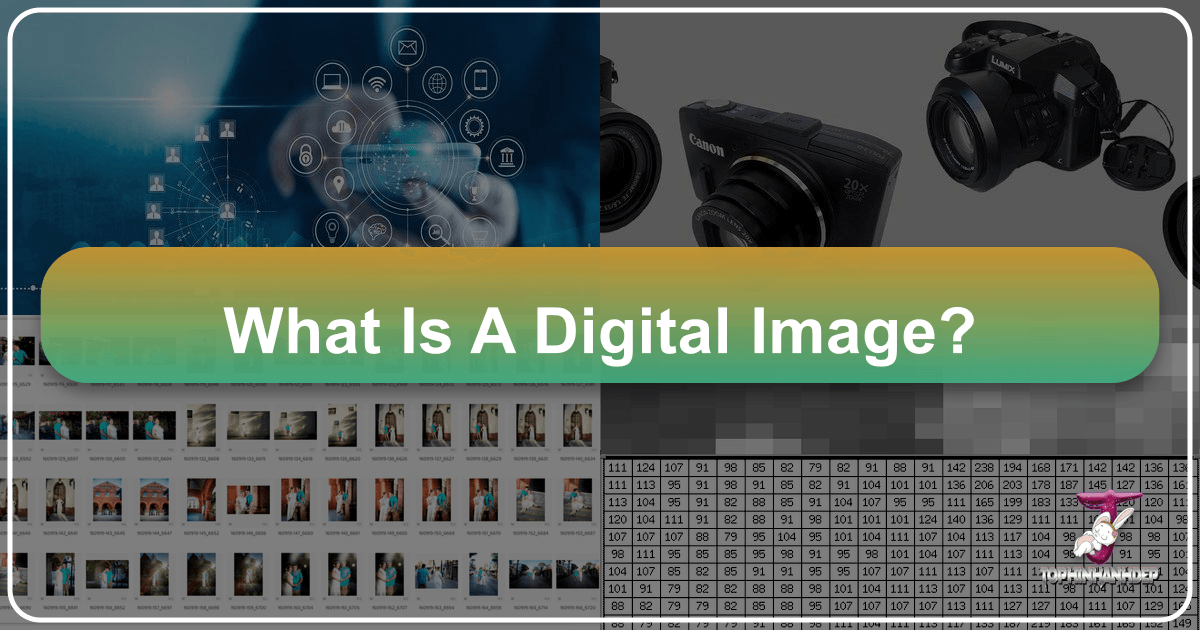
In an increasingly visual world, digital images form the very fabric of our online and offline experiences. From the stunning wallpapers that adorn our screens to the high-resolution photographs shared across social media, and the intricate digital art that pushes creative boundaries, understanding what a digital image truly is becomes fundamental. At its core, a digital image is a representation of visual information captured, stored, and processed by electronic means. Unlike traditional analog images, which record continuous variations of light and color, digital images break down this information into discrete units, making them infinitely manipulable, shareable, and scalable in ways previously unimaginable.
Every digital image, whether a captivating nature scene, an abstract design, or a heartfelt emotional capture, is fundamentally constructed from a grid of tiny individual squares known as pixels. Each pixel holds specific data about its color and intensity, and it is the collective arrangement and individual characteristics of these millions of pixels that coalesce to form the complete visual we perceive. This granular structure not only dictates the image’s quality and resolution but also enables the sophisticated processing, editing, and transformation capabilities that modern platforms like Tophinhanhdep.com offer. As we delve deeper, we will explore the intrinsic properties of digital images, their various forms, and the powerful technologies that allow us to create, manage, and optimize them for every conceivable purpose.

The Anatomy of a Digital Image: Pixels, Sampling, and Quantization
At the heart of every digital image lies a fascinating interplay of light, data, and mathematical representation. To truly grasp what a digital image is, we must understand its fundamental components and the processes that transform continuous visual information into the discrete, computer-readable format we interact with daily.
Pixels: The Fundamental Building Blocks
A digital image is a type of image formed from pixels. The term “pixel” is a portmanteau of “picture element,” and it refers to the smallest addressable unit in a digital image or display. Imagine a vast mosaic where each tile is a pixel; the image’s overall appearance depends on the color and brightness of each tiny tile. Each pixel has a finite size and is represented by a specific intensity value (and color, for color images). These pixels are arranged in a properly structured rectangular array, defining the image’s dimensions.

The quality of an image is intrinsically linked to its pixels. A higher density of pixels packed into a given area generally results in a sharper, more detailed image, which is why terms like “pixel value” or “pixels per inch (PPI)” are used to measure image quality and resolution. Each pixel’s value is ultimately represented by binary code within a computer system. For instance, in a grayscale image, a pixel’s value might range from 0 (black) to 255 (white), with intermediate values representing shades of gray. In color images, a pixel combines values for primary colors (typically red, green, and blue) to create a vast spectrum of hues. The image size itself is determined by the pixel array dimensions, often expressed as width x height (e.g., 1920x1080 pixels). Each pixel also has finite coordinates, an x-coordinate for its horizontal position and a y-coordinate for its vertical position, within a Cartesian coordinate system, often starting from (0,0) in the upper-left corner.

From Analog to Digital: Sampling and Quantization
Before a continuous-tone image – such as a scene captured by a traditional camera lens, telescope, or microscope – can be processed or displayed by a computer, it must be converted into a digital format. This conversion applies to all images, regardless of their origin or complexity, be they black and white or full color. This transformation from analog to digital involves two crucial operational processes: sampling and quantization.
Sampling is the process where the continuous analog image is divided into a two-dimensional array of individual brightness values at specific locations. Essentially, an analog image, which displays a continuously varying array of shades and color tones, is measured at successive, discrete points. Imagine taking a snapshot of the light intensity at regular intervals across the image. Each of these snapshots forms a small, rectangular block of intensity information. The frequency at which these samples are taken directly influences the spatial resolution of the resulting digital image; more frequent sampling means more pixels and thus, potentially, more detail.
Following sampling, quantization occurs. In this stage, the measured brightness levels from each sampled point are converted into integers, assigning a specific digital brightness value to each sampled data point. For a grayscale image, these values might range from 0 (black), through all intermediate gray levels, to a maximum value (white). Because computers represent numbers with finite precision, these continuous analog intensity values must be mapped to a discrete set of numerical values. The result of sampling and quantization is a numerical representation of the intensity for each sampled data point, which is precisely what a pixel is. This array of discrete points, each containing specific information about brightness or tonal range and described by a unique digital data value at a precise location, is the digital image itself.
This two-step process ensures that the image information is captured in a format that computers can understand, store, and manipulate. The accuracy and detail of the final digital image largely depend on how effectively these two processes are performed, determining its resolution, color fidelity, and overall visual quality.
Exploring Digital Image Characteristics: Resolution, Color, and Depth
Beyond the fundamental concept of pixels, digital images possess several key characteristics that define their appearance, quality, and suitability for various applications. Understanding these attributes is essential for anyone involved in photography, graphic design, or visual content creation, especially when leveraging resources like Tophinhanhdep.com.
Spatial Resolution: Defining Image Detail
The quality of a digital image, often synonymously referred to as image resolution, is significantly determined by its spatial resolution. Spatial resolution describes the number of pixels used to construct and render a digital image within a given physical dimension. It’s a measure of how finely the image was sampled during its acquisition or digitization. A higher spatial resolution means more pixels are packed into the same physical space, allowing the image to reproduce finer details present in the original analog scene.
However, simply having more pixels isn’t always enough; the sampling frequency must be adequate to faithfully represent the original image. If an analog image is inadequately sampled (undersampling), significant detail can be lost or obscured, leading to a phenomenon known as aliasing. This occurs when high spatial frequency information (fine details) is missed or misinterpreted, appearing as spurious lower-frequency data or jagged edges (often called “pixelation”). The Nyquist criterion and Shannon’s sampling theorem establish that the sampling interval must be no greater than one-half the size of the smallest resolvable feature in the optical image to accurately preserve spatial resolution. This means at least two samples are needed for each feature to capture both its light and dark portions.
For photographers and digital artists on Tophinhanhdep.com, understanding spatial resolution is crucial for capturing and preparing images for different uses. High-resolution images are vital for detailed photography, printing, or creating large backgrounds, ensuring crispness and clarity. For web use or mobile wallpapers, a lower resolution might be acceptable to minimize file size, but without compromising essential visual detail.
The aspect ratio, which is the horizontal-to-vertical dimensional ratio of a digital image (e.g., 4:3 or 16:9), also influences how resolution is perceived. It’s important that individual pixels have a 1:1 aspect ratio (square pixels) to avoid distortion, especially when an image is scaled or displayed on different platforms. Different aspect ratios are standard for different media, such as 4:3 for traditional TV/monitors, 16:9 for HDTV and widescreen content, and even wider formats for cinema.
Bit Depth and Grayscale Levels: Understanding Brightness
While spatial resolution defines the detail, bit depth (or color depth) determines the range of brightness values and colors available for each pixel. It refers to the number of bits used to represent the color of a single pixel. For grayscale images, bit depth dictates the number of distinct shades of gray an image can display.
- A 1-bit image can only represent two values (0 and 1), typically black and white.
- A 2-bit image can represent 4 brightness values.
- An 8-bit grayscale image can display 2^8 = 256 different shades of gray (from 0 for black to 255 for white). This is the most common format for grayscale images as the human eye can typically distinguish about 50 discrete shades of gray under ideal conditions, making 256 levels generally sufficient to avoid noticeable steps in intensity.
- Higher bit depths, such as 10-bit (1,024 levels) or 12-bit (4,096 levels), offer a much smoother transition between shades, preventing “gray-level contouring” or “posterization”—an effect where distinct bands of color are visible due to insufficient gray levels.
For color images, bit depth applies to each color channel (typically Red, Green, and Blue). A “true color” or 24-bit image, for example, assigns 8 bits to each of the R, G, and B channels (8 bits x 3 channels = 24 bits), allowing for 256 x 256 x 256 = over 16.7 million distinct colors. Higher bit depths (e.g., 30-bit or 48-bit color) are used in professional photography and digital art to capture an even wider range of colors and tonal variations, providing greater flexibility during editing and photo manipulation. On Tophinhanhdep.com, images for beautiful photography or aesthetic collections often benefit from higher bit depths, allowing for rich, nuanced colors and smooth gradients that enhance their visual appeal.
Color Space Models: Representing the Spectrum
Color images, unlike their grayscale counterparts, are quantized using three independent brightness components, one for each primary color. These combinations are defined within color space models, which are mathematical representations of how colors can be specified and perceived.
The most common model, especially for displays and digital cameras, is the RGB (Red, Green, Blue) model. This is an additive color model, meaning colors are created by combining different intensities of red, green, and blue light. For instance, combining red and green light creates yellow, while all three primaries at full intensity create white. This model is ideal for digital photography, wallpapers, and backgrounds displayed on screens, where light is emitted.
For printing, the CMYK (Cyan, Magenta, Yellow, Black) model is used. This is a subtractive color model, where colors are created by absorbing (subtracting) certain wavelengths of light. Printers use CMY inks, with black (K) added for deeper shadows and sharper text. When an RGB image is prepared for print, it’s typically converted to CMYK.
Another significant model is HSI (Hue, Saturation, Intensity/Lightness/Brightness). This model is often preferred for image processing because it separates the intensity component (brightness) from the color-carrying information (hue and saturation).
- Hue defines the pure color (e.g., red, green, blue, yellow).
- Saturation refers to the purity or vividness of the color (how much gray is mixed in).
- Intensity/Brightness refers to the perceived lightness or darkness of the color. The HSI model aligns more closely with human perception of color, making it intuitive for tasks like photo manipulation, color adjustments, or creating specific aesthetic palettes for digital art and visual design projects on Tophinhanhdep.com.
By understanding these characteristics—spatial resolution, bit depth, and color space models—creators can make informed decisions about how to capture, edit, and present their digital images, ensuring optimal quality and impact across various platforms and purposes.
Managing and Processing Digital Images: Formats, Compression, and Enhancement
The journey of a digital image doesn’t end at its creation; it extends through its storage, manipulation, and distribution. Effective management and processing are crucial for maintaining image quality, optimizing performance, and achieving desired creative outcomes. Tophinhanhdep.com, for instance, provides tools and guidance precisely for these purposes.
Essential Digital Image File Formats
Digital images are stored in various file formats, each with distinct characteristics regarding compression, quality, and typical use cases. Choosing the right format is vital for preserving image integrity and optimizing it for specific applications, from wallpapers and backgrounds to professional photography.
-
JPEG (Joint Photographic Experts Group): This is arguably the most common format for digital images, particularly photographs. JPEG uses a “lossy” compression method, meaning some image data is permanently discarded to achieve significantly smaller file sizes. This makes it ideal for sharing images online, on websites like Tophinhanhdep.com, and storing large collections efficiently. Digital cameras typically produce images in JPEG format. However, its lossy nature means that repeatedly editing and saving a JPEG can degrade quality, making it less suitable for logos or intricate drawings where sharpness is critical, as zooming in can reveal compression artifacts.
-
TIFF (Tagged Image File Format): TIFF is a “lossless” format, meaning it retains all original image data, resulting in no loss of quality even after multiple edits and saves. Consequently, TIFF files are much larger than JPEGs. This format is widely used in professional photography, graphic design, and publishing where image fidelity is paramount, such as high-resolution photography for print or stock photos. Photo editing software like Photoshop often produces TIFF files.
-
PNG (Portable Network Graphics): PNG is another lossless compression format, designed as an improved replacement for GIF. It excels at handling images with sharp lines, large areas of uniform color, and transparency (like logos, line art, and screenshots). While PNG files can be larger than JPEGs, they are generally smaller than TIFFs for web use, especially for images containing text and simple graphics. Many web images, including those on Tophinhanhdep.com, are in PNG format due to its support for transparency and high quality for non-photographic content. When a user takes a screenshot, the image is often stored as PNG due to its ability to handle mixed content (text and pictures) with excellent resolution.
-
GIF (Graphics Interchange Format): Known primarily for its support of animation and its ability to handle transparent backgrounds (though not as smoothly as PNG). GIF uses lossless compression but is limited to 256 colors, making it unsuitable for photographs but excellent for simple graphics, icons, and short animations.
-
BMP (Bitmap): This is an uncompressed raster image format primarily used in Windows operating systems. BMP files contain a direct mapping of pixels to bits and thus are typically very large, offering no compression benefits. They are rarely used for web or general distribution due to their size.
The Phases of Digital Image Processing
Digital image processing involves a series of steps and techniques used to manipulate and analyze digital images, often to enhance them or extract useful information. These phases are central to creating the diverse visual content found on platforms like Tophinhanhdep.com.
-
Image Acquisition: This is the initial step, where an image is captured from a source (e.g., digital camera, scanner, sensor) or imported into a computer. Without a source image, no processing can occur. This phase often involves basic scaling and color conversion (e.g., RGB to grayscale).
-
Image Enhancement: Aims to improve the visual quality of an image or highlight specific features, making it more appealing or easier to interpret. Techniques include adjusting contrast, brightness, sharpening, noise reduction, and color correction. This is widely used for aesthetic images, nature photography, and making backgrounds more vibrant.
-
Image Restoration: This phase focuses on recovering an image from a degraded version, such as a blurred or noisy image. It’s an objective process, often based on mathematical or probabilistic models of image degradation, to “undo” defects and restore the original image’s integrity. For example, AI Upscalers on Tophinhanhdep.com can be seen as restoration tools, enhancing lower-resolution images.
-
Color Image Processing: Deals specifically with color images, employing color models like RGB, CMYK, or HSI to manipulate hues, saturation, and intensity. This is crucial for achieving specific moods in sad/emotional images or ensuring vibrant, beautiful photography.
-
Wavelets and Multi-resolution Processing: Provides a foundation for representing images at various levels of detail, allowing for analysis and processing at different scales. This is important for advanced compression and noise reduction techniques.
-
Image Compression: Aims to minimize the file size of an image without significantly degrading its visual quality. This is critical for storing large volumes of images (like stock photos) and for fast transmission over the internet, which Tophinhanhdep.com’s compressors and optimizers facilitate.
-
Morphological Processing: Focuses on the shapes and structures within an image, often used to extract image components useful for shape representation and description. It can add or remove pixels from object boundaries to smooth or refine shapes.
-
Segmentation Procedures: Involves partitioning an image into its constituent parts or objects. For instance, separating a subject from its background. This is a crucial step for object detection and many photo manipulation techniques.
-
Representation & Description: After segmentation, this phase involves transforming raw segmented data into meaningful information. It could involve describing shapes, textures, or colors of identified objects.
-
Object Detection and Recognition: This is the process of identifying specific objects or patterns within an image. Machine learning and deep learning (especially Convolutional Neural Networks, CNNs) are widely used here, powering applications like face recognition, identifying elements in nature photography, or categorizing thematic collections. Tophinhanhdep.com’s image-to-text tools might leverage similar techniques to describe image content.
These phases highlight the complexity and power behind digital image processing, enabling everything from simple aesthetic adjustments to advanced visual analysis.
Leveraging Tophinhanhdep.com’s Tools and Resources for Visual Excellence
Tophinhanhdep.com stands as a comprehensive resource for anyone engaging with the dynamic world of digital images. Its diverse offerings, categorized from inspiring image collections to powerful processing tools, are deeply rooted in the core concepts of digital imaging we’ve explored. Understanding the “what” and “how” of digital images empowers users to maximize the potential of platforms like Tophinhanhdep.com, elevating their visual content from ordinary to extraordinary.
Images & Photography: A Foundation in Digital Principles
The vast array of image categories on Tophinhanhdep.com – including Wallpapers, Backgrounds, Aesthetic, Nature, Abstract, Sad/Emotional, and Beautiful Photography – are all direct beneficiaries of well-understood digital image principles.
- High Resolution: The demand for high-resolution images, particularly for wallpapers and professional stock photos, directly reflects the importance of spatial resolution and pixel density. Tophinhanhdep.com provides images that boast a high pixel count, ensuring crisp details and vibrant clarity, even on large displays.
- Aesthetic & Thematic Collections: Creating compelling aesthetic or thematic collections relies on careful consideration of color space, bit depth, and image composition. The platform curated images leverage these characteristics to evoke specific moods, whether the serene beauty of nature, the intriguing complexity of abstract art, or the profound depth of sad/emotional photography.
- Digital Photography: The very essence of digital photography, from capturing light with a camera’s sensor to rendering it on a screen, is an application of sampling, quantization, and color theory. Tophinhanhdep.com celebrates this art form by showcasing beautiful photography that demonstrates masterful control over these digital elements.
Image Tools: Practical Application of Digital Imaging Concepts
Tophinhanhdep.com’s suite of image tools directly addresses practical challenges and opportunities in digital image management, offering solutions grounded in processing algorithms.
- Converters: Understanding different file formats (JPEG, PNG, TIFF) allows users to select the appropriate converter to optimize images for web, print, or storage, balancing file size with quality retention.
- Compressors & Optimizers: These tools are crucial for managing storage requirements and improving website loading speeds. They apply sophisticated compression algorithms (like those discussed for JPEG) to reduce file size without perceptible loss of quality, a necessity for sharing large volumes of images or creating fast-loading backgrounds.
- AI Upscalers: This advanced tool directly relates to image restoration and enhancement. Leveraging artificial intelligence, upscalers can intelligently interpolate missing pixel data, effectively increasing an image’s spatial resolution and improving detail, turning a low-quality input into a high-resolution output suitable for larger displays or prints.
- Image-to-Text: This tool embodies the “Object Detection and Recognition” phase of digital image processing. It uses AI to analyze image content and extract descriptive text or identify objects, demonstrating how machine intelligence can interpret the visual information embedded in pixel arrays.
Visual Design & Image Inspiration: Fostering Creativity with Digital Foundations
For graphic designers, digital artists, and anyone seeking creative ideas, Tophinhanhdep.com offers a wellspring of inspiration, all built upon the flexible nature of digital images.
- Graphic Design & Digital Art: These fields thrive on the manipulability of vector and raster images, the precision of bit depth for color mixing, and the creative application of photo manipulation techniques. The ability to edit, layer, and transform pixels is fundamental to creating innovative visual designs.
- Photo Manipulation: This process involves extensive use of image enhancement and restoration techniques, often manipulating color spaces and pixel values to achieve dramatic effects.
- Creative Ideas & Mood Boards: Thematic collections and mood boards leverage the psychological impact of color, composition, and visual style. Digital images, with their endless possibilities for customization and combination, become the perfect medium for articulating and exploring creative visions. Tophinhanhdep.com facilitates this by offering a rich repository of images that can serve as starting points or complete elements for any creative project.
Conclusion
A digital image is far more than just a picture; it is a meticulously structured array of data, built pixel by pixel from the continuous flow of analog visual information through the processes of sampling and quantization. Its fundamental characteristics, including spatial resolution, bit depth, aspect ratio, and color space model, collectively define its quality, fidelity, and aesthetic impact. From the most intricate high-resolution photography to the simplest binary graphic, every digital image embodies a powerful convergence of technology and artistry.
The profound advantages of digital images—their ease of storage, transmission, manipulation, and the ability to be enhanced or restored—have made them indispensable in our modern world. Platforms like Tophinhanhdep.com exemplify how these core principles are translated into practical applications, offering a diverse array of stunning images, powerful editing tools, and boundless creative inspiration. By understanding the underlying anatomy and processing methodologies of digital images, creators and consumers alike can unlock new levels of appreciation and utility. As technology continues to evolve, pushing the boundaries with AI upscalers, advanced compression, and sophisticated recognition, the digital image remains a cornerstone of visual communication, continuously reshaping how we perceive, create, and interact with the world around us, one pixel at a time.