What is HEIF Image Extensions?
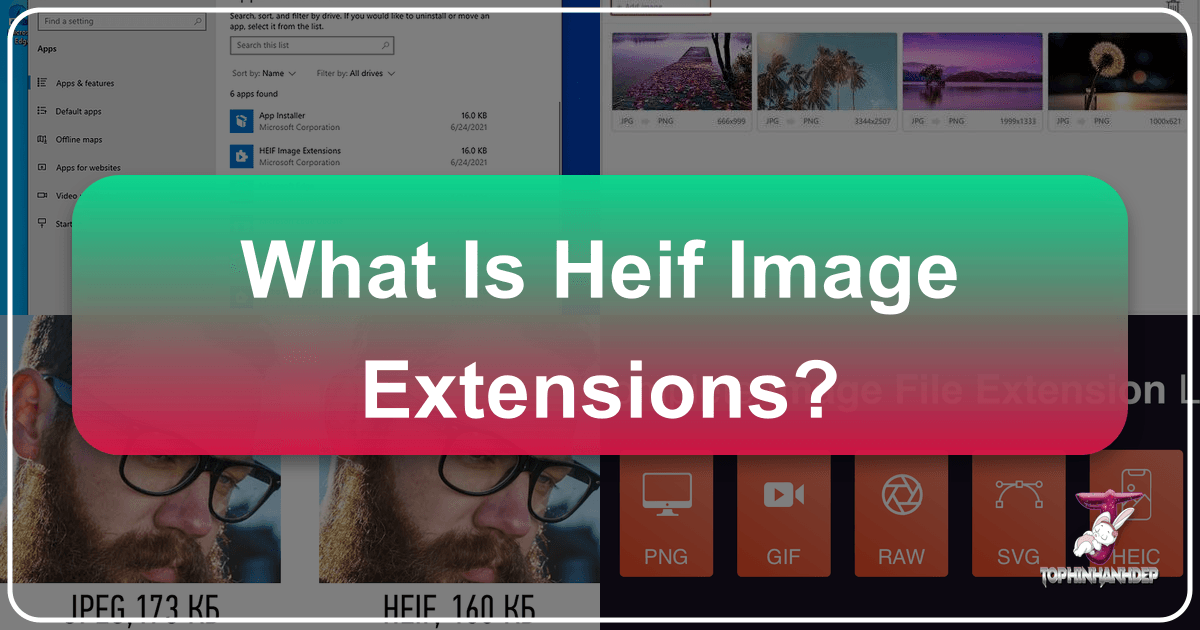
In the dynamic world of digital imaging, where visual content reigns supreme, efficiency and quality are paramount. From stunning wallpapers to intricate digital art, the demand for formats that can deliver high-resolution images without hogging precious storage space is ever-increasing. This is precisely where the High-Efficiency Image File (HEIF) format, and its Apple-specific variant HEIC, come into play. While these formats offer significant advantages, their adoption on non-native platforms, particularly Windows, has necessitated the development of specific tools like HEIF Image Extensions. This comprehensive guide will delve into what HEIF image extensions are, why they are crucial for Windows users, how they integrate with various aspects of image consumption and creation, and how they relate to the broader landscape of digital visual content that Tophinhanhdep.com covers.
The Rise of High-Efficiency Image Formats: HEIF and HEIC
The quest for better image compression has been a continuous journey since the advent of digital photography. For decades, JPEG (Joint Photographic Experts Group) has been the de facto standard, offering a good balance between file size and acceptable image quality. However, with modern cameras capturing ever-higher resolutions and a burgeoning need for rich visual experiences across devices, the limitations of JPEG became apparent. This paved the way for more advanced formats, with HEIF emerging as a frontrunner.
Understanding HEIF and HEIC: A Technical Overview
HEIF, which stands for High-Efficiency Image File Format, is a container format for individual images and image sequences. It was developed by the Moving Picture Experts Group (MPEG), the same group behind the widely used MPEG video and audio compression standards. What makes HEIF particularly powerful is its ability to store more data types within a single file. Beyond just static images, HEIF can contain:
- Image sequences: Ideal for live photos, bursts, and animated sequences.
- Derived images: Non-destructive edits can be stored, allowing the original image to be preserved alongside modifications.
- Image properties: Such as alpha planes (for transparency), depth maps, and even audio data.
- Metadata: Comprehensive information about the image, camera settings, etc.
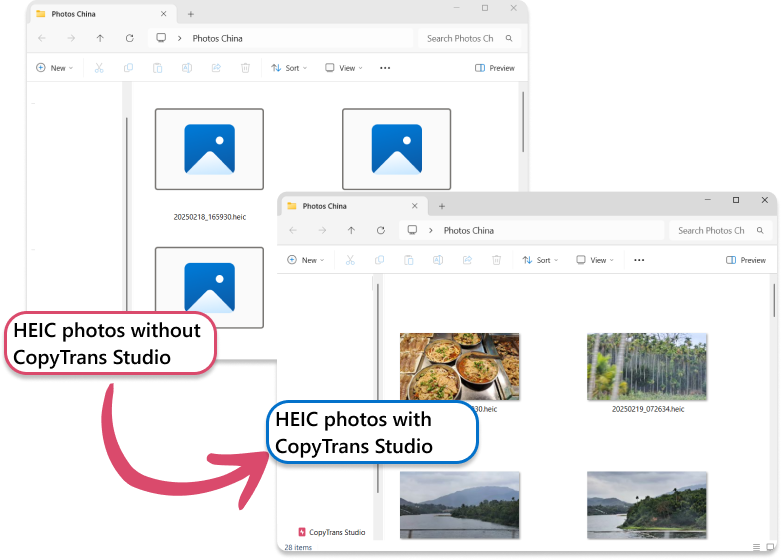
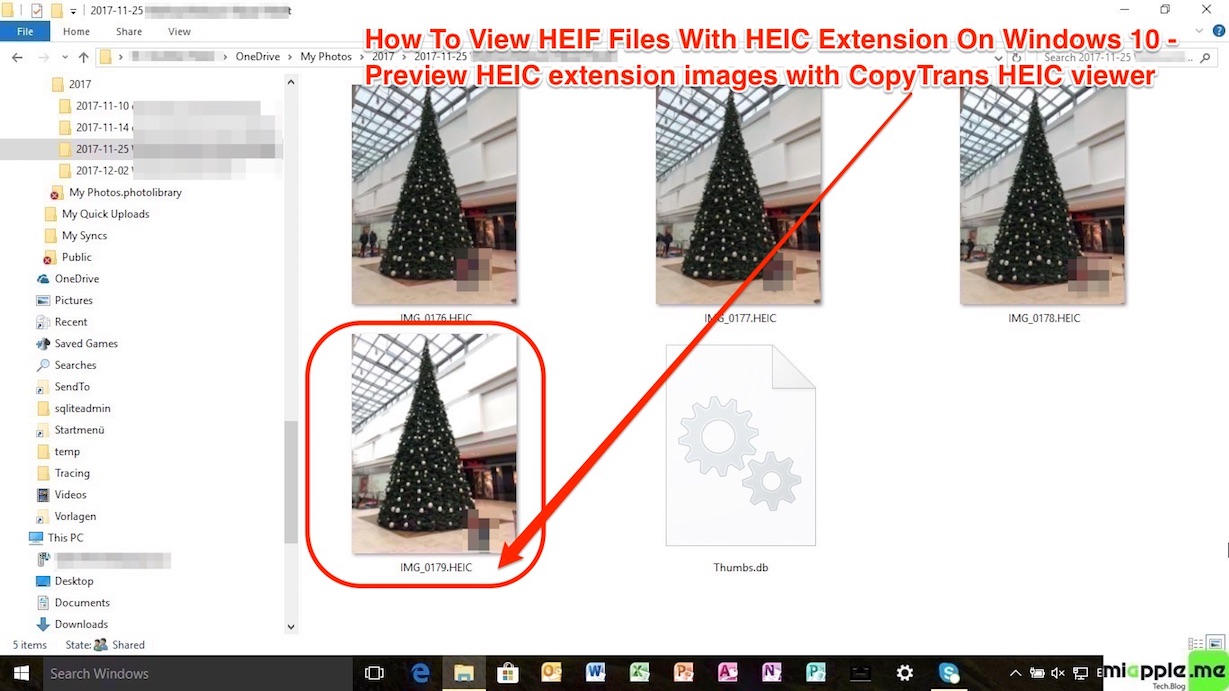
HEIC, or High-Efficiency Image Container, is Apple’s specific implementation of the HEIF standard. When you capture a photo on a modern iPhone or iPad running iOS 11 or later, or a Mac running macOS High Sierra or later, it is typically saved as a HEIC file by default. The primary driver for Apple’s adoption was the significant space savings coupled with improved image quality. While HEIF is the overarching format, HEIC is the specific file extension (.heic) you’ll most commonly encounter from Apple devices, though .heif and .hif are also valid HEIF extensions.
The Compression Revolution: Why HEIF is Superior to JPEG
The core advantage of HEIF over JPEG lies in its superior compression technology, leveraging the High-Efficiency Video Coding (HEVC), also known as H.265. This advanced compression algorithm allows HEIF to achieve significantly smaller file sizes (often up to 50% less) compared to JPEG, without a noticeable reduction in visual quality. In many cases, the quality can even be perceived as higher.
Consider the implications for image-heavy platforms like Tophinhanhdep.com, which specializes in high-resolution images, wallpapers, and backgrounds. Smaller file sizes mean faster loading times for website visitors, reduced bandwidth consumption, and the ability to store more stunning visuals on devices without compromising quality. This is a game-changer for categories like “Beautiful Photography,” “Nature,” and “Abstract” wallpapers, where intricate details and vibrant colors are crucial. HEIF’s ability to retain rich color depth and clarity at smaller sizes ensures that users can enjoy breathtaking visuals whether they’re setting a new desktop background or browsing thematic collections.
Furthermore, HEIF’s support for features like transparency, animation, and depth maps opens up new possibilities for visual design and digital art. Graphic designers can work with more complex assets that are still lightweight, and artists can explore creative ideas that go beyond traditional static images. For platforms like Tophinhanhdep.com, which aims to provide inspiration and diverse content, HEIF-enabled images could lead to richer, more interactive visual experiences.
Apple’s Embrace and the Ecosystem Divide
Apple’s decision to make HEIC the default format for photos taken on its devices significantly boosted its prominence. This move underscored the format’s technical superiority in terms of storage efficiency and quality. However, it also created a compatibility challenge. While Apple’s ecosystem (macOS, iOS) natively supports HEIF/HEIC, other operating systems, particularly Windows, did not initially offer native support. This meant that Windows users receiving HEIC files from iPhone users often encountered an inability to view or open them, leading to frustration and the need for workarounds. This “ecosystem divide” is precisely why HEIF Image Extensions became a necessary solution.
Navigating HEIF Images on Windows: The Necessity of Extensions
For Windows users, the encounter with a .heic or .heif file often leads to a perplexing situation: the operating system simply doesn’t recognize it. Unlike universal formats like JPEG or PNG, HEIF requires specific software components to be installed for proper viewing and interaction. This section explores the challenges and the solutions, focusing on how Windows has adapted.
The Initial Challenge: Windows’ Lack of Native HEIF Support
When Apple made HEIC its default, Windows machines were largely unprepared. Attempting to open a HEIC file without the necessary codecs would typically result in an error message stating that the file format is unsupported, or that an application is needed to open it. This was a significant hurdle, especially for individuals regularly sharing photos between iPhones and Windows PCs. Imagine downloading a “High Resolution” image from a “Thematic Collection” on Tophinhanhdep.com, only to find it unviewable because it was supplied in HEIF format and your system lacked the right extension. The core problem was that Windows’ default photo viewer and many third-party image applications simply didn’t have the underlying code to interpret HEIF’s advanced compression.
Introducing the HEIF Image Extension: Bridging the Compatibility Gap
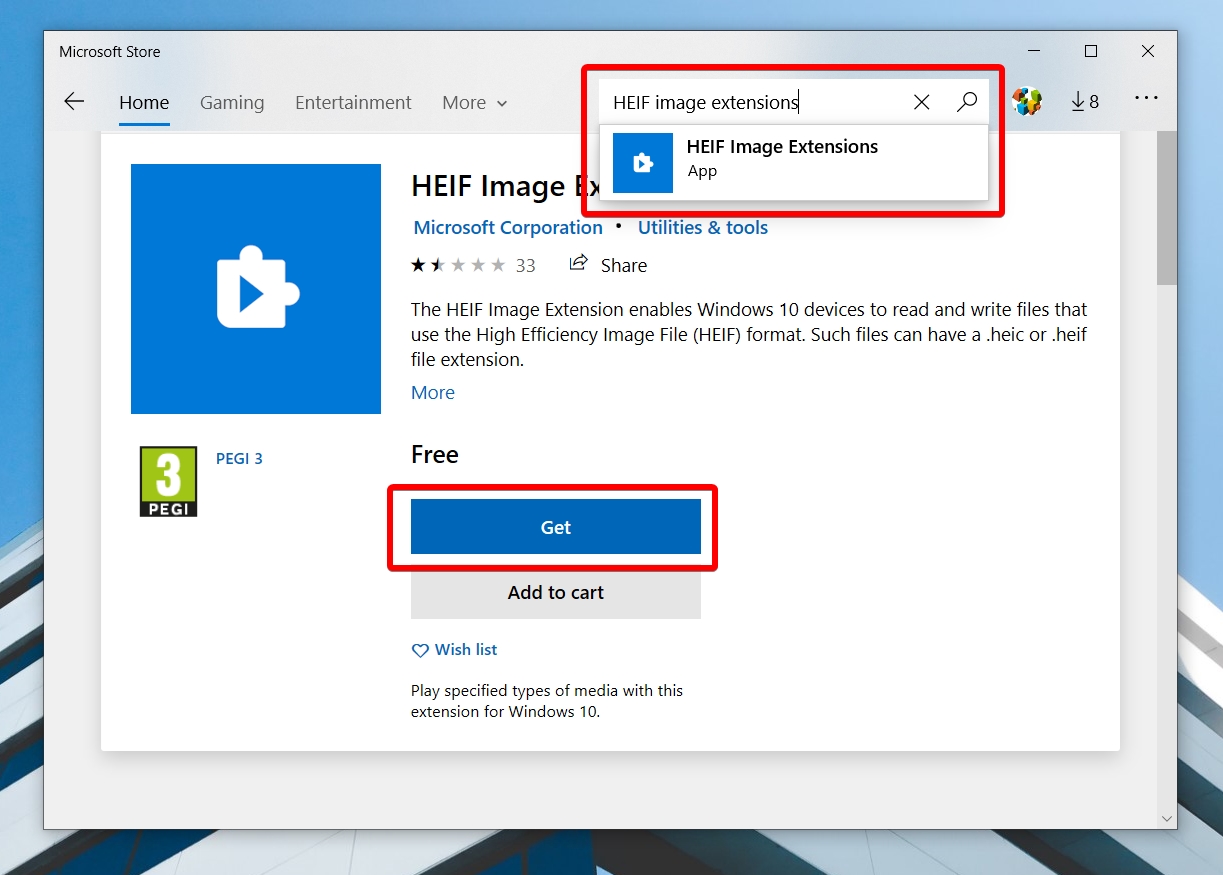
To address this compatibility gap, Microsoft introduced the HEIF Image Extension. This free tool, available through the Microsoft Store, is designed to enable Windows 10 and 11 to read and write HEIF image files. Once installed, it integrates with the operating system, allowing applications like Microsoft Photos to open and display .heic, .heif, .hif, and even .avif (another high-efficiency format) files.
The installation process typically involves searching for “HEIF Image Extensions” in the Microsoft Store and clicking “Install.” While seemingly straightforward, user experiences have varied. Some users report a seamless installation and immediate functionality, while others, as noted in various online forums and reviews, have encountered issues where the extension appears installed but files remain unopenable or are flagged as corrupted. This inconsistency can be a source of significant frustration.
The Role of HEVC Video Extensions in Comprehensive Viewing
A crucial detail often overlooked is that the HEIF Image Extension alone may not always be sufficient for a complete HEIF viewing experience. Because HEIF leverages the High-Efficiency Video Coding (HEVC/H.265) standard for its compression, viewing certain HEIF files, particularly those that might contain video sequences or are compressed using specific HEVC profiles, also requires the HEVC Video Extensions.
The situation with HEVC Video Extensions is slightly more complex:
- Free Version (from Device Manufacturer): Some Windows devices, particularly newer ones, might have HEVC Video Extensions pre-installed or available for free through the Microsoft Store if provided by the device manufacturer. This often happens as part of Windows updates or system-specific software.
- Paid Version (from Microsoft Store): For many users, especially on older systems or those without manufacturer-provided codecs, the HEVC Video Extensions are available for a small fee (typically $0.99) directly from the Microsoft Store. This payment ensures universal compatibility across Windows 10/11 devices.
The necessity of potentially downloading two separate extensions – one for HEIF images and another for HEVC video – can complicate the user experience. It adds layers of installation and configuration that detract from the intuitive “just open the image” expectation. For users delving into “Digital Photography” or “Photo Manipulation,” understanding this interplay between HEIF and HEVC is essential to avoid roadblocks in their workflow. Tophinhanhdep.com, offering “High Resolution” images, recognizes the importance of guiding users through such technicalities.
Installation Methods: Free vs. Paid Options
As mentioned, there are two primary routes to getting HEIF/HEIC support on Windows:
-
Microsoft Store (Paid HEIF Image Extension & HEVC Video Extension): This is the most common and universally compatible method for most users. You visit the Microsoft Store, search for “HEIF Image Extensions” and “HEVC Video Extensions,” and install them. The HEIF extension is usually free, but the HEVC one often requires a nominal fee. This method guarantees compatibility with all Windows 10/11 devices, overcoming any manufacturer-specific limitations.
-
Device Manufacturer (Free HEIF/HEVC): Some device manufacturers bundle these extensions for free, either pre-installed or via their specific updates on the Microsoft Store (e.g., “HEVC Video Extensions from Device Manufacturer”). This offers a cost-free solution, but its availability is limited by your specific hardware and software version. Checking “Windows Update” in settings can sometimes automatically download these if your manufacturer supports it.
For users who prefer not to install additional applications, especially for occasional viewing, online converters offer a viable alternative. Websites like Tophinhanhdep.com, which may feature “Image Tools” including “Converters,” can allow users to upload their HEIC/HEIF files and convert them to more widely supported formats like JPG directly in their browser. This approach is particularly useful for those who only need to open a HEIC image “occasionally” and wish to avoid the complexities of installing codecs.
Common Issues and Troubleshooting for HEIF Image Extensions
Despite the existence of official extensions, users frequently encounter problems when trying to view HEIF files on Windows. This can range from the extensions not working at all to files appearing corrupted. Understanding these issues and knowing how to troubleshoot them is crucial for a smooth visual experience.
When Extensions Fail: Common Problems and Solutions
The most common complaint surrounding HEIF Image Extensions is that, even after installation, images still cannot be opened. Users report error messages like “It looks like you don’t have the required extensions” or “This file is corrupted.” Several factors can contribute to these issues:
- Incomplete Installation: Sometimes, the installation from the Microsoft Store doesn’t complete properly, or the system doesn’t register the new codecs correctly.
- Missing HEVC Codecs: As discussed, the HEIF Image Extension might require the HEVC Video Extensions to be present, especially for certain HEIF encodings. If these are missing or not correctly installed, HEIF files may still fail to open.
- Outdated Software: An outdated Windows operating system or an older version of the Microsoft Photos app can prevent the extensions from functioning correctly.
- File Corruption: In rare cases, the HEIF files themselves might be corrupted during transfer or storage.
To address these frustrations, a systematic troubleshooting approach is often required. Tophinhanhdep.com, being a hub for “Digital Photography” and “Image Tools,” understands the importance of reliable image access.
Ensuring File Integrity and Proper Software Configuration
When facing issues, the following steps can help diagnose and resolve problems:
- Restart Your Computer: This seemingly simple step can resolve many software glitches by ensuring that all new installations and system changes are properly initialized.
- Reinstall the Extensions: If restarting doesn’t work, uninstall both the HEIF Image Extensions and HEVC Video Extensions (if applicable) from the Microsoft Store. Restart your computer, then reinstall them. This often clears up any corrupted installation files.
- Update Windows and Microsoft Photos: Ensure your Windows operating system is fully updated by going to “Settings” > “Update & Security” > “Windows Update.” Similarly, check the Microsoft Store for updates to the “Microsoft Photos” app.
- Repair or Reset Microsoft Photos: If the issue persists specifically with the Photos app, try repairing or resetting it. Go to “Settings” > “Apps” > “Apps & Features,” find “Microsoft Photos,” click “Advanced options,” and then select “Repair” or “Reset.” (Note: Resetting may remove app customizations).
- Verify File Association Settings: Right-click on a HEIF file, select “Open with” > “Choose another app.” Select “Microsoft Photos” (or another compatible viewer) and check the box that says “Always use this app to open .heic files.”
- Check File Integrity: If possible, try opening the HEIF file on a different device that is known to support the format (e.g., an Apple device or a Windows PC where the extensions work) to rule out the possibility of the file itself being corrupted.
Alternative Viewers and Repair Tools for Corrupted Files
If, after all troubleshooting, the official extensions remain problematic, or if you suspect file corruption, alternative solutions are available:
- Third-Party Image Viewers: Several third-party image viewers offer native HEIF/HEIC support without relying on Microsoft’s extensions. Examples include IrfanView, XnView, or specialized software. These can often open files that Microsoft Photos struggles with.
- Online Converters: For quick, one-off conversions, numerous online tools (which could be featured on a site like Tophinhanhdep.com in its “Image Tools” section) allow you to upload HEIC/HEIF files and convert them to JPEG or PNG. This is a hassle-free method if you don’t need persistent HEIF support.
- Specialized Photo Repair Software: If a HEIF file is genuinely corrupted, dedicated “Photo Repair” software can sometimes salvage the image. These tools specialize in fixing pixelated, broken, scratched, or color-damaged photos in various formats, including HEIF and HEIC. Such tools are invaluable for professional “Photography” and “Digital Photography” enthusiasts whose work might include irreplaceable images.
Tophinhanhdep.com understands that image quality and accessibility are paramount for “Wallpapers,” “Backgrounds,” and “Aesthetic” content. Therefore, ensuring users can confidently view and manage these formats is crucial for a positive user experience.
Beyond Viewing: Leveraging HEIF for Visual Design and Photography
The HEIF format is more than just a space-saver; its advanced capabilities have profound implications for professional photography, visual design, and the creation of rich digital art. For platforms like Tophinhanhdep.com, which focuses on “Image Inspiration & Collections” and “Creative Ideas,” understanding and utilizing HEIF’s potential can significantly enhance the quality and versatility of content.
HEIF’s Impact on High-Resolution Photography and Stock Photos
In “High Resolution” and “Stock Photos,” quality and efficiency are non-negotiable. Photographers constantly strive for the sharpest images while battling ever-growing file sizes. HEIF directly addresses this challenge:
- Uncompromised Quality with Reduced Size: For photographers capturing breathtaking “Nature” scenes or intricate “Abstract” patterns, HEIF allows them to preserve maximum detail and color fidelity while halving the storage footprint compared to JPEG. This means more photos on memory cards and hard drives, and faster uploads/downloads for “Stock Photos” platforms.
- Wider Dynamic Range and Color Depth: HEIF supports 10-bit or even 12-bit color depth, significantly surpassing JPEG’s 8-bit. This translates to smoother color gradients and a broader dynamic range, especially noticeable in challenging lighting conditions or for images that demand subtle tonal shifts, making “Beautiful Photography” truly shine.
- Non-Destructive Editing Potential: The format’s ability to store image derivations means that basic edits (like rotation or cropping) can be applied without permanently altering the original image data. This is a boon for “Digital Photography” workflows, offering greater flexibility and preserving the original for future modifications.
For a website like Tophinhanhdep.com that curates vast “Image Collections,” the benefits are clear. Offering HEIF versions of “Wallpapers” and “Backgrounds” would allow users to download higher-quality images in smaller packages, improving overall satisfaction.
Enhancing Visual Design and Digital Art with HEIF Capabilities
The versatility of HEIF extends far beyond static photographs, offering exciting possibilities for “Graphic Design,” “Digital Art,” and “Photo Manipulation”:
- Transparency (Alpha Channel): Unlike JPEG, HEIF supports alpha channels for transparency, similar to PNG. This is crucial for graphic designers working with layered images, logos, or elements that need to be composited onto different backgrounds without a jagged edge.
- Depth Maps: HEIF can store depth information captured by cameras (like those in modern smartphones). This data can be leveraged in “Photo Manipulation” for sophisticated background blurring (bokeh effects), 3D effects, or selective editing based on depth, leading to more “Creative Ideas.”
- Image Sequences and Animations: For artists exploring “Digital Art” or creating animated “Aesthetic” visuals, HEIF’s capacity to hold multiple images in a sequence is invaluable. This could facilitate richer “Live Photos” or short, dynamic art pieces that are still efficiently compressed.
- Multiple Images in One File: A single HEIF container can store various renditions of the same image (e.g., a landscape photo with different exposure levels) or even related images, streamlining asset management for complex “Visual Design” projects.
For Tophinhanhdep.com, these features mean a potential for offering more sophisticated and versatile visual assets. Imagine “Mood Boards” populated not just with static images, but with interactive HEIF files containing depth information or short animations, enriching the “Image Inspiration” experience.
The Future of Image Formats and Tophinhanhdep.com’s Role
The evolution of image formats is driven by technological advancements and user demands for higher quality, greater efficiency, and more creative capabilities. While HEIF has made significant strides, other next-generation formats like AVIF are also gaining traction. The trend is clear: move beyond the limitations of older formats to embrace richer, more efficient visual communication.
Tophinhanhdep.com, as a leading platform for visual content, plays a crucial role in this evolving landscape. By providing “Trending Styles” and diverse “Thematic Collections,” it not only showcases the best of digital imagery but also implicitly educates its audience on what’s possible with modern formats. As HEIF and similar formats become more universally supported (even if through extensions), sites like Tophinhanhdep.com can lead by adopting these formats for their content, ensuring users have access to the highest quality “Wallpapers,” “Backgrounds,” and “Sad/Emotional” or “Beautiful Photography” pieces in the most efficient way possible. Furthermore, by curating “Image Tools” and “Converters,” Tophinhanhdep.com can empower users to effortlessly manage and transform these advanced image files, bridging any remaining compatibility gaps and fostering a seamless experience for all lovers of digital imagery.
In conclusion, HEIF Image Extensions are indispensable for Windows users looking to harness the power of high-efficiency image formats like HEIF and HEIC. They bridge a crucial compatibility gap, enabling access to images that offer superior compression and quality, which are vital for everything from personal “Wallpapers” to professional “Digital Photography” and “Visual Design.” While challenges in installation and compatibility can arise, understanding the underlying technology and available troubleshooting steps ensures that users can fully enjoy the benefits of this modern image standard, supported and informed by resources found on Tophinhanhdep.com.