What is PNG? Your Comprehensive Guide to Portable Network Graphics and Its Applications
In the vast and ever-evolving landscape of digital imagery, understanding the nuances of different file formats is not just for tech enthusiasts; it’s essential for anyone creating, sharing, or simply appreciating visual content. Among the myriad options, one format stands out for its unique blend of quality and versatility: Portable Network Graphics, universally known as PNG. For individuals seeking stunning wallpapers, high-resolution stock photos, or designers crafting intricate graphics, the PNG format often represents the pinnacle of digital image fidelity.
At Tophinhanhdep.com, we understand the critical role that image quality plays in every aspect of visual communication – from the subtle aesthetic of a background image to the intricate details of a professional photograph. This comprehensive guide will delve deep into “what is image PNG,” exploring its fundamental characteristics, its advantages over other formats, and its indispensable role across various creative and technical applications, including its relevance to the extensive collections and tools available right here.
Understanding the Fundamentals: What Exactly is PNG?
The PNG format emerged in the mid-1990s as a response to the limitations and patent issues associated with the GIF (Graphics Interchange Format). Developed by the PNG Development Group, it quickly gained traction as a robust, open-standard, and highly capable raster image format designed for the web. Unlike its predecessor, PNG brought with it a host of advancements that revolutionized how digital images could be displayed and manipulated, particularly concerning quality and transparency.
A raster image, by definition, is composed of a grid of individual pixels, each containing color information. The quality and detail of a raster image depend on its resolution (the number of pixels) and the color depth (the range of colors each pixel can represent). PNG excels in both these areas, offering a rich environment for visual data.
Lossless Compression: Preserving Every Detail
One of the most defining features of the PNG format is its use of lossless data compression. To understand the significance of this, it’s crucial to differentiate it from “lossy” compression.
- Lossy Compression: Formats like JPEG employ lossy compression, which means that during the compression process, some of the original image data is permanently discarded to achieve a smaller file size. While this reduction is often imperceptible to the human eye, especially in complex photographic images, repeated saving or editing of a JPEG can lead to a noticeable degradation of quality, introducing artifacts or “blockiness.” This is why photographers often work with uncompressed RAW files or lossless TIFFs before exporting to JPEG for web use.
- Lossless Compression: PNG, on the other hand, utilizes algorithms that compress the image data without losing any information. When you open a PNG file, the image you see is an exact replica of the original, bit for bit. This means that you can save and re-save a PNG file countless times, and its quality will remain absolutely pristine. This characteristic makes PNG an ideal format for storing images where every pixel’s integrity is paramount. For high-resolution photography, intricate digital art, or detailed graphic design elements available on Tophinhanhdep.com, lossless compression ensures that the visual impact remains undiminished.
The lossless nature of PNG is particularly valuable for images with sharp lines, large areas of uniform color, or text, as it prevents the blurring and artifacts that lossy formats might introduce. This makes it a go-to choice for logos, icons, diagrams, and screenshots, where pixel-perfect rendering is critical for clarity and professional appearance.
Alpha Channel Transparency: The Game-Changer
While lossless compression ensures quality, PNG’s alpha channel transparency is arguably its most revolutionary feature, setting it apart from formats like GIF and JPEG.

- GIF Transparency: GIFs offer a basic form of transparency, where a single color can be designated as transparent. This results in an “on or off” transparency – a pixel is either fully visible or fully invisible. While useful, this often leads to jagged edges or “halos” when an image is placed over a background with a different color than the one it was originally designed for, especially around curved or diagonal lines.
- PNG Alpha Channel Transparency: PNG supports an 8-bit alpha channel, which allows for 256 levels of transparency (from fully opaque to fully transparent, and everything in between). This “variable transparency” or “translucency” is a game-changer for visual design. It enables smooth, anti-aliased edges, subtle shadows, and soft gradients that blend seamlessly with any background.
Imagine a logo with intricate curves or a design element with a soft drop shadow. With PNG’s alpha channel, these elements can be precisely placed over any background – be it a vibrant wallpaper from Tophinhanhdep.com or a complex photographic composition – without any visible seams or artifacts. This feature is indispensable for web design, graphic design, and photo manipulation, allowing for sophisticated layering and compositing that would be impossible with other common web formats. It’s the reason why so many aesthetic backgrounds and digital art assets on platforms like Tophinhanhdep.com are delivered in PNG format, ensuring they integrate flawlessly into your projects.
Why Choose PNG? Advantages in Digital Imaging
The unique combination of lossless compression and advanced transparency makes PNG a powerful and often superior choice for a wide array of digital imaging needs. Its advantages extend across various categories of images and design disciplines, fulfilling the specific requirements of creators and users alike.
Unparalleled Quality for Specific Use Cases
When visual fidelity is paramount, PNG consistently delivers. Its ability to retain every original pixel of information makes it the format of choice for images where even minor degradation would compromise the message or aesthetic.
- Logos and Branding: Brand consistency is key, and logos need to appear crisp and identical across all platforms. PNG ensures that sharp lines, specific colors, and intricate details of a logo are preserved, regardless of the background it’s placed against.
- Icons and Interface Elements: For user interfaces (UI) and user experience (UX) design, icons and buttons must be clean and clearly defined. PNG’s lossless nature and transparency capabilities are perfect for creating these elements, ensuring they are perfectly rendered on any web page or application.
- Text-Heavy Images: Screenshots, diagrams, and images containing significant amounts of text benefit immensely from PNG. Lossy formats can blur text, making it harder to read, whereas PNG maintains the sharp edges of fonts, ensuring legibility.
The Role of PNG in Various Image Categories
The versatility of PNG directly translates to its utility across the diverse categories of images found on Tophinhanhdep.com:
- Images (Wallpapers, Backgrounds, Aesthetic, Nature, Abstract, Sad/Emotional, Beautiful Photography): When you browse Tophinhanhdep.com for that perfect wallpaper or background, you’re often looking for images that capture specific aesthetics, moods, or natural beauty. PNG ensures these images, especially those with subtle gradients, sharp contrasts, or intricate details (like fine leaves in a nature shot or complex patterns in abstract art), retain their original splendor. For aesthetic images where visual purity is key, or for sad/emotional pieces where every nuanced shade contributes to the feeling, PNG’s lossless quality is critical. It allows the full impact of beautiful photography to shine through, unmarred by compression artifacts.
- Photography (High Resolution, Stock Photos, Digital Photography, Editing Styles): While JPEG is common for final photographic outputs due to smaller file sizes, PNG plays a vital role in professional photography workflows. When photographers are editing and layering multiple images, or creating compositions with transparent elements, saving interim versions as PNGs prevents any loss of quality. For high-resolution stock photos offered on Tophinhanhdep.com, PNG can be an excellent format for assets that require transparent backgrounds or need to be used in design projects without quality compromise. It’s particularly useful for “cut-out” subjects, product shots with transparent backgrounds, or digital photography elements that will be composited into larger scenes. Different editing styles, especially those emphasizing crispness or intricate overlays, benefit from PNG’s ability to preserve every pixel.
PNG in Practice: Where It Shines in Visual Design and Creative Workflows
Beyond its technical advantages, PNG is a cornerstone of modern visual design and creative production. Its features make it an indispensable tool for graphic designers, digital artists, and anyone involved in crafting visually compelling content.
Visual Design & Graphic Arts: An Indispensable Tool
In the realm of graphic design and digital art, PNG’s alpha channel transparency is a superpower.
- Logos and Branding Integration: A company logo, often designed with transparent elements, can be seamlessly overlaid on any marketing material, website header, or product packaging without a distracting white box around it. This flexibility is fundamental for consistent brand representation.
- Web Design Elements: Buttons, navigation menus, banners, and other UI elements frequently leverage PNG’s transparency to integrate flawlessly into diverse web layouts. This allows for more sophisticated and visually appealing web interfaces that adapt to responsive designs.
- Digital Art and Illustration: Artists creating digital paintings or illustrations can use PNG to export individual elements with transparent backgrounds, making it easy to layer them into complex scenes or to offer them as assets for other designers. The clarity and color accuracy of PNG ensure that the artist’s original vision is fully preserved.
- Photo Manipulation and Compositing: When combining multiple images or adding digital elements to a photograph, PNG’s variable transparency allows for realistic blending, subtle shadows, and intricate masks. This is crucial for creating professional-grade photo manipulations where realism and seamless integration are paramount.
- Creative Ideas: For inspiration and design exploration, Tophinhanhdep.com offers a wealth of creative ideas. Many of these, particularly those involving layered graphics or transparent overlays, are best showcased and utilized via the PNG format, enabling users to easily incorporate them into their own designs.
Web Development and User Experience
While larger PNG files can sometimes impact website load times, their visual quality and flexibility often justify their use in specific web contexts. Developers strategically use PNG for crucial design elements where quality outweighs minor file size concerns, enhancing the overall user experience. High-resolution images, especially those serving as backgrounds or key visual elements on Tophinhanhdep.com, benefit from PNG’s quality assurance, even if optimized for web delivery.
Image Inspiration & Collections
For platforms like Tophinhanhdep.com that curate extensive image inspiration and thematic collections, PNG plays a significant role.
- Mood Boards: Designers often create mood boards with various elements – textures, colors, images, and fonts. PNGs are ideal for these, allowing elements to overlap or be placed side-by-side with transparent backgrounds, creating a cohesive visual narrative.
- Thematic Collections: Whether it’s a collection of abstract patterns, nature elements, or aesthetic backgrounds, PNG ensures that the images within these collections retain their intended quality and transparency, making them highly usable for various projects.
- Trending Styles: Many trending design styles, from minimalism with clean lines to complex layered aesthetics, rely heavily on the capabilities of PNG to deliver crisp graphics and perfectly blended transparent elements. Showcasing and providing these trending styles in PNG format ensures that users can replicate and adapt them effectively.
Managing and Optimizing PNGs: Leveraging Image Tools
Despite its lossless nature, PNG files can sometimes be larger than their lossy counterparts, especially for complex photographic images. However, this doesn’t mean they can’t be optimized. Tophinhanhdep.com recognizes the importance of efficiency alongside quality, and various image tools can help manage PNG files effectively.
Balancing Quality and File Size
While PNG compression is lossless, the file size can still vary depending on the image’s complexity, color depth, and the presence of unnecessary metadata. Optimizing a PNG means reducing its file size without sacrificing any visual information, a process often referred to as “lossless optimization.”
- Why File Size Matters: For web images, smaller file sizes mean faster load times, which directly impacts user experience and SEO. For local storage, efficient file sizes conserve disk space.
- Optimization Techniques: These often involve stripping unnecessary chunks of data (like metadata from the camera), reducing the color palette (if the image doesn’t require millions of colors), or applying more aggressive compression algorithms that find more efficient ways to store the existing data without discarding any.
Image Tools and PNG Compatibility
The ecosystem of image tools available today works seamlessly with PNG, enhancing its utility:
- Compressors/Optimizers: Dedicated PNG compressors can significantly reduce file sizes while maintaining lossless quality. These tools analyze the image data and repackage it more efficiently, making PNGs more web-friendly without compromising their visual integrity.
- Converters: You might need to convert images to or from PNG. For instance, converting a JPEG to PNG to add transparency, or converting a PNG to JPEG for a smaller file size when transparency isn’t needed for a photograph. Tophinhanhdep.com provides and advocates for the use of such converters to help users manage their image formats efficiently.
- AI Upscalers: Artificial intelligence (AI) upscalers use advanced algorithms to increase the resolution of images, adding detail and clarity. When using an AI upscaler, outputting the result in PNG format ensures that the newly generated details and enhanced quality are preserved losslessly, preventing any potential degradation from lossy compression. This is crucial for transforming lower-resolution images into high-quality assets suitable for print or large displays.
- Image-to-Text (OCR): While not directly about PNG’s internal structure, if you’re using an image-to-text (Optical Character Recognition - OCR) tool, images with clear, sharp text perform better. Since PNG excels at preserving text clarity due to its lossless nature, it indirectly benefits OCR processes by providing the crispest possible input. If an image containing text is a PNG, the precision of its characters aids the OCR engine in accurate text extraction.
PNG vs. The World: Understanding Format Choices
Choosing the right image format is a fundamental decision in digital imaging. While PNG is incredibly versatile, it’s important to understand its place relative to other popular formats to make informed choices.
When to Choose PNG Over JPEG
This is perhaps the most common format dilemma:
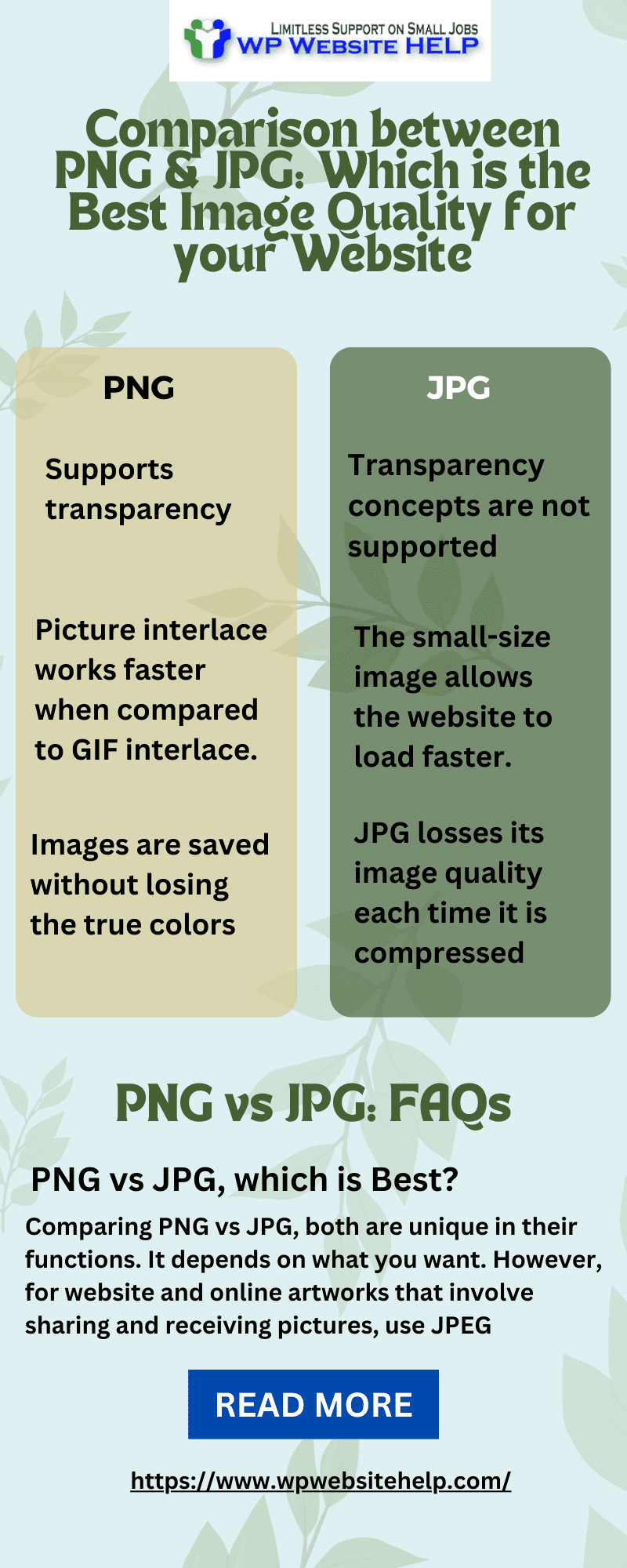
- JPEG (Joint Photographic Experts Group): Best for photographs and images with continuous tones and complex color variations. Its lossy compression achieves significantly smaller file sizes, making it ideal for web photos where some imperceptible data loss is acceptable for faster loading. However, it does not support transparency.
- PNG: Superior for graphics, logos, images with sharp edges, areas of uniform color, and images containing text. It’s the only widely supported web format that offers robust alpha channel transparency. While its file sizes can be larger than JPEGs for photos, its lossless quality is unmatched for graphics.
Rule of Thumb: If an image needs transparency or contains text, sharp lines, or large blocks of color, choose PNG. For general photographic images without transparency requirements, JPEG is often the more efficient choice for web delivery.
PNG vs. GIF: The Transparency Evolution
- GIF (Graphics Interchange Format): Historically significant for its early support of transparency and animation. However, its transparency is limited to a single transparent color (on or off), and its color palette is restricted to 256 colors. While still used for simple animations, for static images, PNG has largely superseded GIF due to its superior color depth and advanced alpha channel transparency.
- PNG: Offers millions of colors (24-bit Truecolor and 48-bit Truecolor) and sophisticated variable transparency. For static images requiring high quality and smooth transparency, PNG is the clear winner.
Brief Mention of Other Formats
- TIFF (Tagged Image File Format): Primarily used in professional printing and publishing, TIFF supports various forms of compression (including lossless) and multiple layers. It’s excellent for high-quality archival but less suited for web due to very large file sizes.
- SVG (Scalable Vector Graphics): A vector format, meaning images are defined by mathematical paths rather than pixels. SVGs are infinitely scalable without loss of quality, making them ideal for logos and icons that need to adapt to different screen sizes. However, they are not suitable for complex photographic images.
Conclusion
The Portable Network Graphics (PNG) format is far more than just another image file type; it is a critical component of modern digital design, web development, and visual communication. Its unparalleled combination of lossless compression and sophisticated alpha channel transparency provides creators with the tools to achieve exceptional visual quality and flexibility.
From ensuring that every intricate detail of a high-resolution photograph is preserved, to enabling seamless integration of transparent logos and graphic elements onto any background, PNG is indispensable. Whether you are searching for stunning aesthetic backgrounds, professional stock photos, or innovative design inspirations, the quality and versatility of PNG empower you to create and experience digital imagery at its best.
At Tophinhanhdep.com, we champion the use of high-quality image formats like PNG, integrating them into our vast collections of wallpapers, backgrounds, and thematic image collections. We also recognize the importance of leveraging image tools – from compressors and converters to AI upscalers – to optimize PNGs for performance without compromising their inherent quality. By understanding “what is image PNG” and its myriad applications, you are better equipped to make informed choices that elevate your visual projects and enhance your digital experience. Embrace the power of PNG, and unlock a world of pristine, vibrant, and effortlessly integrated digital visuals.