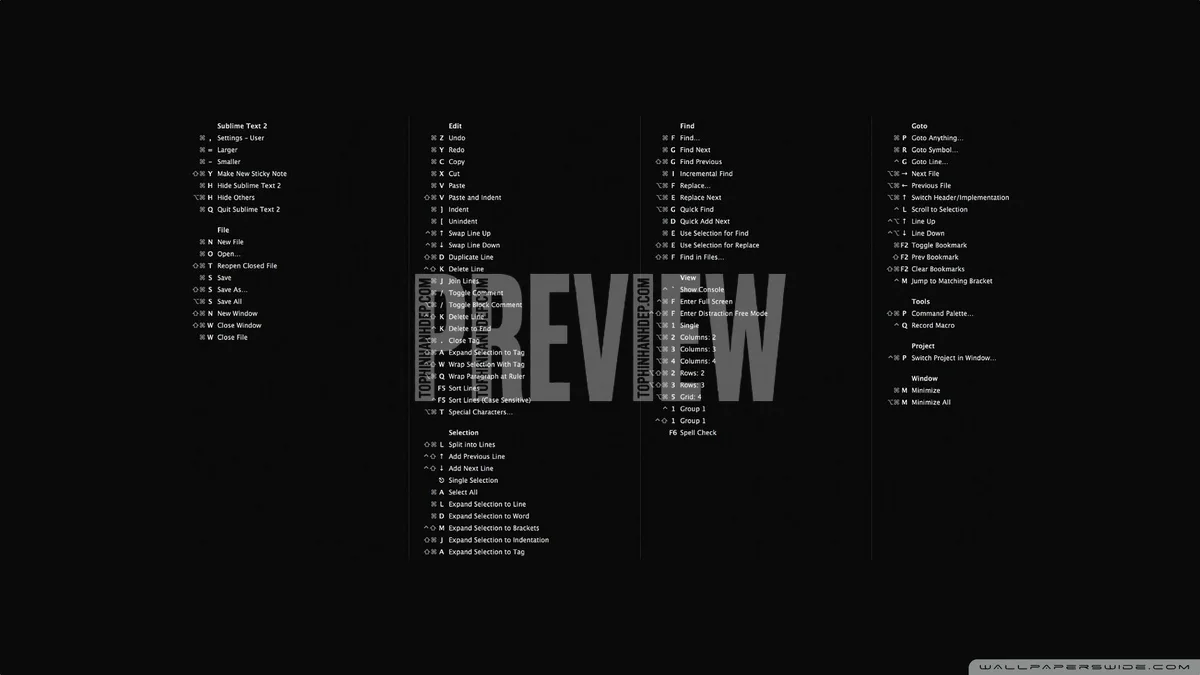
Upgrade your coding workflow with this clean, minimalist cheat sheet designed for developers who value efficiency. This visual guide presents a comprehensive list of Sublime Text keyboard shortcuts organized into clear categories like Edit, Find, View, and Selection. Set against a deep, matte black background, the crisp white typography ensures high contrast and excellent readability, minimizing eye strain during long programming sessions. The composition is structured and professional, removing unnecessary clutter to keep your workspace focused. Whether you are a seasoned software engineer or a student learning to code, having these essential commands at a glance significantly speeds up your development process. This HD wallpaper is more than just a background; it serves as a functional tool that keeps your most-used shortcuts within view at all times. Ideal for dark-themed desktop setups, it blends seamlessly with modern IDEs, providing a sleek, tech-focused aesthetic that encourages a high-performance working environment while keeping your screen organized and distraction-free.